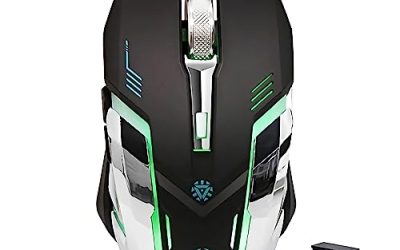
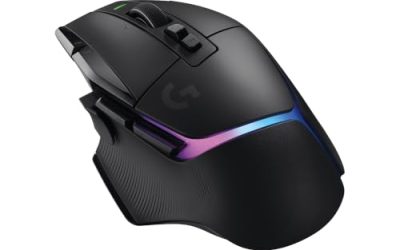
Minecraft asks a mouse to do contradictory jobs at once. In PvP you need fast, repeatable clicks and a shape that will not drag your aim off target, while in survival you spend hours placing blocks, scrolling through inventory, and reaching for hotbar slots without looking down. The real decision is therefore not maximum sensitivity. It is click style, weight, and how many useful buttons sit under your thumb.
This guide is for Bed Wars and SkyWars players chasing higher click rates, survival builders who play for long stretches, and younger players with smaller hands. Every pick below is a gaming mouse chosen from its Amazon listing name and specifications, matched to a specific Minecraft job rather than ranked by headline numbers alone.
Our Top Picks


Top 3 picks at a glance

Quick Picks
As an Amazon Associate we earn from qualifying purchases.
| Product | Best for | Key spec from title |
|---|---|---|
| Glorious Model O- (Minus) | Drag clicking and fast PvP movement | 58g Superlight Honeycomb Design |
| Logitech G502 HERO | Hotbar control with many buttons | 11 Buttons |
| Logitech G305 LIGHTSPEED | Wireless play without cable drag | 250h Battery Life |
| Razer DeathAdder V2 Mini | Smaller hands and lighter aim | 62g Lightweight Design |
How to Choose
Click style and switch behaviour
Decide first how you actually click in a fight. Normal clicking suits almost any gaming mouse, butterfly clicking needs two wide, dependable main buttons, and drag clicking needs a button surface and switch behaviour that registers repeated contact as you draw a finger across it. The Glorious Model O- lists Omron switches, while the Bloody-style optical approach is not the only route. Check the listing wording for switch type, then check the server rules you play on, because some servers restrict very high click rates or certain techniques regardless of hardware.
Weight and shape for your hand
Weight changes how a mouse feels after the tenth bridging run, not just in the first minute. A 58 gram or 62 gram mouse is easier to flick and stop during PvP, whereas the heavier G502 HERO can feel steadier for deliberate block placement and inventory work. Shape matters just as much. Ambidextrous shells suit fingertip and claw grips on either hand, while a right-handed ergonomic shell fills the palm. Measure your hand, note your grip, and match those facts to the listed dimensions instead of copying a favourite player’s setup blindly.
Buttons for the hotbar and inventory
Minecraft rewards buttons you can reach without moving your eyes. Two side buttons can cover a sword slot and blocks, a pickaxe, or a push-to-talk key, and that is enough for many players. If you regularly jump between water bucket, ender pearl, food, and tools, the eleven programmable buttons on the G502 HERO give you far more room to build a layout. Programmable does not automatically mean useful, though. Buttons placed where your thumb rests can trigger by accident, so plan the mapping on paper before you buy and leave one slot unassigned as a safety margin.
Connection, sensor, and sensitivity settings
A wired mouse removes battery worries and cable choice is simple, but the cable itself can catch during wide PvP turns. Wireless models such as the G305 remove that drag, provided the receiver stays close to the mouse. For the sensor, treat listed DPI as a range you can tune, not a score. Most Minecraft players settle far below the maximum figure, using in-game sensitivity to make turns predictable. Look for adjustable DPI, on-board memory if you switch computers, and a polling or report behaviour you understand, then keep one setting long enough to build muscle memory.
The 4 Best Options
Glorious Model O- (Minus)

Small, very light, and built around a honeycomb shell, the Model O- suits Minecraft players who move the mouse constantly and click fast. Its ambidextrous shape and six buttons keep the layout simple for PvP, bridging, and quick hotbar swaps using the side buttons, while the listed Omron switches and optical sensor cover the basics without extra bulk. Players with smaller hands, or anyone who found a standard mouse tiring during long Bed Wars sessions, should look here first before considering a larger ergonomic model.
Specs
- Brand: GLORIOUS
- Colour: Glossy Black
- Connectivity: USB
- Movement detection: Optical
- Sensor: Pixart 3360 Sensor
- Maximum sensitivity: 12,000 DPI
- Buttons: 6
- Hand orientation: Ambidextrous
- Weight: 59 grams listed in measurements, 58g in the product title
- Special feature: Honeycomb design, RGB, Omron switches
Best for: Drag-click focused PvP players and smaller hands wanting the lightest wired option here.
Watch out for: The honeycomb shell and compact size will not suit palm-grip players who prefer a solid, filled-out body.
ASIN: B07VQTP4MK
Logitech G502 HERO
Where the other picks strip things back, the G502 HERO adds control. Eleven programmable buttons let you spread hotbar slots, inventory, and utility keys across the mouse instead of stretching across the keyboard mid-fight. Its HERO 25K sensor and adjustable weights also make it the most tunable option in this list, which helps survival players who alternate between careful building and sudden combat. It is a deliberate, feature-led choice for players who value commands within thumb reach more than low weight.
Specs
- Brand: Logitech G
- Sensor: HERO 25K
- Maximum sensitivity: 25,600 DPI
- Buttons: 11 programmable buttons
- Connection: Wired
- Weight: 4.3 ounces
- Dimensions: 1.57 x 2.95 x 5.2 inches
- Adjustable weights: Five 3.6g weights included
- Lighting: RGB, LIGHTSYNC customisable
- On-board memory: Listed in the product title
Best for: Survival and mini-game players who want hotbar and utility actions mapped to the mouse.
Watch out for: Its weight and larger body can feel slow for drag clicking and tiring for small hands in fast PvP.
ASIN: B07GBZ4Q68
Logitech G305 LIGHTSPEED
The G305 answers a different problem: cable drag. As a wireless mouse with a HERO sensor and six programmable buttons, it keeps the desk clear for wide turns, fast bridging corrections, and casual survival sessions on a laptop or a shared computer. The long listed battery life means charging or cell changes rarely interrupt play, and the compact, lightweight build travels easily between setups. Choose it if freedom of movement matters more to you than having a long list of extra buttons or a wired connection.
Specs
- Brand: Logitech G
- Sensor: HERO 12K Sensor
- Maximum sensitivity: 12,000 DPI
- Buttons: 6 programmable buttons
- Battery life: 250 hours listed
- Connection: LIGHTSPEED Wireless
- On-board memory: Listed in the product title
- Colour in listing checked: Black
- Compatibility in listing title: PC and Mac
Best for: Wireless PvP and everyday Minecraft on more than one computer, without cable drag.
Watch out for: It uses a battery rather than a built-in rechargeable cell in the listing checked, so keep a spare ready for long sessions.
ASIN: B07CMS5Q6P
Razer DeathAdder V2 Mini

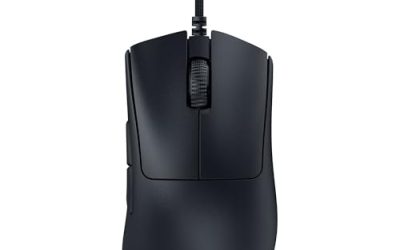
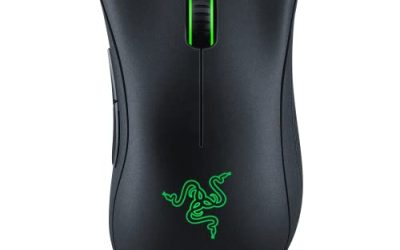
The DeathAdder V2 Mini shrinks a familiar right-handed ergonomic shape down to a listed 62 gram design, which makes it a comfortable middle ground between the tiny Model O- and the much heavier G502 HERO. Six programmable buttons cover the essential hotbar swaps, the included anti-slip grip tape helps during fast clicking, and the optical sensor offers on-the-fly sensitivity adjustment through dedicated buttons. It fits younger players and smaller-handed builders who want support under the palm without giving up a light, quick feel in a fight.
Specs
- Brand: Razer
- Colour: Classic Black
- Connectivity: Wired, Razer Speedflex Cable
- Movement detection: Optical
- Maximum sensitivity: 8,500 DPI optical sensor
- Buttons: 6 programmable buttons
- Weight: 62g lightweight design
- Lighting: Chroma RGB Lighting
- Included extra: Anti-slip grip tape
- Form factor: Right-handed ergonomic
Best for: Smaller hands wanting an ergonomic, light mouse for mixed PvP and survival.
Watch out for: The mini ergonomic shape is right-handed only, and larger hands may find it cramped for palm grip.
ASIN: B08B3K9K6P
Which One Fits Your Situation
You play Bed Wars and click speed decides fights
Start with the Glorious Model O-. Its low listed weight, compact ambidextrous shell, and six-button layout keep attention on aim and click technique rather than on extra controls. Practise your chosen technique in a single-player world first, confirm the rules of the server you use, and only then judge whether the mouse helped. Hardware can support a technique, but it cannot make a disallowed method acceptable.
You keep losing fights while reaching for the keyboard
Pick the Logitech G502 HERO and map only three actions at first, such as blocks, food, and a pearl or bucket slot. Eleven programmable buttons are useful only if your thumb learns them, so add one mapping at a time over several sessions. The adjustable weights also let you slow the feel slightly for building, which can make a busy survival inventory feel calmer and more deliberate overall.
You play on a laptop, couch desk, or shared family computer
The Logitech G305 LIGHTSPEED is the tidy answer here. Wireless connection removes the cable that catches on laptop edges, on-board memory helps your settings travel, and six buttons still cover the hotbar basics. Keep the receiver close and unobstructed, store the mouse where the battery can be changed quickly, and it becomes the easiest pick to move between homework, survival worlds, and evening mini-games without rebuilding your setup each time.
You are buying for a younger player or smaller hands
Choose the Razer DeathAdder V2 Mini if a right-handed ergonomic shape sounds comfortable, or the Model O- if the player uses a fingertip grip and wants the smallest, lightest shell. Either way, check the listed dimensions against the player’s current mouse. A mouse that fits properly will do more for control, comfort, and confidence than a higher maximum DPI figure printed in larger type on the box.
Common Mistakes
- Buying for maximum DPI and then playing on a setting so high that every turn overshoots the block you meant to place.
- Assuming drag clicking is allowed everywhere, without checking the specific server rules on click rates and techniques.
- Mapping every hotbar slot to the mouse on day one, then triggering the wrong item in every fight.
- Ignoring hand size and grip, especially when buying a mini or ergonomic mouse for a player with larger hands.
- Choosing wireless for a tidy desk but placing the receiver far away behind a computer or monitor.
Frequently Asked Questions
Is a lightweight mouse always better for Minecraft PvP?
No. A lighter mouse is easier to move and stop quickly, which helps many PvP players, but some builders prefer a heavier feel for steady placement. The G502 HERO shows the trade-off clearly: more buttons and weight for control, against the faster feel of the 58 gram and 62 gram picks in this guide.
How many programmable buttons do you really need?
Two side buttons are enough for most players, covering blocks and one emergency item. More buttons help if you dislike reaching across the keyboard or play several mini-game modes with different layouts. The G502 HERO offers eleven, but learning three or four reliable mappings first will usually improve play faster than filling every slot immediately.
Does drag clicking damage a mouse or break server rules?
Repeated drag clicking puts extra wear on the main buttons, and any switch has a finite working life. Rules are separate from hardware: each server sets its own position on techniques and click rates, and those rules can change. Check the current rules for the server you play on, and never use macros or automation to imitate manual clicking.
Should Minecraft players choose wired or wireless?
Wired mice such as the Model O-, G502 HERO, and DeathAdder V2 Mini avoid battery management entirely and keep the setup simple. Wireless, represented here by the G305, removes cable drag and suits laptops or shared desks. Both approaches can track well for Minecraft, so decide by your desk, your tolerance for batteries, and whether a cable physically gets in your way.
Related guides
More from Amazon
Programs that pair well with the guide above. Offers and eligibility are set by Amazon and may change.
Free shipping on eligible items, Prime Video and more. Eligible new members can start with a free trial.
Start a Prime free trialAd-free music streaming. Eligible new subscribers can start with a free trial.
Try Music Unlimited freeA Prime membership for ages 18-24 with a trial period. Eligibility is set by Amazon.
See Prime for Young AdultsAudiobooks and podcasts to listen to on the go. Eligible new members can start with a free trial.
Try Audible freeAs an Amazon Associate we earn from qualifying purchases.