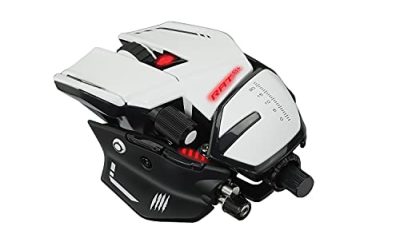
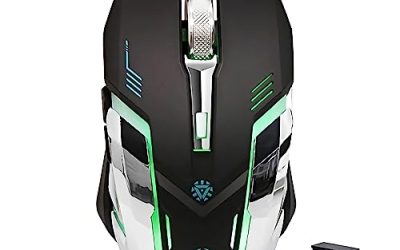
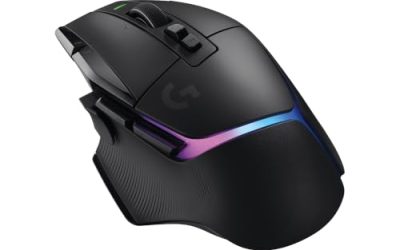
Dropping weight changes how a mouse feels more than a higher sensitivity number ever will. A lighter shell lets you stop a fast swipe with less effort, lift and reset without dragging your wrist, and play longer before small corrections start to feel tiring. The real decision here is not simply chasing the lowest gram count, because shape, battery type, and connection options decide whether that lightness stays comfortable after the first week.
This guide is for fingertip and claw players who want quick movement, laptop players who need a mouse that travels well, and anyone replacing a heavy wireless model for everyday ranked play. Every pick below was chosen from its name and specifications on its Amazon product page, with weight, sensor, battery, and connectivity checked against that listing.
Our Top Picks
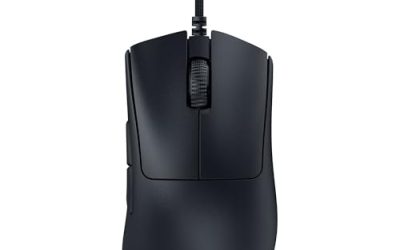
 Razer Orochi V2 Wireless Gaming Mouse4.26 x 1.52 inch (Pack of 1)4.26 x 1.52 x 2.47 inches0.13 poundsCheck on Amazon


Top 3 picks at a glance

Quick Picks
As an Amazon Associate we earn from qualifying purchases
| Product | Best for | Key spec from title |
|---|---|---|
| Razer Orochi V2 | Small hands and travel bags | Under 60g excluding battery |
| HyperX Pulsefire Haste 2 Wireless | Rechargeable dual-wireless play | 61g, 100 Hour Battery Life |
| Razer Viper V3 HyperSpeed | Symmetrical shape for claw grip | 82g, 30K DPI Optical Sensor |
| Logitech G305 LIGHTSPEED | Long battery life from one AA cell | 99 grams, 250h Battery Life |
How to Choose
Weigh the Mouse With Its Battery Fitted
Listings do not all count weight the same way, and that detail matters more than the headline number. One model in this guide is listed at under sixty grams before its battery goes in, while another reaches its stated weight with an AA cell already installed. A rechargeable design avoids that guesswork entirely, since the cell is built in. Before you compare two mice directly, check whether the figure includes the battery, then think about your grip. Fingertip players usually feel every extra gram during micro-corrections, whereas palm players may prefer a little more mass behind the hand for control on slower, wider movements across the pad.
Match the Shape to Your Hand and Grip
A compact, low shell and a longer symmetrical body can weigh almost the same yet suit completely different players. Smaller mice reward fingertip movement and pack easily beside a laptop, but they can cramp a large hand during a long session. A fuller symmetrical shape gives claw players room to brace their fingers and keeps the rear of the mouse in contact with the palm. Measure your current mouse, compare its length with the dimensions on the listing, and be honest about how you actually hold it. Choosing by silhouette first, and only then by sensor numbers, prevents the common problem of buying a fast mouse that never feels secure.
Decide How You Want to Handle Power
Battery design shapes your weekly routine. Replaceable AA and AAA cells let you swap in a fresh battery in seconds and keep playing, and some models accept either size, which also lets you adjust weight slightly. The trade-off is a stock of spare cells and a weight figure that changes with the battery you fit. A built-in rechargeable battery keeps the weight fixed and removes that errand, though you will need to remember a charging cable when the charge runs low. Look at the stated hours for the wireless mode you will really use, because a Bluetooth figure and a gaming receiver figure for the same mouse can differ by hundreds of hours.
Check the Wireless Modes You Actually Need
For gaming, the included receiver connection matters most, since it is built for low-latency play. Bluetooth is a useful second mode for a work laptop or tablet where you would rather not move the receiver between machines. Some mice here offer both, while others focus on a single gaming connection and leave Bluetooth out. Neither approach is wrong, but buying a receiver-only mouse for a two-device desk creates daily friction. Also confirm where the receiver stores when you travel, and keep the dongle away from crowded hubs.
The 4 Best Options
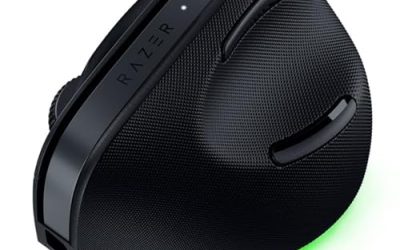
Razer Orochi V2
This compact Razer suits players whose hands disappear around a full-size mouse, and travellers who want a gaming mouse that genuinely earns its space in a laptop sleeve. Its listing describes a shell under sixty grams before a battery is fitted, paired with two wireless modes, so it can run a gaming receiver at your main desk and then switch to Bluetooth for work on the road. The hybrid battery slot is a thoughtful touch, letting you run whichever cell size you already keep at home, and the long stated battery figures mean that flexibility does not come with constant swapping.
Specs
- Weight: under 60g excluding battery, per listing title
- Sensor: Razer 5G Advanced 18K DPI optical sensor
- Connectivity: Razer HyperSpeed Wireless and Bluetooth
- Battery life: up to 950 hours on Bluetooth and up to 425 hours on HyperSpeed Wireless
- Power: one AA or AAA battery, hybrid slot, battery included
- Switches: 2nd-gen Razer mechanical mouse switches, rated up to 60 million clicks
- Buttons: 6 programmable buttons
Best for: Small-handed fingertip players and anyone who games on a laptop away from home.
Watch out for: The stated weight excludes the battery, so the in-hand weight will be higher once a cell is fitted, and the compact shell may feel cramped for palm grip.
HyperX Pulsefire Haste 2 Wireless
Anyone who wants the lightest fixed weight in this guide should start here. The Haste 2 Wireless keeps a solid upper shell rather than an open honeycomb, yet its listing still puts it at sixty-one grams, and because the battery is rechargeable that figure does not shift depending on which cell you install. Dual wireless modes cover both a receiver connection for play and Bluetooth for a second device, while the hundred-hour stated battery life keeps charging occasional rather than weekly. It is the most straightforward pick for players who want low weight without managing loose batteries or accepting a tiny travel shape.
Specs
- Weight: 61g, per listing title
- Sensor: HyperX 26K sensor, up to 26,000 DPI and up to 650 IPS tracking
- Connectivity: 2.4GHz wireless dongle and Bluetooth, plus wired mode listed for charging while playing
- Battery life: up to 100 hours on a full charge
- Buttons: 6 programmable buttons
- Software: customisation through HyperX NGENUITY software
- Model number: 6N0B0AA
Best for: Claw and fingertip players who want a rechargeable mouse at a true sixty-one grams.
Watch out for: Settings such as macros, DPI stages, and lighting require the NGENUITY software, so check that it fits how you like to configure a mouse.
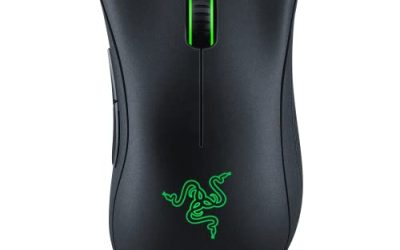
Razer Viper V3 HyperSpeed
The Viper name carries a particular shape language, and this HyperSpeed version brings it to players who prefer a symmetrical body with more length under the hand than the smallest mice here provide. Its listing centres on a high-end optical sensor and a single AA battery that delivers a long stated run time, which makes it a set-and-forget option for a main gaming desk. At eighty-two grams with the battery fitted it is not the lightest shell in this roundup, yet that weight arrives in a proven competitive silhouette that many claw players already know, reducing the adjustment period after switching.
Specs
- Weight: 82g, per listing title
- Sensor: Focus Pro 30K optical sensor, up to 30,000 DPI
- Connectivity: Razer HyperSpeed Wireless
- Battery life: up to 280 hours on a single AA battery
- Power: 1 AA battery included
- Switches: mechanical mouse switches Gen-2
- Buttons: 6 programmable buttons
Best for: Symmetrical-shape fans who play claw or fingertip and want long life from one AA cell.
Watch out for: There is no Bluetooth mode listed, so a second device means moving the receiver, and higher polling through a separate HyperPolling dongle costs extra.
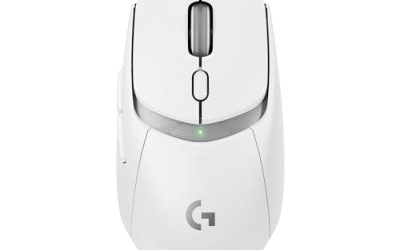
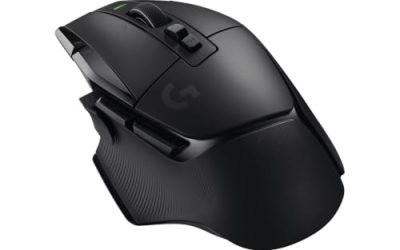
Logitech G305 LIGHTSPEED
The G305 is the elder design in this group, and its appeal is endurance rather than extremes. Logitech lists it at ninety-nine grams, which sits at the heavier end of lightweight, but in return you get a very long stated run from a single AA battery and a compact shape with storage for the receiver inside the mouse itself. That storage detail matters for anyone who moves between rooms or throws the mouse in a bag, because the dongle travels with it instead of loose in a pocket. For players who value never thinking about charging over shaving the last grams, this remains an easy mouse to live with.
Specs
- Weight: 99 grams, per listing
- Sensor: HERO 12K sensor, 200 to 12,000 DPI, over 400 IPS listed
- Connectivity: LIGHTSPEED Wireless through USB receiver, 1ms report rate
- Battery life: 250 hours of continuous gameplay on a single AA battery
- Buttons: 6 programmable buttons
- Memory: on-board memory
- Compatibility: PC and Mac, per listing title
Best for: Players who prioritise months of use between battery changes and a receiver that stores in the mouse.
Watch out for: At ninety-nine grams it is noticeably heavier than the other picks here, and there is no Bluetooth, so confirm a receiver-only connection suits your setup.
Which One Fits Your Situation
You Play on a Laptop in More Than One Place
Pick the Razer Orochi V2. Its small shell, Bluetooth mode, and choice of AA or AAA power make it the easiest mouse here to move between a desk, a kitchen table, and a bag. The receiver handles gaming at home, while Bluetooth covers the second machine without unplugging anything, and a spare cell from a drawer gets you playing again in seconds if the battery fades mid-trip.
You Want Low Weight Without Loose Batteries
Choose the HyperX Pulsefire Haste 2 Wireless. The rechargeable design holds its sixty-one gram weight steady, the solid shell avoids an open honeycomb feel, and Bluetooth is there for a work laptop. If your routine already includes charging a headset and a keyboard, adding an occasional mouse charge is simpler than keeping the right loose cells in stock and remembering which size a particular mouse takes.
Your Main Desk Is Built Around Ranked Shooters
The Razer Viper V3 HyperSpeed fits a dedicated gaming setup best. Its symmetrical shape, high-specification sensor, and receiver-only focus suit a single PC where the dongle stays plugged in permanently. The AA battery delivers long stated endurance, so interruptions stay rare during a season, and the familiar Viper silhouette helps players who already use that shape avoid relearning their grip mid-rank.
You Hate Charging and Rarely Move the Dongle
Go with the Logitech G305 LIGHTSPEED. Two hundred and fifty stated hours from one AA battery is the longest simple promise here, and the receiver stored inside the body helps when you do travel. Accept the extra weight over the lighter picks, and in exchange you get a compact mouse that asks almost nothing of you between battery swaps.
Common Mistakes
- Comparing weights without checking whether the figure includes the battery, which can make two listings look closer or further apart than they really are in the hand.
- Buying the smallest mouse available when your hand and grip need a longer shell, then blaming the sensor for aim that actually suffers from an insecure hold.
- Choosing a receiver-only mouse for a two-device desk, or paying attention to Bluetooth battery figures when you will spend nearly all your time on the gaming receiver mode.
- Leaving the wireless receiver buried in a rear port or a crowded hub far from the mouse pad, instead of placing it close and clear for a steadier connection.
- Ignoring software requirements for buttons and DPI stages, only to discover after buying that the settings you care about live in an app you would rather not install.
Frequently Asked Questions
How light does a wireless gaming mouse need to be?
There is no single threshold that suits everyone, but every mouse in this guide sits below one hundred grams, and the lightest options are near sixty. Fingertip players tend to notice smaller differences. If your current mouse feels slow to stop at the end of a swipe, a drop of twenty grams or more is usually the change you will actually feel.
Is Bluetooth good enough for gaming?
Bluetooth works well for slower games, everyday use, and a second laptop, but the receiver connection is the better choice for fast, competitive play. Mice here that offer both modes let you keep the receiver in your gaming PC and use Bluetooth elsewhere. If a mouse lists only a receiver connection, treat it as a single-desk gaming mouse rather than a travel all-rounder.
Are replaceable batteries better than a rechargeable mouse?
Neither is universally better. Replaceable cells let you swap and keep playing instantly, and some mice accept two cell sizes, while a rechargeable mouse keeps its weight constant and removes the need for spares. Compare the stated hours for the mode you use most, then decide which routine fits your desk: a drawer of spare cells, or an occasional charging cable.
Will a lighter mouse improve my aim on its own?
A lighter mouse reduces the effort needed to start, stop, and lift during fast movements, which can make your existing technique feel cleaner. It will not fix a shape that fights your grip or settings that do not suit your game. Match the shell to your hand first, set a sensitivity you can control at both short and long ranges, and let the lower weight support that foundation.
Related guides
More from Amazon
Programs that pair well with the guide above. Offers and eligibility are set by Amazon and may change.
Free shipping on eligible items, Prime Video and more. Eligible new members can start with a free trial.
Start a Prime free trialAd-free music streaming. Eligible new subscribers can start with a free trial.
Try Music Unlimited freeA Prime membership for ages 18-24 with a trial period. Eligibility is set by Amazon.
See Prime for Young AdultsAudiobooks and podcasts to listen to on the go. Eligible new members can start with a free trial.
Try Audible freeAs an Amazon Associate we earn from qualifying purchases.