Claw grip sits between palm grip and fingertip grip. The fingers arch over the buttons, the fingertips rest on the front of the mouse, and the palm makes light contact with the rear hump. That arched finger position gives quick, precise clicks and fast vertical movement, but it also makes shape matter more than it does for palm grip. A mouse that is too long pushes the fingertips past the buttons, a hump that sits too far back leaves the palm unsupported, and a wide body forces the fingers to stretch.
The best wireless gaming mouse for claw grip is therefore a short, light mouse with a raised hump under the palm, side buttons that fall under the thumb, and a sensor that tracks cleanly at high speeds. Wireless connection matters too, because a cable can drag against the desk during the fast lifts and repositioning that claw players use. The four mice below all meet those conditions on their published specifications, and they differ mainly in length, weight, shape, and sensor ceiling.
Our top pick: Logitech G Pro X Superlight. Runner-up: Razer Viper V2 Pro. This guide compares published specifications only: length, width, height, weight, sensor, polling rate, battery rating, button count, and wireless connection, as listed by the maker and on the Amazon listing. Use the measurements to match a mouse to your hand size and grip, rather than choosing by brand alone.
Our Top Picks


Top 3 picks at a glance

At a Glance
| Product | Best for | Key specification |
|---|---|---|
| Logitech G Pro X Superlight | All-around claw fit | Under 63 g; HERO 25K sensor to 25,600 DPI; 125.0 mm long |
| Razer Viper V2 Pro | Lightest symmetrical claw shape | 58 g; Focus Pro 30K sensor; 90-hour battery rating |
| Razer DeathAdder V3 Pro | Larger hands and a raised hump | 63 g; Focus Pro 30K sensor; 90-hour battery rating |
| Glorious Model O Wireless | Honeycomb shell and RGB lighting | 69 g; 19,000 DPI BAMF sensor; 71-hour battery rating |
How to Choose
1. Length
Length is the first measurement to check for claw grip. The fingertips should land on the main buttons with the fingers arched, not stretched flat and not curled so far that the knuckles lift. Mice in the 120 to 128 mm range suit most claw players, because the shorter body keeps the buttons under the fingertips while the rear of the shell still reaches the palm. The Logitech G Pro X Superlight measures 125.0 mm long, which places it in the middle of that range. If your hand measures under 17 cm from wrist to middle fingertip, lean toward the shorter end of the range. If your hand measures over 19 cm, a mouse near 128 mm gives the fingers more room without forcing a palm position.
2. Hump position and height
The hump is the raised section at the rear of the shell, and its position decides where the palm rests. A mid-position hump supports the center of the palm and suits a classic claw grip, where the palm stays slightly raised and the fingers do most of the work. A rear-position hump pushes support toward the heel of the palm and suits players who let the palm sit lower. Height matters as well: the Logitech G Pro X Superlight is 40.0 mm tall, a moderate height that fills the palm without forcing the fingers upward. A very low, flat shell can feel fast but leaves the palm with nothing to brace against during long sessions, while a very tall hump can push the fingers into an awkward angle. Compare the height figure in the listing with the shape in the product images before deciding.
3. Width and side-button reach
Width decides how far the thumb and ring finger must reach around the shell. The Logitech G Pro X Superlight is 63.5 mm wide, a moderate width that suits medium hands in claw grip. Narrower mice let the thumb and ring finger pinch the sides with less stretch, which helps with fast lifts, while wider mice give large hands more surface to hold. Side buttons should sit where the thumb rests naturally, without bending the thumb joint forward or back. Two side buttons are the usual layout on the mice in this guide, and their position matters more than their count: a button that sits too far forward forces the thumb to reach, and one that sits too far back is easy to press by accident. Check the side profile images to see how far forward the buttons sit relative to the middle of the shell.
4. Weight and balance
Weight has a direct effect on claw grip, because the grip uses the fingertips to lift and reposition the mouse. A lighter mouse needs less finger effort to lift, which keeps fast flicks and resets feeling quick. The four mice in this guide weigh 58 g, under 63 g, 63 g, and 69 g on their published specifications, so all four sit in the lightweight class. The Razer Viper V2 Pro is the lightest at 58 g, while the Glorious Model O Wireless is the heaviest of the four at 69 g. Balance matters alongside raw weight: a mouse that is heavy at the rear can feel sluggish when the fingers lift the front, while a centered balance keeps the shell level during lifts. Honeycomb shells, such as the one on the Model O Wireless, remove material from the shell to keep weight down without shrinking the body.
5. Sensor and polling rate
The sensor decides how accurately the mouse tracks fast movement, and the polling rate decides how often it reports its position to the computer. The Logitech G Pro X Superlight uses the HERO 25K sensor with a range of 100 to 25,600 DPI, a maximum speed above 400 IPS, and a 1,000 Hz report rate. Both Razer mice use the Focus Pro 30K optical sensor, which Razer lists with a 30,000 DPI ceiling. The Glorious Model O Wireless uses a BAMF sensor with a 19,000 DPI ceiling. In practice, most players use a DPI setting between 400 and 3,200, so a very high ceiling is less important than clean tracking at the setting you actually use. A 1,000 Hz polling rate is the standard listed figure across these mice, and it means the mouse reports its position 1,000 times per second. Look for a sensor with no smoothing or filtering listed in its specifications, so the tracking follows the hand without added processing.
6. Wireless connection and battery rating
A wireless mouse for claw grip should keep its connection stable during fast movement and hold a charge through long sessions. The Logitech G Pro X Superlight uses LIGHTSPEED wireless technology with a battery rating of up to 70 hours of constant motion. Both Razer mice use HyperSpeed wireless technology with a battery rating of up to 90 hours. The Glorious Model O Wireless uses lag-free 2.4 GHz wireless with a battery rating of up to 71 hours. All four connect through a 2.4 GHz USB receiver, and all four can also run while connected by cable for charging. Battery ratings are measured under the maker’s stated conditions, so the figure to compare is the rating itself, not a single session. A higher rating means fewer charging interruptions, and a mouse that charges over USB-C is easier to top up between sessions than one that uses an older connector.
7. Button layout and software
Claw grip puts the index and middle fingers on the main buttons, so the click mechanism and the button count deserve attention. The Logitech G Pro X Superlight has 5 programmable buttons, and the Razer DeathAdder V3 Pro also lists 5 programmable buttons, while the Razer Viper V2 Pro lists 5 programmable buttons as well. The Glorious Model O Wireless lists 6 buttons. Fewer buttons keep the shell clean and the side profile simple, which suits players who only need two side buttons for forward and back actions. More buttons add options for players who bind extra actions, but each extra button adds a control to learn. Onboard memory is another useful specification: it lets the mouse keep its DPI steps and button assignments when moved between computers, without opening software each time.
Our Picks
Logitech G Pro X Superlight — ASIN B087LXCTFJ
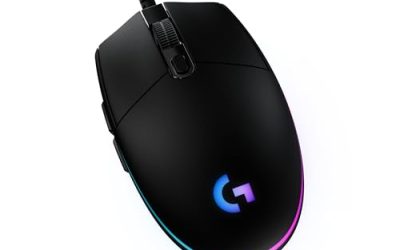
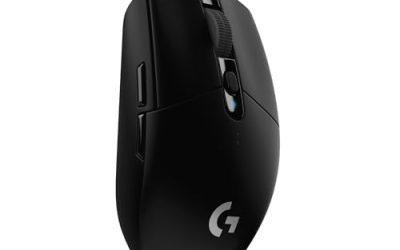
The Logitech G Pro X Superlight measures 125.0 mm long, 63.5 mm wide, and 40.0 mm tall, and it weighs under 63 g. It uses the HERO 25K sensor with a range of 100 to 25,600 DPI, a maximum speed above 400 IPS, and a 1,000 Hz report rate over LIGHTSPEED wireless. The listing gives a battery rating of up to 70 hours of constant motion, and the mouse has 5 programmable buttons, onboard memory, zero-additive PTFE feet, and a click tensioning system.
Best for: Medium hands and players who want a balanced, symmetrical claw shape with a moderate hump and a proven sensor.
Consideration: The shell has no RGB lighting and no extra side buttons beyond the standard two, so players who want lighting or more controls should look at the other picks.
Razer Viper V2 Pro — ASIN B09VCR969M
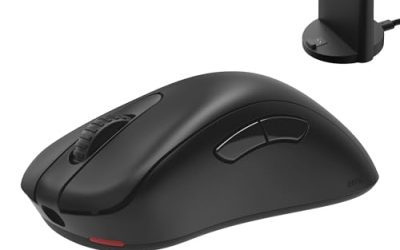
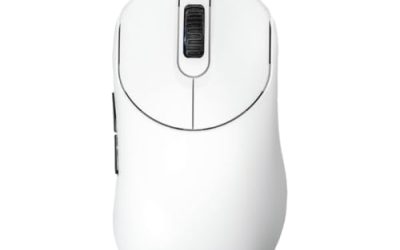
The Razer Viper V2 Pro weighs 58 g, making it the lightest mouse in this guide on published specifications. It uses the Focus Pro 30K optical sensor, Gen-3 optical switches, and HyperSpeed wireless technology, with a battery rating of up to 90 hours and a USB-C cable included. The listing also notes on-mouse DPI controls, so the sensitivity can be changed without opening software.
Best for: Players who want the lightest symmetrical body for fast lifts and quick repositioning in claw grip.
Consideration: The low, symmetrical shell has a gentle hump, so players who want strong palm support from a tall rear hump may prefer the DeathAdder V3 Pro instead.
Razer DeathAdder V3 Pro — ASIN B0B6XZLNHQ
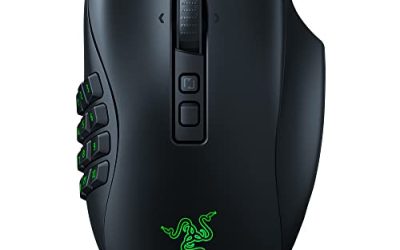
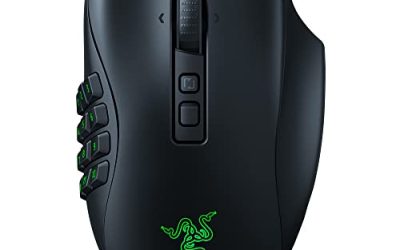
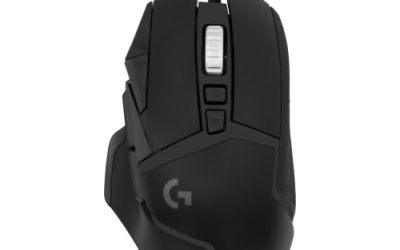
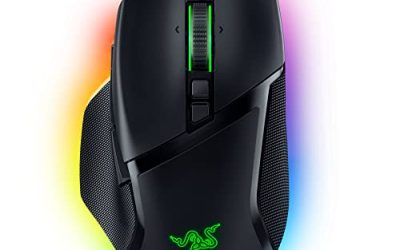
The Razer DeathAdder V3 Pro weighs 63 g and uses the Focus Pro 30K optical sensor with Gen-3 optical switches and HyperSpeed wireless technology. The listing gives a battery rating of up to 90 hours, 5 programmable buttons, and a right-handed ergonomic shape developed with esports players. Its raised rear hump and longer ergonomic body give the palm more contact than a short symmetrical shell.
Best for: Larger hands and players who want an ergonomic, right-handed shape with a pronounced hump for claw grip.
Consideration: The right-handed ergonomic shape suits right-handed players only, and the longer body suits medium to large hands better than small hands.
Glorious Model O Wireless — ASIN B098RDFP3J
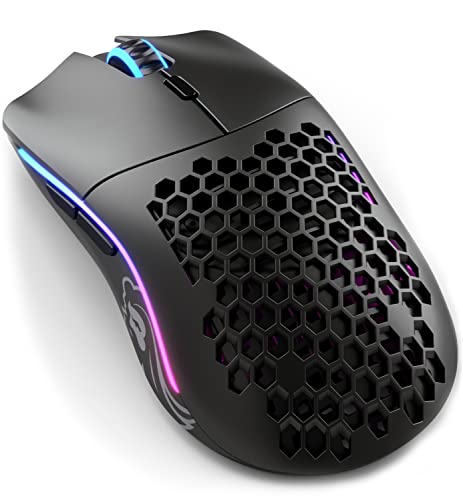
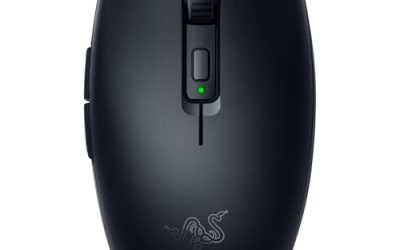
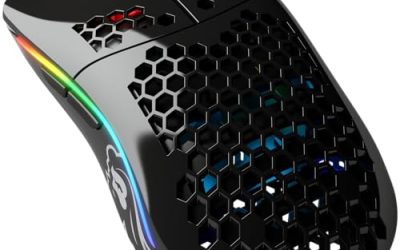
The Glorious Model O Wireless weighs 69 g and uses a honeycomb shell with RGB lighting, a BAMF sensor with a 19,000 DPI ceiling, and lag-free 2.4 GHz wireless. The Amazon listing gives a battery rating of up to 71 hours, an ambidextrous shape, and a matte black finish, with a listed item weight of 2.4 ounces. The honeycomb design keeps the shell light while keeping the full-size body, and the RGB lighting runs through the shell and the scroll wheel.
Best for: Players who want a honeycomb shell, RGB lighting, and an ambidextrous shape at a light weight for claw grip.
Consideration: At 69 g it is the heaviest mouse in this guide, and the honeycomb holes let dust reach the interior, so the shell needs regular cleaning.
Which One Is Right for You?
Begin with hand size. Small to medium hands suit the Logitech G Pro X Superlight or the Razer Viper V2 Pro, because both are short, light, and symmetrical, with the Viper V2 Pro the lighter of the two at 58 g. Medium to large hands suit the Razer DeathAdder V3 Pro, because its ergonomic shape and raised hump fill a larger palm and support a claw grip without forcing the fingers to stretch. Players who like a honeycomb shell and RGB lighting should look at the Glorious Model O Wireless, which pairs its 69 g honeycomb body with a 71-hour battery rating.
Next, weigh sensor and battery against shape. All four mice list a 1,000 Hz report rate and a high DPI ceiling, so the sensor is unlikely to decide the choice for most players. The battery ratings differ more: the two Razer mice list up to 90 hours, while the Logitech lists up to 70 hours and the Glorious lists up to 71 hours. If the shape fits, choose the mouse with the longer battery rating and the button layout that matches how many side controls you use. If two mice fit equally well, the lighter one usually feels quicker in claw grip, because the fingertips lift the mouse more often than they do in palm grip.
Frequently Asked Questions
What is claw grip?
Claw grip is a way of holding a mouse with arched fingers, fingertips on the buttons, and the palm resting lightly on the rear hump. The fingers stay curled rather than flat, which gives fast clicks and quick vertical movement. It sits between palm grip, where the whole hand rests on the mouse, and fingertip grip, where only the fingertips touch the shell.
What mouse length works for claw grip?
Most claw players suit a mouse between 120 and 128 mm long, because that length keeps the main buttons under the fingertips with the fingers arched. The Logitech G Pro X Superlight measures 125.0 mm, which sits in the middle of that range. Measure your hand from wrist to middle fingertip and compare it with the listed length before choosing.
Is a lighter mouse better for claw grip?
A lighter mouse usually feels better in claw grip, because the fingertips lift and reposition the mouse during play. The mice in this guide weigh 58 g, under 63 g, 63 g, and 69 g on published specifications, and the lightest is the Razer Viper V2 Pro at 58 g. Weight is not the only factor, though: a mouse that fits the hand well can feel better than a lighter mouse with the wrong shape.
Do I need a high DPI sensor for claw grip?
A high DPI ceiling is useful, but most players use a setting between 400 and 3,200 DPI, far below the ceilings listed here. The Logitech G Pro X Superlight lists up to 25,600 DPI, both Razer mice list a 30,000 DPI sensor, and the Glorious Model O Wireless lists a 19,000 DPI ceiling. Clean tracking at your chosen setting and a 1,000 Hz polling rate matter more than the maximum number on the listing.
Can I use a claw grip mouse with small hands?
Yes, if the mouse is short and narrow enough for the fingertips to reach the buttons with the fingers arched. The Razer Viper V2 Pro and the Logitech G Pro X Superlight are the shortest, lightest options in this guide, and their symmetrical shapes suit small to medium hands. Avoid long ergonomic mice if your hand measures under 17 cm from wrist to middle fingertip, because the buttons sit too far forward for a comfortable arch.
Is wireless fast enough for competitive play?
The wireless systems listed here are built for low-latency play: Logitech lists LIGHTSPEED wireless on the G Pro X Superlight, Razer lists HyperSpeed wireless on both of its mice, and Glorious lists lag-free 2.4 GHz wireless on the Model O Wireless. All four list a 1,000 Hz report rate, which means the mouse reports its position 1,000 times per second. A 2.4 GHz receiver connection is the standard for competitive wireless mice, and all four mice can also run while connected by cable for charging.
Bottom Line
The best wireless gaming mouse for claw grip is the Logitech G Pro X Superlight, because its 125.0 mm length, 63.5 mm width, 40.0 mm height, and under-63 g weight give a balanced fit for medium hands, and its HERO 25K sensor covers 100 to 25,600 DPI with a 1,000 Hz report rate. The Razer Viper V2 Pro is the runner-up, and it is the better choice for players who want the lightest body in this guide at 58 g with a 90-hour battery rating. Larger hands suit the Razer DeathAdder V3 Pro and its raised ergonomic hump, while the Glorious Model O Wireless suits players who want a honeycomb shell with RGB lighting. Match the length and hump to your hand first, then let weight and battery rating decide between the mice that fit.
Disclosure: As an Amazon Associate, this site earns from qualifying purchases.
Related guides
More from Amazon
Programs that pair well with the guide above. Offers and eligibility are set by Amazon and may change.
Free shipping on eligible items, Prime Video and more. Eligible new members can start with a free trial.
Start a Prime free trialAd-free music streaming. Eligible new subscribers can start with a free trial.
Try Music Unlimited freeA Prime membership for ages 18-24 with a trial period. Eligibility is set by Amazon.
See Prime for Young AdultsAudiobooks and podcasts to listen to on the go. Eligible new members can start with a free trial.
Try Audible freeAs an Amazon Associate we earn from qualifying purchases.