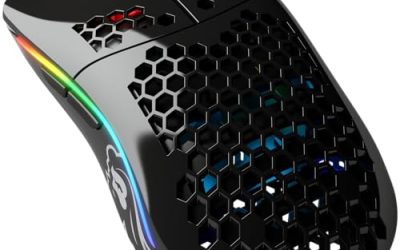
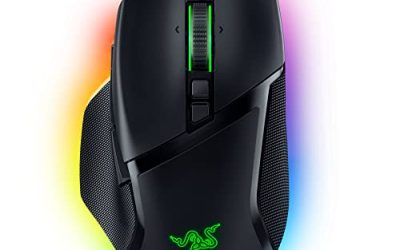
If your action bars keep growing, a standard two-side-button mouse quickly becomes the bottleneck. MMOs, MOBAs, and heavily modded RPGs can demand twenty or more abilities, consumables, and macros in a single fight, and reaching across the keyboard for them breaks movement and slows reactions. The best gaming mouse with lots of buttons moves a full keypad under your thumb, so your keyboard hand stays on movement keys while your mouse hand handles the rotation.
Most mice in this category share a shape: a wide, right-handed shell, a grid of twelve side buttons, and software for remapping, profiles, and macros. Beyond that template, differences matter a lot. Some are wireless with swappable side plates, some are wired and simple, one is unusually light for its button count, and one uses a third main click to double its commands. Weight, grip fit, and how the side buttons feel under your thumb separate a mouse you will learn from one that stays confusing for months.
This guide compares five current MMO-style mice on how many buttons you really get, how reachable they are, whether the connection suits your desk, and what compromises each design makes.
As an Amazon Associate we earn from qualifying purchases.
Top 3 picks at a glance


Quick Picks
A short shortlist for wireless, wired, and lightweight twelve-button options.
| Product | ASIN | Best For |
|---|---|---|
| Razer Naga V2 Pro | B0BGJTLFN5 | Swappable side plates and wireless versatility |
| SteelSeries Aerox 9 Wireless | B09VNPB6Q1 | Lightweight wireless play with a full side panel |
| Corsair Scimitar RGB Elite | B082LRMY53 | Wired MMO play with an adjustable side panel |
| Logitech G600 | B0086UK7IQ | Extra commands from a third main button |
| Redragon M908 Impact | B07HC4NBQ8 | A wired twelve-button layout on a tighter budget |
How to Choose
Choosing one is less about chasing the highest count and more about matching layout, shape, and connection to your games and your hand.
Button Count and Side Panel Layout
Count usable buttons, not headline buttons. On most MMO mice the core is a twelve-button thumb grid in four rows of three, plus left and right clicks, a clickable wheel, and one or two DPI buttons behind the wheel. That gives totals in the high teens, plenty for a full action bar plus consumables and a mount. What matters more is whether you can tell buttons apart by touch. Angled rows, textured caps, and separated clusters help your thumb learn positions without looking down.
Grip, Hand Size, and Shell Shape
These mice are wider and taller than typical esports mice because they house the side panel and give your thumb room to move across it. Palm grip users adapt fastest, since the shell supports the hand while the thumb works the grid. Check stated length and width against your current mouse, and note the right side: a ring-finger rest changes how stable the mouse feels when your thumb presses sideways. If your hand is small, the front row of a twelve-button grid may sit out of comfortable reach, so an adjustable or smaller panel deserves priority.
Wired, 2.4 GHz Wireless, and Bluetooth
Wired models remove battery management entirely, though the cable can drag when you press side buttons and shift the mouse at the same time; a bungee reduces that effect. Low-latency 2.4 GHz wireless is the usual gaming choice, designed for fast, consistent reporting. Bluetooth is useful as a second connection for a laptop, but it is generally the backup mode rather than the gaming mode.
Sensor, DPI, and Polling Rate
Every mouse here tracks far beyond what MMO play requires. Optical sensors in the group range from 12,400 DPI to 30,000 DPI, and even the older laser design reaches 8,200 DPI, while most players settle in the low thousands. Treat headline DPI as headroom, not quality. More useful checks are whether DPI adjusts in small steps, whether several levels can be stored and cycled with a dedicated button, and whether polling is 1,000 Hz.
Weight and Balance
Button-heavy mice have historically been heavy, and some here are well over 120 grams. That is not automatically bad: a heavier shell stays planted when your thumb pushes sideways, and some players prefer the deliberate feel for long raids. The trade-off appears in fast camera work and in shooters played on the side, where a lighter mouse is easier to start and stop. One pick below brings an eighteen-button layout down to 89 grams with a perforated shell.
Software, Profiles, and Onboard Memory
A mouse with this many buttons lives or dies by its software, which assigns abilities, builds macros, sets DPI levels, and saves profiles per game or character. Look for onboard memory if you play on more than one PC, because stored profiles travel with the mouse. Also check layering: one model below uses a third button to shift every side button to a second command, doubling the panel. Set up profiles gradually, a few buttons per session, rather than mapping everything on day one and remembering none of it.
Switch Feel and the Scroll Wheel
You will click the main buttons thousands of times per session, so switch type matters. Optical switches, used on the Razer pick, are designed to avoid debounce delay and double-click wear, while mechanical switches on the other models have a familiar, tactile break. The wheel deserves attention too: free-spin and tilt functions can take over inventory scrolling, zoom, or extra binds, and on the Naga V2 Pro the wheel behaviour itself is adjustable.
5 Best Options
Each pick is a dedicated MMO-style mouse with a twelve-button side panel, compared on stated specifications, strengths, and limits.
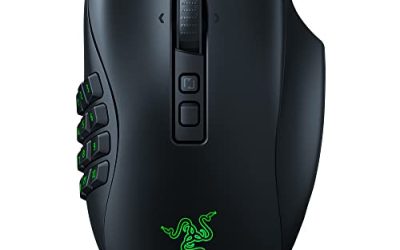
Razer Naga V2 Pro

Specs
- Buttons: 19+1 programmable, with three swappable side plates in 12-button, 6-button, and 2-button configurations
- Sensor: Razer Focus Pro 30K optical sensor
- Switches: Razer Optical Mouse Switches Gen-3
- Connectivity: Razer HyperSpeed wireless, Bluetooth, and wired
- Battery life: Up to 300 hours stated, depending on connection mode
- Scroll wheel: HyperScroll Pro Wheel with adjustable behaviour
- ASIN: B0BGJTLFN5
Best for: Players who want one mouse for MMOs, MOBAs, and shooters. Swapping the twelve-button plate for the six-button or two-button plate genuinely changes the mouse’s job, and the high-end optical sensor, optical switches, and long stated battery life make it the most complete package here, with wireless freedom and a full thumb grid for raid nights.
Watch out for: The flexibility is also the complexity. Three plates, multiple connection modes, and deep software take time to set up well. Players who will only ever use the twelve-button plate are paying for adaptability they may never touch, and the small swappable plates are worth storing carefully so they are not lost between games.
SteelSeries Aerox 9 Wireless
Specs
- Buttons: 18 programmable, including a 12-button side panel
- Sensor: TrueMove Air optical sensor, up to 18,000 DPI
- Weight: 89 grams, perforated shell design
- Connectivity: 2.4 GHz wireless and Bluetooth 5.0
- Battery life: Up to 180 hours stated
- Protection: AquaBarrier design, rated IP54 against splashes, dust, and dirt
- ASIN: B09VNPB6Q1
Best for: Players who assumed a button-heavy mouse had to be heavy. At 89 grams, the Aerox 9 Wireless is dramatically lighter than the wired MMO mice here while keeping all eighteen buttons, making it the easiest transition from a lightweight esports mouse. Long stated battery life, splash and dust protection, and dual wireless modes suit long sessions and moving between a gaming PC and a second machine.
Watch out for: The perforated shell is a deliberate trade-off. It keeps weight down and the AquaBarrier layer protects the internals, but the holes will not suit players who dislike that feel under the palm, and dust can collect in the openings. The side buttons are compact, so larger thumbs should expect an adjustment period before the grid feels distinct by touch.
Corsair Scimitar RGB Elite
Specs
- Buttons: 17 programmable, including a 12-button side panel
- Sensor: Custom PixArt PMW3391 optical sensor, up to 18,000 DPI, adjustable in 1 DPI steps
- Polling rate: 1,000 Hz
- Weight: 122 grams, without cable
- Connectivity: Wired USB, 1.8 m braided cable
- Side panel: Patented Key Slider system, adjustable panel position
- ASIN: B082LRMY53
Best for: Wired MMO and MOBA players who want the side panel to come to their thumb. The Key Slider system lets the twelve-button panel slide forward or back to match hand size and grip, a practical answer to the most common complaint about fixed grids. The PMW3391 sensor with single-step DPI adjustment suits players who fine-tune sensitivity per game, and iCUE handles profiles, macros, and lighting in one place.
Watch out for: It is wired only, and at 122 grams before the cable it is one of the heavier options here, so fast swiping in shooters feels like work compared with the Aerox 9. The feature set leans on iCUE, a consideration if you prefer to avoid another background app. Lock the adjustable panel down carefully after positioning, since a panel that shifts mid-session undermines muscle memory.
Logitech G600

Specs
- Buttons: 20 programmable, including a 12-button thumb panel
- Sensor: Laser sensor, 200 to 8,200 DPI
- Polling rate: Up to 1,000 reports per second
- Weight: 133 grams, without cable
- Size: 118 x 75 x 41 mm, wired with a braided cable
- Extra control: G-Shift third main button, giving a second command layer
- ASIN: B0086UK7IQ
Best for: Players who want the most commands per square inch. The G600 adds a third primary button under the ring finger, and holding it as a G-Shift modifier doubles the twelve thumb buttons to a second set of commands, suiting healers, pet classes, and anyone running out of binds. The wide shell gives that ring finger somewhere deliberate to sit, and onboard profiles mean the layout travels between PCs.
Watch out for: This is an older design: the laser sensor tops out at 8,200 DPI where optical rivals go far higher, and at 133 grams it is the heaviest mouse here. The third button is a real learning curve, since an accidental squeeze can shift your whole panel at the worst moment. Click-check current listing availability carefully, because long-running models are often sold through a changing mix of sellers.
Redragon M908 Impact

Specs
- Buttons: 18 programmable, including 12 side buttons
- Sensor: Optical sensor, up to 12,400 DPI, with five adjustable DPI levels listed
- Polling rate: 1,000 Hz
- Connectivity: Wired USB
- Weight tuning: Eight removable 2.4 gram weights
- Extras: Rapid fire button, RGB lighting, macro support in Redragon software
- ASIN: B07HC4NBQ8
Best for: First-time MMO mouse buyers who want the full twelve-button experience without committing to a premium model first. The M908 Impact covers the essential template: a numbered twelve-button grid, programmable macros, adjustable DPI, and weight tuning. It is a sensible way to learn whether a thumb grid improves your play before spending more.
Watch out for: Expectations should match its tier. The 12,400 DPI ceiling is ample for MMO play, but the component set, software polish, and switch feel are a step behind the Razer, Corsair, and SteelSeries models. The shell is large and firmly palm-grip oriented, so small hands and fingertip grip players are least likely to get comfortable. Check the exact listing variant before ordering, since this model is sold in more than one colour and version.
Which One Fits You
- You raid in an MMO and also play shooters: choose the Razer Naga V2 Pro, and swap the side plate to match the game.
- You want lots of buttons but hate heavy mice: choose the SteelSeries Aerox 9 Wireless, which keeps eighteen buttons at a fraction of the usual weight.
- You play wired and your thumb never lands right on fixed grids: choose the Corsair Scimitar RGB Elite, and slide the panel to where your thumb naturally rests.
- You run out of binds even with twelve side buttons: choose the Logitech G600, whose G-Shift button gives the panel a second layer.
- You are trying an MMO mouse for the first time: choose the Redragon M908 Impact, learn the grid, and upgrade later only if the layout proves itself.
- You split time between desktop and laptop: choose the Naga V2 Pro or Aerox 9 Wireless, both of which offer gaming wireless plus Bluetooth.
Common Mistakes
- Mapping every button on day one: filling all twelve side buttons immediately guarantees confusion in combat, so start with four to six core abilities and add one or two per session.
- Judging by total button count alone: a headline number can include wheel tilts, DPI buttons, and shifted layers, so check how many buttons sit under your thumb and whether you can tell them apart.
- Ignoring shell size and weight: MMO mice are wide, tall, and often heavy, and a shape that fights your grip causes more mis-presses than any sensor difference.
- Leaving DPI and profiles at defaults: without per-game profiles and sensible DPI levels, you lose most of what the software offers and rebind from scratch when switching games.
- Pressing side buttons by squeezing the whole mouse: gripping harder to reach far rows shifts your aim and tires your hand, so adjust panel position, grip, or binds instead.
FAQ
How many buttons do you actually need for an MMO?
Twelve side buttons plus the standard clicks cover a full action bar for most players. If your class uses extra bars for consumables, cooldowns, and utility skills, a shifted second layer, like the one on the Logitech G600, helps more than a larger grid. Map frequent abilities first and leave the hard-to-reach front row for rare, out-of-combat actions.
Are mice with lots of buttons good for work as well as games?
Yes, the same remapping can assign copy, paste, undo, window switching, or app-specific shortcuts in editing, design, and spreadsheet software. Onboard profiles help here, letting you keep a work profile and a game profile on the mouse and switch directly. Confirm the software allows per-application profiles if you plan to rely on automatic switching.
Is wireless reliable enough for a button-heavy gaming mouse?
Modern 2.4 GHz gaming wireless, as used by the Razer and SteelSeries picks, is designed for fast, consistent reporting and is widely used in competitive play. Keep the receiver close, use gaming mode rather than Bluetooth for play, and charge during downtime. If that does not appeal, wired removes the question at the cost of cable drag.
How long does it take to learn a twelve-button side panel?
Most players need one to two weeks of regular sessions before the main rows feel automatic, with the far front row taking longest. Learning is faster if you add binds gradually, keep similar abilities in the same positions across characters, and practise on low-stakes content first. Angled or textured rows, and adjustable panels like the Corsair’s, shorten the process by giving your thumb clearer landmarks.
Closing
A mouse with lots of buttons earns its place when it removes friction from the games you already play, not when it wins a specification contest. Decide first on wireless or wired, then on weight, then on which layout trick — swappable plates, a sliding panel, a shift layer, or a feather-light shell — matches how you bind your abilities.
Related guides
More from Amazon
Programs that pair well with the guide above. Offers and eligibility are set by Amazon and may change.
Free shipping on eligible items, Prime Video and more. Eligible new members can start with a free trial.
Start a Prime free trialAd-free music streaming. Eligible new subscribers can start with a free trial.
Try Music Unlimited freeA Prime membership for ages 18-24 with a trial period. Eligibility is set by Amazon.
See Prime for Young AdultsAudiobooks and podcasts to listen to on the go. Eligible new members can start with a free trial.
Try Audible freeAs an Amazon Associate we earn from qualifying purchases.