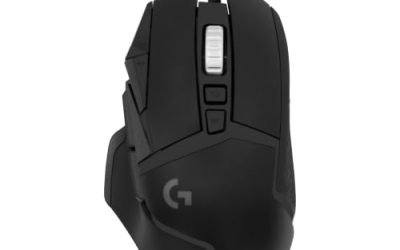
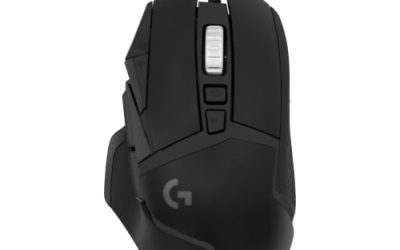
Valorant rounds are decided by tiny corrections: a counter-strafe, a flick to a head peeking an angle, then a controlled stop on target. Your real decision is not chasing the highest DPI number on a box. It is choosing a shape your hand can repeat for hours, a weight that does not overshoot, and a sensor and polling setup that track exactly what your arm and wrist actually do.


This guide serves three kinds of Valorant players: ranked climbers who aim with a low sensitivity and big swipes, claw-grip players who live on micro-adjustments, and palm-grip players with larger hands who want support. Every pick below was chosen from the name and specifications shown on its Amazon listing, covering symmetrical and ergonomic shells, wired and wireless connections, and standard or high polling rates.
Top 3 picks at a glance

Quick Picks
As an Amazon Associate we earn from qualifying purchases.
| Product | Best for | Key spec from title |
|---|---|---|
| Razer Viper V3 Pro Wireless Esports Gaming Mouse – Black | Ranked players wanting the full high-polling wireless package | 54g lightweight, 8K polling |
| Logitech G PRO X Superlight 2 Wireless Gaming Mouse – Black | Claw and fingertip players who want a proven symmetrical shape | 60g pro-grade, 44k DPI sensor |
| Pulsar Gaming Gears X2 v2 Wireless Gaming Mouse – White | Medium hands wanting a low, wide symmetrical shell | 53 g ultra lightweight, PAW3395 sensor |
| Razer DeathAdder V3 Wired Gaming Mouse – Black | Larger hands and palm grips that prefer a cable | 59g ultra lightweight, 8K Hz HyperPolling |
How to Choose
Match the Shape to Your Grip and Hand Size
Shape decides more of your aim than any sensor specification. A symmetrical shell such as the Viper V3 Pro or Superlight 2 suits claw and fingertip grips because both sides curve the same way and your fingers steer the mouse. A right-handed ergonomic shell such as the DeathAdder V3 fills the palm and supports a relaxed grip during long sessions. Measure your hand length, compare it with the listed dimensions, and be honest about your grip: forcing a small symmetrical mouse into a full palm grip usually causes cramping and inconsistent flicks.
Treat Weight as an Aim-Control Decision
Lighter mice reduce the effort needed to start and stop a flick, which matters when you play Valorant on low sensitivity and reset your crosshair between angles many times per round. The picks here range from 53 g to 60 g, so all of them sit in the light category, yet the difference is still noticeable over a long session. Players who swipe with the whole arm often prefer the lightest shell they can control, while wrist aimers sometimes like a touch more mass because it damps small tremors. Avoid adding extra grip tape or heavy accessories before you have played the stock weight.
Check Sensor Behaviour, Not Just Maximum DPI
Valorant is normally played at low in-game sensitivity, often paired with a few hundred DPI, so a headline figure such as 26,000, 35,000, or 44,000 DPI is headroom rather than a setting you will use. What matters is clean tracking at your actual DPI, with no smoothing or unwanted acceleration changing the distance your crosshair travels. Listings for these mice name modern optical sensors, including the PAW3395 in the Pulsar and the Focus Pro sensors in the Razer models. Set one DPI, keep it fixed, and rebuild your muscle memory around that single setting instead of switching constantly.
Decide How Much Polling Rate You Will Really Use
Polling rate is how often the mouse reports its position. A standard 1,000 Hz report is already responsive for Valorant, while 8K polling on the Viper V3 Pro, Superlight 2, and wired DeathAdder V3 can report far more often when the game, your PC, and the connection support it. Higher rates can increase processor load and, on wireless models, shorten battery life between charges. Start at a stable setting your system handles comfortably, then raise it only if everything stays smooth. A stuttering high-polling setup helps nobody in a ranked match.
The 4 Best Options
Razer Viper V3 Pro Wireless Esports Gaming Mouse – Black
This is the pick for Valorant players who want a symmetrical wireless mouse built around speed without giving up control. Its 54-gram listing weight keeps long low-sensitivity swipes manageable, while the shape suits claw and fingertip grips that rely on quick stops rather than palm support. The 8K polling capability and Focus Pro 35K optical sensor cover the technical side, and the 95-hour battery figure in the listing means charging should not interrupt a normal week of ranked play for most users.
Specs
- Weight: 54g lightweight design, as listed for the black version
- Shape: Symmetrical
- Sensor: 35K DPI optical sensor
- Polling: 8K polling
- Switches: Gen-3 optical switches
- Controls: 8 programmable buttons
- Battery: 95 hr battery, as listed
- Model: RZ01-05120100-R3U1
Best for: Ranked Valorant players using claw or fingertip grip who want light wireless aim with high polling available.
Watch out for: Confirm the black standard edition is the listing you select, because other colours and special editions are sold under separate listings.
ASIN: B0CW25XR5R
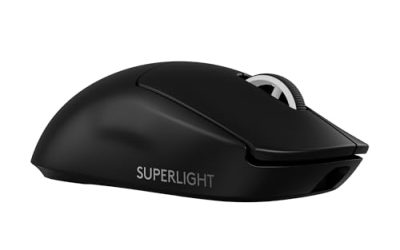
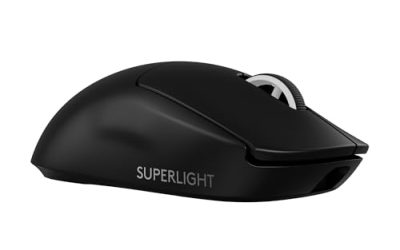
Logitech G PRO X Superlight 2 Wireless Gaming Mouse – Black
Choose this mouse if you want a familiar symmetrical shape with a little more substance than the very lightest shells. At 60g in the listing, it remains firmly light for Valorant flicks, yet that small amount of extra mass can feel steadier for players who found ultralight mice twitchy. The listing highlights a 44k DPI sensor and an 8kHz report rate, plus USB-C charging, which simplifies topping it up between sessions. Its five programmable buttons keep the layout simple, matching a game where utility is on the keyboard, not the mouse.
Specs
- Weight: 60g pro-grade design
- Sensor: 44k DPI sensor
- Report rate: 8kHz report rate
- Charging: USB-C charging for PC and Mac
- Controls: 5 programmable buttons
- Colour: Black
Best for: Claw and fingertip players who want a proven symmetrical wireless shape with a steadier feel.
Watch out for: Check that you are selecting the Superlight 2 rather than the original Superlight or the DEX version, since those are different listings.
ASIN: B09NBWL8J5
Pulsar Gaming Gears X2 v2 Wireless Gaming Mouse – White
The X2 v2 suits medium hands that prefer a low hump and a wide waist they can pinch for claw control. Its listing puts the weight at 1.87 oz, or 53 g, making it the lightest pick here, which helps when your Valorant aim style mixes wide arm swipes with constant small corrections. Underneath, the PAW3395 sensor is listed at 26,000 DPI with 2.4 GHz wireless at 1 ms, so the core tracking specification matches what a tactical shooter needs. Optical switches complete a build aimed squarely at competitive play rather than office features.
Specs
- Weight: Ultra lightweight 1.87 oz (53 g)
- Shape: Symmetrical, medium size
- Sensor: PAW3395 sensor, 26000 DPI
- Connection: 2.4 GHz, 1 ms, wireless
- Switches: Optical switch
- Colour: White
Best for: Medium-handed claw players who want the lightest symmetrical option in this guide.
Watch out for: The listing is for the medium size in white, so check the size and colour options carefully if your hand needs the mini version instead.
ASIN: B0CH9Z587R
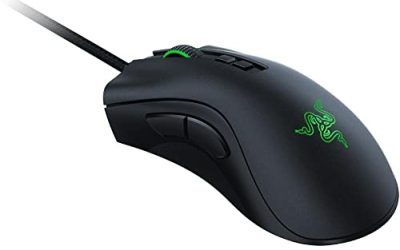
Razer DeathAdder V3 Wired Gaming Mouse – Black
Pick the DeathAdder V3 if your hand is medium to large and you aim best with palm support under it. Its ergonomic right-handed shape spreads contact across the hand instead of asking your fingers to do all the steering, which many Valorant players find easier during long defensive holds. The listing gives a 59g weight, unusually light for this shape, and pairs a Focus Pro 30K optical sensor with true 8K Hz HyperPolling over the cable. Because it is wired, there is no battery to manage before a match.
Specs
- Weight: 59g ultra lightweight design
- Sensor: Focus Pro 30K optical sensor
- Polling: 8K Hz HyperPolling
- Switches: Fast optical switches Gen-3
- Controls: 6 programmable buttons
- Shape: Ergonomic, right-handed
- Cable: Speedflex cable
- Model: RZ01-04640100-R3U1
Best for: Palm-grip players with medium to large hands who prefer a wired connection and a supportive ergonomic shell.
Watch out for: This is the wired DeathAdder V3, not the wireless Pro or HyperSpeed versions, so confirm the connection type matches what you want.
ASIN: B0B6XTDJS1
Which One Fits Your Situation
You Climb Ranked With Low Sensitivity and Arm Aim
Start with the Razer Viper V3 Pro. Its 54-gram symmetrical shell is easy to move across a large pad and easy to stop on an angle, and its battery figure suits players who practise daily. Set a single DPI, keep polling at a level your PC handles smoothly, and give the shape at least a week before judging your flick accuracy with it.
Your Hand Is Small to Medium and You Grip With Your Fingertips
Look at the Pulsar X2 v2 or the Logitech G PRO X Superlight 2. The Pulsar is lighter and lower, favouring a pinched claw hold and fast corrections. The Logitech is slightly heavier and can feel calmer if your aim shakes on very light shells. Either way, measure your hand first, because grip comfort will decide which one you actually aim better with after an hour.
You Have Large Hands and Hold Angles With a Palm Grip
The Razer DeathAdder V3 is the natural fit here. Its ergonomic shell gives your palm something to rest on while you hold a doorway, and the wired connection removes charging from your routine entirely. Pair it with a mouse bungee or careful cable routing so the Speedflex cable does not catch on your desk edge during wide turns toward a flank.
You Want One Mouse for Valorant and Everything Else
The Logitech G PRO X Superlight 2 is the easiest all-rounder of the four. Its symmetrical shape works for most grips, USB-C charging fits a modern desk setup, and five buttons cover everyday use without clutter. It will not give a large palm-grip hand the support of the DeathAdder, but for mixed gaming and daily use it asks the fewest compromises.
Common Mistakes
- Buying by maximum DPI alone, then playing Valorant at a few hundred DPI where shape and tracking consistency matter far more.
- Choosing a symmetrical mouse for a full palm grip, or an ergonomic mouse for fingertip aim, without checking hand size against the listed dimensions.
- Turning on the highest polling rate immediately and blaming the mouse for stutter that is actually caused by an overloaded system or weak wireless placement.
- Switching DPI, sensitivity, and grip every few matches, which prevents the muscle memory that Valorant gunplay depends on from ever settling.
- Ignoring which exact version a listing is for, and accidentally ordering a different colour, size, or model variant than the one intended.
Frequently Asked Questions
Is wireless fast enough for Valorant, or should I buy wired?
Modern 2.4 GHz wireless on the Viper V3 Pro, Superlight 2, and X2 v2 is fast enough for competitive Valorant, and the listings describe low-latency connections built for esports play. Choose wired, like the DeathAdder V3, if you simply prefer never charging. Choose wireless if cable drag bothers your aim. Connection type matters less than shape fit and stable settings.
What DPI and sensitivity should I start with in Valorant?
Start with a single fixed DPI in the range your mouse software makes easy to set, then pick an in-game sensitivity that lets you turn comfortably across your pad without lifting constantly. Many players use low effective sensitivity for precise head-level tracking. Whatever you choose, keep it unchanged for at least a week of matches so your stopping distance becomes automatic.
Does 8K polling actually improve my aim?
It can reduce the interval between mouse reports, but the benefit depends on your PC, the game, and whether the higher rate stays stable. If enabling 8K causes stutter or drains a wireless battery too quickly, a steady 1,000 Hz setting will serve your aim better. Treat polling as a setting to verify on your own system, not a guaranteed upgrade.
How do I know which size or shape fits my hand?
Measure your hand from fingertip to wrist crease and across the palm, then compare those numbers with the dimensions on the listing. Match the result to your grip: symmetrical shells generally suit claw and fingertip grips, while the ergonomic DeathAdder shape suits palm grips and larger hands. If a mouse forces your fingers to splay or cramp, it is the wrong fit regardless of its sensor.
Related guides
More from Amazon
Programs that pair well with the guide above. Offers and eligibility are set by Amazon and may change.
Free shipping on eligible items, Prime Video and more. Eligible new members can start with a free trial.
Start a Prime free trialAd-free music streaming. Eligible new subscribers can start with a free trial.
Try Music Unlimited freeA Prime membership for ages 18-24 with a trial period. Eligibility is set by Amazon.
See Prime for Young AdultsAudiobooks and podcasts to listen to on the go. Eligible new members can start with a free trial.
Try Audible freeAs an Amazon Associate we earn from qualifying purchases.