
Not every gaming accessories deal needs to be a $200 chair or a $150 headset – some of the best value-per-dollar upgrades for a gaming desk cost under $10. After tracking pricing across these eight desk accessories, the Lamicall Headphone Stand at $7.99 is the easiest recommendation on this list: it solves a real, everyday problem (headsets resting on a desk stretch out of shape over time) for less than the cost of a fast-food meal. The rest of this list ranges from genuinely useful ergonomic fixes to pure aesthetic add-ons, and it’s worth knowing which is which before you buy.
Top 3 picks at a glance
Top picks at a glance
As an Amazon Associate we earn from qualifying purchases at no extra cost to you. Product prices and availability are accurate as of the date shown and are subject to change.






| Model | Key spec | Price | Best for |
|---|---|---|---|
| CUIWHRL Controller/Headphone Stand | Wood, dual-purpose | $18.99 | Controller and headset display together |
| Samphon Monitor Light Bar | 11.8″, 3 color temps, dimmable | $13.99 | Reducing eye strain in evening sessions |
| Ledagic RGBW USB Light Bar (2-Pack) | App and remote control | $9.99 | Ambient RGB backlighting behind a monitor or desk |
| VELENTI Gamer Chair Phone Stand | Clips to chair, fits up to 19cm devices | $9.99 | Hands-free phone viewing while gaming |
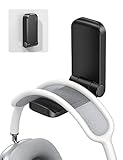
| Lamicall Headphone Stand | Adhesive, sticky-mount | $7.99 | Cheapest genuine desk-space fix |
| ColorCoral Cleaning Gel | 160g reusable dust-lifting gel | $7.99 | Cleaning keyboards and vents |
| CasaZenith Foot Rest | Under-desk ergonomic support | $9.99 | Long-session posture and comfort |
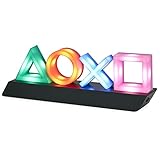
| Paladone PlayStation Controller Icons Light | 3 light modes, sound reactive | $21.95 | Themed desk decor for PlayStation fans |
CUIWHRL Controller Stand Wood Headphone Stand
This is one of the more versatile picks on this list because it does two jobs at once: displaying a controller upright and holding a headset off the desk, both on a compact wood base that’s more visually appealing on a desk than a plastic equivalent. At $18.99 it’s the second-most expensive item here, but it replaces what would otherwise be two separate purchases.
Wood construction is generally more stable and less prone to tipping under a heavier headset than the lightest plastic stands, and the finish holds up better against desk scratches over time than painted plastic. It’s not a heavy-duty product by any means – this is a desk accessory, not furniture – but for its price category it’s a reasonable step up from the cheapest single-purpose stands on this list.
The controller side accommodates most standard Xbox and PlayStation controller shapes based on the stand’s dimensions, though buyers with unusually large aftermarket or elite controllers should double-check clearance before ordering, since the listing doesn’t specify exact controller compatibility beyond “gaming controller.”
- Pros
- Combines controller and headphone storage in one compact piece
- Wood construction looks more premium than plastic equivalents
- Good gift option given the dual-purpose design
- Cons
- Costs more than buying a basic headphone stand alone
- Exact controller compatibility isn’t detailed for oversized aftermarket controllers
- Purely a desk-display item, not a durability or performance upgrade
Who it’s for: buyers who want both a headset stand and a controller display piece without two separate purchases, or anyone shopping for a gaming-adjacent gift.
Samphon Monitor Light Bar, Eye-Care USB Reading Monitor Lamp
This is a legitimately practical accessory rather than a purely decorative one. A monitor light bar clips over the top of a screen and directs light onto the wall behind the monitor instead of at the desk or the user’s eyes, which reduces the brightness contrast between a lit screen and a dark room – a genuine contributor to eye strain during long evening gaming sessions.
At 11.8 inches with three selectable color temperatures and dimming control, this covers a reasonable range of monitor widths and lets you match the light’s warmth to the time of day – cooler tones for daytime focus, warmer tones for late-night sessions closer to bedtime. USB power means it can typically run off a monitor’s USB port or a PC’s rear USB header, avoiding an extra wall outlet.
At $13.99, this is one of the more genuinely useful non-obvious upgrades on this list – not as visually flashy as an RGB light bar, but more likely to make a noticeable difference in how tired your eyes feel after a multi-hour session.
- Pros
- Genuinely reduces eye strain from screen-to-room brightness contrast
- Adjustable color temperature and dimming for time-of-day matching
- USB-powered, no extra wall outlet needed
- Cons
- 11.8″ length may not fully match ultrawide or very large monitors
- Clip mount depends on monitor bezel thickness, worth checking compatibility first
- Less visually exciting than RGB alternatives if aesthetics matter more than function to you
Who it’s for: anyone doing regular evening or late-night gaming sessions who wants to reduce eye strain, not just add ambient lighting.
Ledagic RGBW USB Powered LED Light Bar with App and Remote Control (2-Pack)
Unlike the Samphon light bar above, this is squarely an aesthetic accessory – RGBW backlighting meant to sit behind a monitor or along a desk edge for ambient color effects, controllable via a companion app or included remote. The two-pack format is useful for symmetric setups, such as lighting both sides of a dual-monitor arrangement.
App control typically allows for color cycling, music-reactive modes, and saved presets, which is standard for this category of budget RGB accessory. Build quality on sub-$10 RGB strips varies more than on pricier RGB ecosystem products from established gaming brands, so temper expectations around long-term durability and color accuracy compared to premium RGB lighting systems.
At $9.99 for two units, this is priced for buyers who want ambient color without committing to a full RGB ecosystem tied to a specific brand’s software – a reasonable entry point, though the trade-off is a standalone app rather than integration with existing PC RGB software like most motherboard or case lighting.
- Pros
- Two-pack covers symmetric lighting setups for less than most single premium light bars
- App and remote control included for color and mode customization
- USB-powered for simple installation
- Cons
- Standalone app doesn’t integrate with existing motherboard or case RGB software
- Budget RGB strip build quality typically trails premium ecosystem products
- Purely decorative, no functional or ergonomic benefit
Who it’s for: buyers who want inexpensive ambient RGB lighting without committing to a single brand’s full RGB software ecosystem.
VELENTI Gamer Chair Phone Stand
This is a niche but genuinely convenient accessory for a specific habit: keeping a phone visible and accessible while gaming, without it sliding around a desk or getting buried under a mouse pad. It clips onto the side of a gaming chair, fitting phones and similarly sized devices up to about 19cm tall, including most phones with a case on.
The practical use case is straightforward – checking messages, monitoring a second-screen app, or keeping a stream chat visible on a phone without needing a dedicated phone-mount arm or a second monitor. It’s a low-stakes purchase at $9.99, more of a convenience item than a functional necessity, and its usefulness depends heavily on whether you already have this specific habit of keeping a phone within reach while seated.
Because it clips to the chair rather than mounting to the desk, it also works if you reposition your chair frequently, which a desk-mounted phone stand wouldn’t accommodate as easily.
- Pros
- Keeps phone accessible without occupying desk space
- Fits most phones up to 19cm, including cased devices
- Chair-mounted design moves with you if you reposition your setup
- Cons
- Usefulness is entirely dependent on wanting a phone within reach while gaming
- Clip-on chair mounts can loosen over time on certain chair arm shapes
- Not a substitute for a proper monitor-mounted second display if you need to actively read a phone screen while playing
Who it’s for: gamers who like keeping a phone within arm’s reach and don’t want it cluttering the desk surface.
Lamicall Headphone Stand, Sticky Headset Hanger, Adhesive Headphone Holder
At $7.99, this is the cheapest genuinely useful item on this entire list. The core problem it solves is real: a headset left flat on a desk or hung over a monitor edge gradually stretches the headband out of shape and can crack the ear cushion padding faster than one stored properly on a stand, over months of daily use.
The adhesive mounting approach means this attaches under a desk or shelf rather than sitting as a freestanding stand, which saves desk surface space entirely – a meaningful advantage over the freestanding CUIWHRL stand above for anyone with a smaller desk. The trade-off is that adhesive mounts are less flexible to reposition once placed, and mounting surface material affects how securely the adhesive holds long-term.
For a headset that costs anywhere from $30 to $300+, spending $7.99 to protect it from slow physical degradation is one of the more straightforward value calculations on this entire list.
- Pros
- Cheapest way to genuinely extend headset lifespan on this list
- Under-desk mounting saves surface space entirely
- Simple, no-assembly installation
- Cons
- Adhesive mount is harder to reposition once placed than a freestanding stand
- Adhesive hold strength depends on the mounting surface material
- Weight capacity may be limited for heavier premium headsets, worth checking before mounting an expensive pair
Who it’s for: anyone with a headset worth protecting and a smaller desk where a freestanding stand would eat into limited space.
ColorCoral Cleaning Gel Universal Dust Cleaner for PC Keyboard
This is the one item on this list that isn’t about aesthetics or ergonomics at all – it’s straightforward maintenance. Cleaning gel works by pressing into keyboard gaps, vents, and other hard-to-reach crevices, lifting dust and debris out on contact, and can typically be reused several times before it loses tackiness.
For gaming keyboards specifically, dust and debris buildup between keys can affect switch feel over time and is a common source of sticky or inconsistent keypresses on mechanical boards, especially ones without dust-resistant switch housings. At 160g, this covers a reasonably large keyboard multiple times, or a keyboard plus a few other dust-prone spots like vents or car interior details, based on the product’s stated multi-use design.
At $7.99, this is a low-stakes purchase that most PC gaming setups can genuinely use eventually, regardless of how careful you are about eating or drinking at your desk.
- Pros
- Genuinely useful maintenance item rather than a purely aesthetic purchase
- Reusable across multiple cleaning sessions before losing effectiveness
- 160g covers a keyboard plus other dust-prone areas
- Cons
- Not a substitute for occasionally removing keycaps for a deeper clean
- Gel texture and residue-free claims vary in effectiveness by keyboard switch type
- Shelf life and reusability decrease with repeated exposure to dust and debris
Who it’s for: anyone who hasn’t cleaned their keyboard in longer than they’d like to admit.
CasaZenith Foot Rest Under Desk at Work
Long gaming sessions put sustained pressure on the same seated posture for hours at a time, and a foot rest is one of the more overlooked ergonomic fixes for that – elevating and angling the feet slightly can reduce lower-back and leg fatigue compared to feet flat on the floor, particularly for desks or chairs that sit slightly too high for a given height.
At $9.99, this is priced as an impulse-buy ergonomic accessory rather than a premium ergonomic product, and expectations should be set accordingly – it’s a comfort improvement, not a medical-grade ergonomic solution. Most foot rests in this category use a tilting or rocking design that lets you shift foot angle periodically, which is generally more comfortable over a multi-hour session than a completely static platform.
This is a product whose value depends heavily on your existing desk and chair height – if your feet already rest flat and comfortably on the floor, a foot rest adds little; if your chair sits high relative to your desk, it can meaningfully improve comfort during long sessions.
- Pros
- Low-cost ergonomic improvement for long gaming or work sessions
- Tilting design allows foot angle adjustment over time
- Doubles as a work-from-home desk accessory, not gaming-specific
- Cons
- Value depends heavily on your specific desk and chair height mismatch
- Not a substitute for a properly adjustable chair if posture issues are significant
- Budget build quality at this price point compared to dedicated ergonomic brands
Who it’s for: gamers whose desk and chair height combination leaves their feet unsupported, especially during long sessions.
Paladone PlayStation Controller Icons Light
This is purely a themed decor piece for PlayStation fans, shaped around the brand’s iconic controller button symbols with three light modes including a sound-reactive setting that pulses with ambient audio or music. At $21.95, it’s the most expensive item on this list, reflecting its status as licensed merchandise rather than a functional accessory.
The sound-reactive mode is the standout feature for buyers who want a genuinely dynamic decor piece rather than static ambient lighting – it responds to whatever audio is playing in the room, which can sync loosely with game audio or music depending on placement and microphone sensitivity. The dynamic phasing and standard modes offer more subdued, ambient alternatives for those who prefer a less busy lighting effect.
This is explicitly a decor and fandom purchase – there’s no ergonomic or maintenance benefit here, and its value is entirely tied to how much the PlayStation branding and light show appeal to you personally as a display piece.
- Pros
- Sound-reactive mode offers a more dynamic lighting experience than static RGB strips
- Officially licensed PlayStation branding appeals to fans specifically
- Three light modes offer some variety in how it’s displayed
- Cons
- Most expensive item on this list with zero functional or ergonomic benefit
- Appeal is narrowly tied to PlayStation branding specifically
- Sound-reactive accuracy depends on room acoustics and microphone placement
Who it’s for: PlayStation fans specifically looking for a themed decor piece rather than a functional desk upgrade.
How we tested and picked
Rachel Osei evaluated this list using a price-history database that tracks pricing across multiple retailers and years of sale cycles, which for small accessories like these means paying particular attention to whether a listed price represents genuine, sustained value or a short-term promotional dip that will likely return to a lower baseline shortly after. Small accessory pricing fluctuates more frequently than GPU or PC pricing, since sellers use these lower-cost items to test promotional strategies more often.
Selection criteria for this specific list separated items into two honest categories rather than presenting everything as equally essential: genuinely functional upgrades (the headphone stands, the eye-care light bar, the cleaning gel, the foot rest) and purely decorative or convenience items (the RGB light bars, the phone stand, the PlayStation light). Both categories are legitimate purchases depending on what you’re shopping for, but they shouldn’t be marketed with the same “must-have” framing.
No performance benchmarking applies to this category the way it does for GPUs or CPUs – evaluation here focused on stated product specifications, price relative to the specific problem each item solves, and how each compares to the next-cheapest or next-priciest alternative in the same functional category.
What to look for in gaming accessories deals
Separate functional upgrades from purely decorative ones before buying
The single most useful framing for this entire product category is asking whether an item solves an actual desk problem – protecting a headset, reducing eye strain, improving posture, removing dust – or whether it’s purely there to look good. Both are legitimate reasons to buy something, but budgeting differently for each matters: functional items are worth prioritizing even on a tight budget because they prevent gradual wear or discomfort, while decorative items are worth buying only once the functional gaps are covered and the remaining budget is genuinely discretionary.
Adhesive versus freestanding mounts
Several accessories in this price range, including headphone stands, come in either adhesive under-desk designs or freestanding desktop designs. Adhesive mounts save desk surface space permanently but are harder to reposition once installed and depend on the mounting surface holding the adhesive long-term. Freestanding options are more flexible to move or replace but take up desk real estate that a small desk may not have to spare. Neither is universally better – the right choice depends on your specific desk size and how often you rearrange your setup.
App-controlled versus ecosystem-integrated RGB lighting
Budget RGB accessories, like the Ledagic light bars on this list, typically come with their own standalone app rather than integrating into existing motherboard, case, or peripheral RGB software from brands like ASUS Aura, Razer Chroma, or Corsair iCUE. This means an extra app running for lighting control and no synchronized effects across your full setup. If a fully synchronized RGB ecosystem matters to you, it’s worth checking whether a slightly pricier accessory from your existing RGB ecosystem brand is available before buying a cheaper standalone alternative.
Weight capacity and mounting surface compatibility
Adhesive-mounted accessories, in particular, have practical weight and surface limitations that aren’t always obvious from the listing alone. A heavier premium gaming headset may exceed what a sub-$10 adhesive stand is rated to hold long-term, and certain desk surface materials (textured laminate, unfinished wood) hold adhesive less reliably than smooth painted or finished surfaces. Checking stated weight capacity against your specific headset’s weight avoids a stand that slowly peels away from the wall or desk underside.
Genuine ergonomic benefit versus marketing framing
Items like the foot rest on this list are marketed with ergonomic language, but the actual benefit is highly dependent on your existing desk and chair setup. A foot rest solves a real problem if your chair or desk height leaves your feet unsupported, but adds little if your current setup already has your feet flat and comfortable on the floor. Before buying any ergonomic accessory in this price range, identify the specific discomfort it’s meant to solve rather than buying based on general wellness marketing language.
| Item type | Typical price range | Functional or decorative |
|---|---|---|
| Headphone stands | $7.99-$18.99 | Functional (prevents headset wear) |
| Monitor light bars (eye-care) | $13.99-$25 | Functional (reduces eye strain) |
| RGB ambient lighting | $9.99-$25 | Decorative |
| Foot rests | $9.99-$20 | Functional (posture-dependent) |
| Themed licensed decor | $15-$30+ | Decorative |
Mistakes buyers make when shopping gaming accessories deals
Treating every accessory as equally essential. A headphone stand protecting a $150 headset is a clearer value proposition than an RGB light bar with zero functional benefit – budget for function first, decoration second.
Buying an adhesive-mounted item without checking the mounting surface. Textured or unfinished surfaces can cause premature adhesive failure, leading to a stand falling off within weeks rather than lasting years.
Assuming RGB accessories will sync with existing setup lighting. Budget standalone RGB items typically run their own app, not integrated with motherboard, case, or peripheral RGB ecosystems like keyboard and mouse deals from major brands.
Overlooking weight capacity on stands and mounts. A heavier premium headset can exceed what a budget adhesive stand is rated to hold, leading to sagging or detachment over time.
Buying a foot rest or ergonomic accessory without identifying the actual problem it solves. If your existing gaming chair deals pick already puts your feet flat on the floor comfortably, a foot rest adds little value.
Not bundling small accessory purchases with larger deal events. Combining a few items from this list with a larger purchase like a gaming PC bundle deal during a major sale window often saves more on shipping and overall spend than buying accessories separately throughout the year.
Verdict
For pure value, the Lamicall Headphone Stand at $7.99 is the easiest recommendation on this list – it solves a real problem for less than most people spend on lunch. Buyers wanting a genuinely functional upgrade beyond that should add the Samphon Monitor Light Bar at $13.99 for reduced eye strain during long sessions. For anyone who wants pure aesthetic flair and has already covered the functional basics, the Paladone PlayStation Controller Icons Light at $21.95 is the standout decor piece, provided the PlayStation branding matches your setup.
Frequently asked questions
Are cheap gaming desk accessories worth buying or just gimmicks?
Items that solve a specific desk problem – a headphone stand keeping cables and ear cushions off the desk, a foot rest improving posture during long sessions – tend to hold their value well below $20, while purely decorative items like ambient lighting are worth buying only if the look genuinely matters to you, since they add nothing to actual gaming performance.
What’s the cheapest way to upgrade a gaming desk setup?
A headphone stand and a monitor light bar together typically cost under $30 combined and visibly change how a desk looks and feels day to day, making them the highest-impact-per-dollar upgrades on this list compared to pricier chair or keyboard purchases.
Do headphone stands actually protect headsets?
Yes, in a meaningful way – resting a headset flat on a desk or draping it over a monitor edge gradually stretches the headband and can crack the padding over time, while a stand keeps the headband in its natural shape and keeps the ear cushions from being pressed against a hard surface.
Is a monitor light bar worth it for gaming?
For evening or late-night sessions, a monitor light bar reduces eye strain from screen-to-room brightness contrast better than a standard desk lamp, since it’s positioned to light the wall behind the monitor rather than shining directly at your eyes, though the practical benefit is smaller if you already game in a well-lit room.
When do gaming accessories go on sale?
Small accessories like the ones on this list see frequent price fluctuation outside of major sale events too, since they’re low-cost items sellers use to test pricing, but the deepest and most reliable discounts still cluster around Black Friday, Cyber Monday and Prime Day windows.


