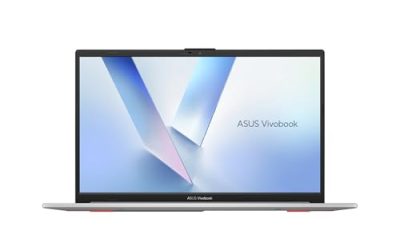
Shopping for an ASUS business laptop means navigating one family name, Vivobook, stretched across a very wide range of configurations. Sellers on large marketplaces rebuild the same base machine with different memory, storage, and bundled accessories, so two listings with similar names can sit a full performance tier apart. The same badge appears on a 14-inch machine with 4GB of memory and on a 15-inch model with a Core i9 and 32GB. The decision this keyword implies is not which brand, but which Vivobook tier actually matches the work you do, and which listing details are meaningful and which are filler.
This guide is for employees, freelancers, and small-business owners who want ASUS hardware with practical business touches such as a fingerprint reader, a backlit keyboard, or a webcam shield. The comparisons use only what each product title states, which means processor family, memory, storage, screen size, and listed features. Several titles also bundle docking sets, external drives, or software licenses, and those extras are worth separating from the core machine before you compare tiers.
Our Top Picks
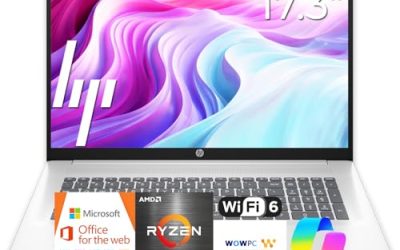
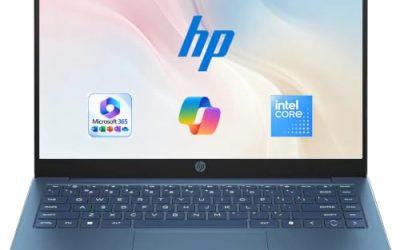
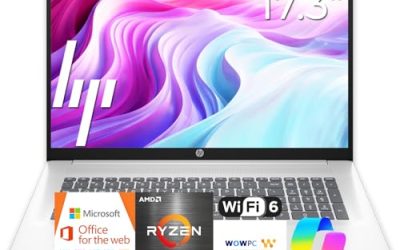
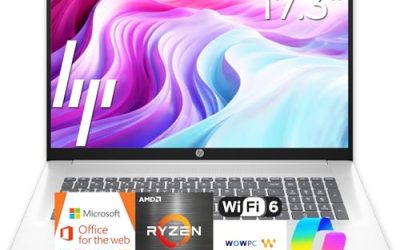
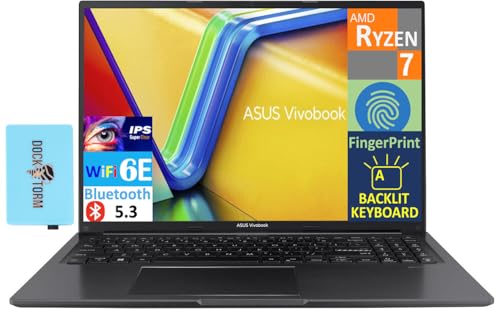 ASUS Vivobook 16 Business Laptop 16.0" IPS+WUXGA16GB RAM|1TB SSD14.1 x 1 x 9.85 inches4 poundsCheck on Amazon
 ASUS Vivobook Laptop Business Computer 2025-202616GB RAM + 1TB Storage12.79 x 8.42 x 0.7 inches3.09 poundsCheck on Amazon
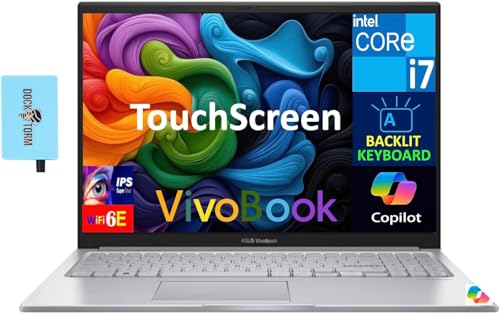 ASUS Vivobook 15 Business Laptop16GB RAM|512GB SSD9.15 x 14.16 x 0.7 inches3.75 poundsCheck on Amazon


Top 3 picks at a glance
Quick Picks
As an Amazon Associate we earn from qualifying purchases at no extra cost to you.



| Product | Best for | Key spec from the title |
|---|---|---|
| ASUS Vivobook 15 (8GB, docking set) | Desk setups with accessories | 8GB DDR5, 256GB SSD + 512GB dock storage |
| ASUS Vivobook 16 (i7, 24GB) | Roomy-screen multitasking | 13th-gen Intel i7, 24GB RAM, 16″ WUXGA |
| ASUS Vivobook 16 (Ryzen 7 7730U) | Balanced AMD performance | Ryzen 7 7730U, 16GB RAM, 1TB, WiFi 6E |
| ASUS Vivobook 14 (10-core i5) | Compact travel laptop | 10-core Intel i5, 16GB RAM, 1TB, 14″ FHD |
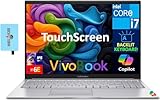
| ASUS Vivobook 15 touchscreen | Touch input for presentations | Core 7 150U, 16GB RAM, 512GB SSD, touch |
| ASUS Vivobook 14 (Pentium) | Lowest-cost email and web | Pentium N6000, 4GB RAM, 14″ FHD |
| ASUS Vivobook 15 (Core i9) | Maximum processor power | Core i9-13900H, 32GB RAM, 1TB SSD |
How to Choose
Screen size and panel type
Vivobooks here come in 14, 15.6, and 16-inch sizes. A 14-inch panel is easier to carry between meetings, while 16 inches with a WUXGA resolution (1920×1200) gives a little extra vertical room for documents compared with standard FHD at 1920×1080. Look for IPS, since it keeps text readable at an angle, and treat a touchscreen as a convenience rather than a performance feature.
Memory and storage thresholds
For business work, 16GB of RAM is the practical sweet spot, and 8GB is workable only for light tasks. Four gigabytes, as on the entry model here, will strain even a modern browser. For storage, aim for at least 512GB of internal SSD; an eMMC drive is slower and tiny. Bundled docking sets and external drives count toward a listed total, but they are not internal capacity.
Processor tiers
The range here runs from a Pentium N6000 at the bottom through Core i5, Core 7, and Core i7 to a Core i9-13900H and an AMD Ryzen 7 7730U. For office software, an i5-class or Ryzen 7 chip is plenty. The Core i9 is for people who run demanding tools alongside office apps. Ignore claims like “beats” another chip, since they are comparisons from the seller rather than specs.
Business features and where budget models cut corners
A fingerprint reader, backlit keyboard, physical webcam shield, and WiFi 6 or 6E are the features that actually help day to day. A fingerprint login saves seconds many times a day, a webcam shield is a cheap privacy safeguard, and a backlit keyboard matters if you work in dim conference rooms or on planes. Windows 11 Pro is a plus for managed devices. Budget models cut corners on memory first and storage second, and often pad the listing with docking accessories or office licenses to make the package look larger than the laptop is. When two listings look similar, count only the internal SSD, the RAM, and the processor model, and treat everything else as a bonus.
The 7 Best Options
ASUS Vivobook 15 (8GB, docking set)
This listing is built for someone who wants a desk setup out of the box. The title lists a 15.6-inch FHD IPS display, Windows 11 Pro, 8GB of DDR5 RAM, and 768GB of storage made up of a 256GB SSD plus a 512GB docking set from a third-party accessory brand. A home-office worker who plugs in at one desk daily would use the extras.
- Strength: Windows 11 Pro is included for business management features.
- Strength: DDR5 memory and an IPS screen on a standard 15.6-inch body.
- Trade-off: only 256GB is internal; the rest depends on the docking accessory.
Skip it if you travel often or need more than light-duty memory.
ASUS Vivobook 16 (i7, 24GB)
A good match for someone who wants a bigger canvas and generous memory. The title lists a 13th-gen Intel i7, 24GB of RAM, 1TB of storage (a 512GB SSD plus a 500GB external drive), a 16-inch WUXGA display, a backlit keyboard, and a fingerprint reader. It suits an analyst or manager who keeps many applications open and wants a taller screen for documents.
- Strength: 24GB of RAM gives room beyond the common 16GB tier.
- Strength: a 16-inch WUXGA panel adds vertical space for reading.
- Trade-off: half of the 1TB total is an external drive, not internal storage.
Skip it if you want a compact laptop for daily commuting.
ASUS Vivobook 16 (Ryzen 7 7730U)
This is the all-internal option in the 16-inch group. The title lists a Ryzen 7 7730U, an 8-core AMD design, 16GB of RAM, 1TB of storage, AMD Radeon graphics, WiFi 6E, a NanoEdge display, and a fingerprint reader. It fits professionals who value fast wireless and a clean, bezel-thin screen for video calls and document work.
- Strength: WiFi 6E and an 8-core CPU suit demanding office and meeting workloads.
- Strength: the 16GB and 1TB pairing covers most professional needs.
- Trade-off: the title does not state whether the 1TB is a single internal SSD.
Skip it if you prefer Intel or need a smaller footprint.
ASUS Vivobook 14 (10-core i5)
The compact pick for anyone who carries a laptop between meetings. The title lists a 14-inch FHD display, a 10-core Intel i5, 16GB of RAM, 1TB of storage, a lifetime Microsoft Office license, and Copilot features. It targets a salesperson or consultant who wants a lighter machine with the software already included.
- Strength: 16GB of RAM and 1TB of storage in a portable 14-inch form.
- Strength: Office is bundled, saving a software purchase.
- Trade-off: a smaller screen is less comfortable for side-by-side documents.
Skip it if you spend long hours in spreadsheets that benefit from a bigger display.
ASUS Vivobook 15 touchscreen
For presenters and teachers who like to tap and annotate, this is the touch option. The title lists a 15.6-inch IPS FHD touchscreen, an Intel Core 7 150U processor, 16GB of RAM, a 512GB SSD, WiFi 6, and Bluetooth 5. It is a standard, well-balanced configuration with a touch layer on top.
- Strength: a touchscreen helps with pen-free note-taking and presentations.
- Strength: 16GB and 512GB SSD hit the practical business baseline.
- Trade-off: touch panels can reflect more light than matte screens.
Skip it if you want a matte anti-glare display or a fingerprint reader listed in the title.
ASUS Vivobook 14 (Pentium)
The lowest-cost tier in the lineup, suitable for basic web, email, and document tasks. The title lists a 14-inch FHD display, a Pentium N6000 processor, 4GB of RAM, and 224GB of storage built from a 64GB eMMC drive plus a 160GB docking station set. It fits a secondary machine or a front-desk terminal.
- Strength: lowest entry point among the group.
- Strength: a 14-inch FHD screen is easy to carry.
- Trade-off: 4GB of RAM and eMMC storage limit multitasking and responsiveness.
Skip it if this will be your main work computer.
ASUS Vivobook 15 (Core i9)
The power pick. The title lists a 15.6-inch FHD display, an Intel Core i9-13900H, 32GB of RAM, a 1TB SSD, a physical webcam shield, a backlit keyboard, and a fingerprint reader. It is for professionals who run heavier software next to office apps and want all of the storage inside the laptop.
- Strength: 32GB of RAM and a 1TB SSD are both internal.
- Strength: security extras include a webcam shield and fingerprint reader.
- Trade-off: a high-end processor in a standard Vivobook body may run warmer under load.
Skip it if your work is only email and documents.
Which One Fits Your Situation
You carry the laptop between client sites
The ASUS Vivobook 14 with the 10-core i5 keeps the footprint small, and 16GB of RAM with Office installed means you can start working at any client desk.
You live in spreadsheets and video calls
Choose the ASUS Vivobook 16 with the Ryzen 7 7730U. The taller 16-inch screen, WiFi 6E, and 16GB of RAM suit a day of calls and documents.
You need the strongest processor and all-internal storage
The ASUS Vivobook 15 with the Core i9-13900H and 32GB offers the most headroom and a 1TB SSD without relying on external drives.
You present or annotate in meetings
The ASUS Vivobook 15 touchscreen with the Core 7 150U lets you tap through slides and mark up documents directly, and its 16GB of RAM keeps presentation software responsive alongside a browser and a video call. If you also want a very low-cost machine for a shared desk, the Pentium-based Vivobook 14 covers email and browsing, though it should not be your main work laptop for years of use.
Common Mistakes
- Counting docking-set or external-drive capacity as internal storage.
- Buying 4GB or 8GB of RAM for a primary work laptop that must last several years.
- Choosing a touchscreen when a matte display would reduce glare in a bright office.
- Ignoring the Windows edition, which affects encryption and device management in 2026 offices.
- Assuming every Vivobook with the same name shares the same performance; the processor and RAM line decide that.
Related guides
- Gaming Chair Cushions And Lumbar Supports
- Warranty Considerations When Buying On Sale
- Business Laptops For Graphic Designers
Frequently Asked Questions
Are Vivobooks real business laptops?
They are consumer-line laptops sold with business-friendly configurations. Features such as a fingerprint reader and Windows 11 Pro make them workable for offices, but they are not the same as dedicated enterprise lines.
How much RAM do I need for office work?
Sixteen gigabytes is the comfortable target. Eight works for light use, and four is too little for modern browsers and meeting apps.
Does a 16-inch laptop make sense for work?
Yes, if you spend long hours in documents or spreadsheets. The extra vertical room of a WUXGA panel helps, though it is less portable than a 14-inch model. If you commute with the laptop several days a week, the 14-inch size is the more comfortable compromise, and an external monitor at your desk can fill the gap.
Is a bundled Office license worth it?
It can save a purchase if the license is valid and tied to your account. Confirm what the seller includes, since the license comes from the listing and not the laptop hardware.
Related guides
More from Amazon
Programs that pair well with the guide above. Offers and eligibility are set by Amazon and may change.
Free shipping on eligible items, Prime Video and more. Eligible new members can start with a free trial.
Start a Prime free trialAd-free music streaming. Eligible new subscribers can start with a free trial.
Try Music Unlimited freeA Prime membership for ages 18-24 with a trial period. Eligibility is set by Amazon.
See Prime for Young AdultsAudiobooks and podcasts to listen to on the go. Eligible new members can start with a free trial.
Try Audible freeAs an Amazon Associate we earn from qualifying purchases.