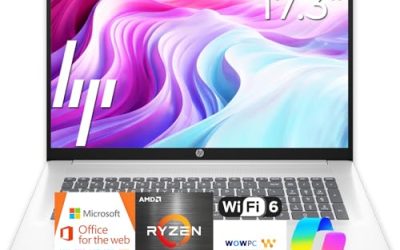
Sixty-four gigabytes of RAM is not a spec most office workers need, which is exactly why buyers who ask for it tend to know why. They run virtual machines for client environments, keep enormous spreadsheets and databases open beside a dozen browser windows, edit multi-layer design files, or compile code while a video meeting runs in the corner. For that crowd, the real question is not whether 64GB is excessive but whether a listed 64GB laptop is truly configured that way, because some listings quietly offer 16GB or 32GB as alternatives under the same headline.
The five machines below were chosen because each title states a 64GB configuration or a 64GB option. Four are 15-to-17-inch workhorses built around AMD Ryzen or Intel Core chips, and one is a ThinkPad E16 with a newer Core Ultra processor. Everything is judged from the listed specs only, with no claims about speed or thermals, so use the list to build a 2026 shortlist and confirm the exact memory and storage selection at checkout before you pay for it.
Our Top Picks
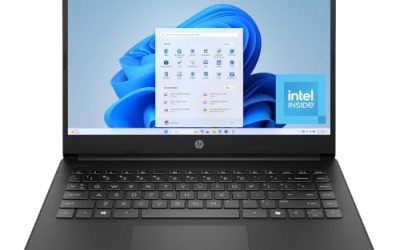
 HP 17 Inch FHD Laptop Computer for Business32GB RAM | 1TB SSD15.78 x 10.15 x 0.81 inches4.28 poundsCheck on Amazon
 HP 15.6" FHD Touchscreen Laptop 64GB RAM 2TB64GB + 2TB NVMe SSD14.17 x 9.29 x 0.73 inches3.81 PoundsCheck on Amazon


Top 3 picks at a glance
Quick Picks
As an Amazon Associate we earn from qualifying purchases at no extra cost to you.


| Product | Best for | Key spec from the title |
|---|---|---|
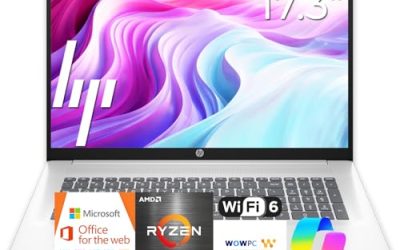
| HP 17 Ryzen 5 64GB | Big-screen multitasking | 64GB RAM, 2TB SSD, R5 7430U, 17.3 IPS FHD |
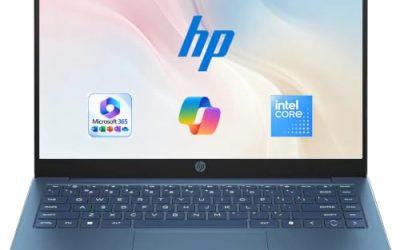
| HP 15.6 Ryzen 7 Touch | Eight-core power in a smaller body | 64GB RAM, 2TB SSD, Ryzen 7 7730U, FHD touch |
| HP 17.3 Core i5 Docking | Desk setups with a dock | 64GB RAM, 10-core Core i5, 2TB SSD plus dock storage |
| Lenovo ThinkPad E16 Gen 3 | Newest processor and DDR5 | Ultra 7 255H, 64GB DDR5, 2TB SSD, Win 11 Pro |
| Customized HP Essential 17 | Choosing your own memory tier | i7-1355U, 16GB or 64GB RAM, 1TB or 2TB SSD |
How to Choose
Confirm the 64GB is really what ships
Several listings give a menu of memory sizes under one title. The customized HP Essential 17 spells out 16GB or 64GB, and the title does not tell you which is selected by default. Before you pay, look at the selected option on the page and the order summary. Also check whether the memory is two matched sticks or a single module, since a matched pair generally performs better and may leave an upgrade path open. If the seller does not say, the safest move is to ask before ordering rather than after the box arrives.
Match the processor to the workload
Memory capacity helps only if the processor can use it. The Ryzen 7 7730U has eight cores, the Core i5 on the docking-station HP has ten, and the Ultra 7 255H in the ThinkPad is the newest chip in the group. The Ryzen 5 7430U and the Core i7-1355U are mid-range parts that handle 64GB for virtual machines and large datasets, though they will not match higher-wattage processors on sustained compute loads. Pick the chip by what you run most: virtual machines and databases lean on core count and memory, while design and video work lean on sustained clock speed and graphics. A 64GB laptop with a low-power chip can feel mismatched, so read the processor name before the memory figure.
Storage and the fine print
Every machine here lists 1TB or 2TB of internal solid-state storage, and one counts a 256GB docking station toward its 2.2TB total, which is not internal. The ThinkPad bundles a 500GB portable hard drive, useful for backups but not a replacement for internal speed. For virtual machine images, a 2TB internal SSD is a comfortable minimum, since each guest system can occupy tens of gigabytes and snapshots multiply that quickly. If you keep large project archives, plan an external backup routine regardless of the capacity you buy.
Screen, ports, and what to ignore
A 17-inch panel gives room for side-by-side windows, and a touchscreen helps for annotation but adds weight. Look for USB-C, HDMI, and Wi-Fi 6 or newer for docking and video calls. A numeric keypad is worth having if you key in figures, and a webcam matters more than most listings admit when meetings are a daily event. Ignore flashy extras such as bundled Office subscriptions or rose-gold finishes when comparing hardware; they do not change the core specs. Where budget configurations cut corners is in the cooling and the screen, so expect a sizable body and look for a stated panel type such as IPS. Battery life also suffers when 64GB of memory and a large display share a thin chassis, so keep the charger within reach.
The 5 Best Options
HP 17 Ryzen 5 64GB
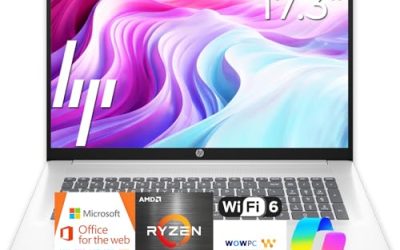
This HP 17-inch laptop lists 64GB of RAM, a 2TB SSD, an AMD Ryzen 5 7430U, a 17.3-inch FHD IPS display, and Windows 11 Pro with Copilot features. It is aimed at office power users who want a straightforward large-screen machine with the maximum memory configuration and a Pro license for device management. Analysts who keep several large workbooks open, or developers who run local containers, are the natural audience, and the IPS panel is easier on the eyes during long sessions.
- Strength: 64GB RAM and 2TB SSD stated directly in the title.
- Strength: Windows 11 Pro on a 17.3-inch IPS display.
- Trade-off: The Ryzen 5 is a mid-range chip, so heavy compute loads may outpace it.
Skip it if you want a portable machine or an eight-core processor.
HP 15.6 Ryzen 7 Touchscreen
A 15.6-inch FHD touchscreen laptop with 64GB of RAM, a 2TB SSD, and a Ryzen 7 7730U with eight cores, plus Wi-Fi 6, a Copilot key, and USB-C. It suits users who want more processor cores than the Ryzen 5 option in a body that is smaller than the 17-inch models. The touchscreen helps with markup and signing documents, and the USB-C port gives a path to a dock or a portable monitor when you need more screen space on the road.
- Strength: Eight cores with 64GB RAM in a 15.6-inch frame.
- Strength: Touchscreen and USB-C add flexibility.
- Trade-off: The title cuts off the Windows edition, so verify it.
Skip it if you require confirmed Windows Pro management features, or if a touchscreen only adds weight to your routine.
HP 17.3 Core i5 with Docking Station
This 17.3-inch business laptop lists 64GB of RAM, 2.2TB of storage described as a 2TB SSD plus a 256GB docking station, a 10-core Intel Core i5, and Windows 11 Pro with Microsoft Office. It is the pick for people who want a dock included, so a monitor, keyboard, and power can connect with one plug at a desk. That arrangement fits shared workspaces or home offices where the laptop comes and goes, since reconnecting takes seconds instead of a tangle of cables. The Office license in the title is a convenience, not a spec.
- Strength: Docking station is part of the bundle.
- Strength: Ten-core Core i5 and Windows 11 Pro.
- Trade-off: The 256GB is not internal and only counts while the dock is attached.
Skip it if you never use a desk dock, or if your office already supplies docks that would make the bundled one redundant.
Lenovo ThinkPad E16 Gen 3
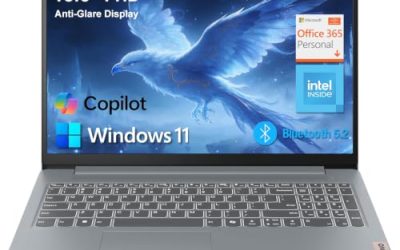
The ThinkPad E16 Gen 3 lists an Ultra 7 255H, 64GB of DDR5, a 2TB SSD, Windows 11 Pro, a 500GB portable HDD, and fast charging in an edition the title labels as current. It has the newest platform here, which appeals to buyers who want current-generation hardware and the ThinkPad business lineage. DDR5 memory at 64GB gives the highest bandwidth ceiling in this group, and the fast-charging claim helps for people who top up between meetings instead of leaving the laptop plugged in all day.
- Strength: Newest processor family with DDR5 memory.
- Strength: Fast charging and a portable HDD for backups.
- Trade-off: It is the highest tier of the group, and the bundled HDD is an add-on.
Skip it if you want the lowest cost or a touchscreen. Buyers who do not need a backup drive may also prefer a configuration without the extra accessory.
Customized HP Essential 17
This customized HP Essential 17 offers a 17.3-inch HD+ touchscreen, an Intel i7-1355U, 16GB or 64GB RAM, 1TB or 2TB SSD, HDMI, and a backlit keyboard. It suits buyers who want to pick their memory and storage tier, but the fine print matters because the title lists several options. A touchscreen at this size is handy for presentations, and the backlit keyboard makes late-night work easier. Treat the 64GB tier as a paid upgrade you must select, not a default that arrives automatically.
- Strength: Selectable memory and storage tiers.
- Strength: Touchscreen with HDMI and backlit keyboard.
- Trade-off: HD+ resolution is lower than full HD, and you must select the 64GB option.
Skip it if you want a fixed, clearly stated configuration.
Which One Fits Your Situation
You run several virtual machines on a desk
The HP 17.3 Core i5 with Docking Station is the logical choice, with ten cores and a dock for a monitor and keyboard. Keep the dock on the desk and the laptop shuts into a bag when you leave.
You want the newest platform
Choose the Lenovo ThinkPad E16 Gen 3, which pairs an Ultra 7 chip with DDR5 and a 2TB SSD. It is also the easiest to justify if your employer standardizes on ThinkPads.
You need a large clean screen for spreadsheets
Go with the HP 17 Ryzen 5 64GB and its FHD IPS panel. The large screen makes side-by-side workbooks practical without an external monitor.
You want touch plus more cores
The HP 15.6 Ryzen 7 Touchscreen balances both in a smaller chassis. If you want a lower-resolution touch panel with selectable memory, the customized HP Essential 17 is the alternative.
Common Mistakes
- Assuming a title that mentions 64GB ships with it by default, when several listings offer smaller options under the same name.
- Counting a docking station or external drive as internal storage.
- Buying 64GB with a chip too weak for the workload, so the extra memory never gets used.
- Ignoring the Windows edition when the office needs Pro features such as device management and disk encryption.
- Overlooking that the memory may be soldered, which rules out later upgrades on some thin models.
Related guides
- Gaming Chair Cushions And Lumbar Supports
- Business Laptops For Graphic Designers
- How To Use Camelcamelcamel For Amazon Deals
Frequently Asked Questions
Who really needs 64GB in a laptop?
People running virtual machines, large datasets, or heavy creative projects. For normal office work, 16GB or 32GB is plenty, and the money saved may be better spent on a faster processor or a larger SSD.
Is the memory upgradeable later?
It depends on the model. Some laptops have slots, while others solder it, so check before assuming. A listing that ships with 64GB already installed avoids the question entirely.
Does more RAM make a laptop faster?
Only when your workload fills the smaller amount. Otherwise the extra capacity sits idle, and a faster processor or storage drive would do more for everyday speed.
Why do some titles list two RAM sizes?
Customized listings offer several configurations. Confirm the selection before checkout.
Related guides
More from Amazon
Programs that pair well with the guide above. Offers and eligibility are set by Amazon and may change.
Free shipping on eligible items, Prime Video and more. Eligible new members can start with a free trial.
Start a Prime free trialAd-free music streaming. Eligible new subscribers can start with a free trial.
Try Music Unlimited freeA Prime membership for ages 18-24 with a trial period. Eligibility is set by Amazon.
See Prime for Young AdultsAudiobooks and podcasts to listen to on the go. Eligible new members can start with a free trial.
Try Audible freeAs an Amazon Associate we earn from qualifying purchases.