A Chromebook is an easy fit for college because most coursework now lives in a browser: learning portals, shared documents, video lectures, and online exams. The decision is less about raw speed and more about the trade-offs the listing hides in plain sight: how much memory the tabs will get, whether the storage is the small eMMC type, how sharp the screen is, and how big the laptop feels in a backpack across four years of classes.
This guide is for incoming and current undergraduates, and for parents who are comparing very similar-looking listings. The eight Chromebooks below split into 14-inch and 15.6-inch options, 4GB and 8GB memory tiers, and HD versus Full HD screens. All comments are drawn from the listed specs, so confirm the exact configuration and your school’s software requirements before buying in 2026, especially if a course needs apps that do not run on ChromeOS.
Our Top Picks
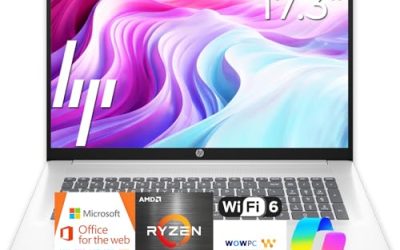
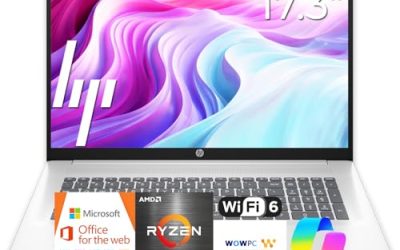
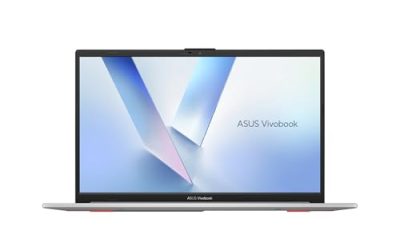
 HP Chromebook 15.6 Inch Laptop for College Students14.82 x 9.6 x 0.7 inches3.7 poundsCheck on Amazon
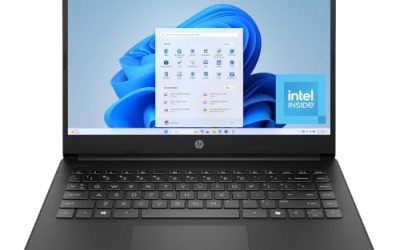
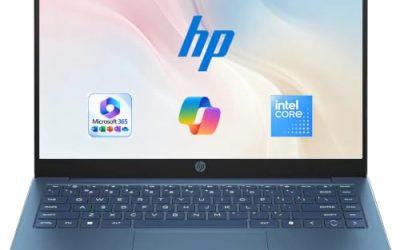
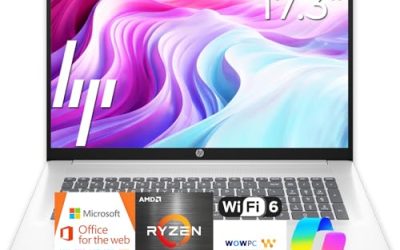
 HP Chromebook 14" HD Laptop PC for College4GB RAM | 64GB eMMC12.85 x 8.94 x 0.72 inches3.35 poundsCheck on Amazon


Top 3 picks at a glance
Quick Picks
As an Amazon Associate we earn from qualifying purchases at no extra cost to you.




| Product | Best for | Key spec from the listing |
|---|---|---|
| HP Chromebook 15.6 (8GB DDR5) | Heavy tab users on a budget | 15.6 in, 8GB DDR5, 64GB eMMC |
| ASUS 15.6 Chromebook N50 (Purple) | Full HD screen and more storage | FHD, Intel N50, 4GB, 128GB eMMC |
| HP Chromebook 14 (Celeron N4120) | Light backpack carry | 14 in HD, N4120, 4GB, 64GB |
| Acer Chromebook 315 | Long days away from an outlet | 15.6 in HD, N4020, 12.5H battery |
| ASUS 15.6 Chromebook N50 (Blue) | Same hardware, different color | FHD, Intel N50, 4GB, 128GB eMMC |
| HP Chromebook 15.6 (N200, SD card) | Extra file space on a budget | 8GB DDR5, 64GB eMMC + 128GB SD card |
| ASUS 15.6 Chromebook N50 (Grey) | Same hardware, neutral color | FHD, Intel N50, 4GB, 128GB eMMC |
| HESVAP Customized HP Chromebook 14 | Compact build with newer processor | 14 in, Intel N200 |
How to Choose
Memory is the first number to check
ChromeOS runs well on modest hardware, but college work piles up tabs: a learning portal, a document, a slide deck, a video call, and a research database. Four gigabytes can handle a lighter day, yet it is the figure students most often outgrow. Two HP models here list 8GB of DDR5 memory, which gives noticeably more breathing room. If you expect to keep the laptop through graduation, treat 8GB as the target and 4GB as the minimum.
Storage type and how much you really need
Seven of the eight list eMMC flash storage, which is slower than a typical SSD, and the listed capacities run from 64GB to 128GB; the HESVAP listing does not show its storage at all. ChromeOS leans on the cloud, so 64GB suffices for apps and offline files, but 128GB gives breathing room for downloaded courseware and offline documents. A microSD or SD card slot, as hinted by the HP with an SD card, adds cheap extra space for photos and lecture recordings. Cloud storage is fine, but plan for campus Wi-Fi gaps.
Screen resolution and size
Full HD (1920 x 1080) is the thing to look for if you read long documents. The ASUS units list FHD; the Acer and the 14-inch HP list HD, which has fewer pixels and shows softer text. A 15.6-inch screen is comfortable for split windows but heavier to carry, while 14 inches fits better in a crowded lecture hall and a small backpack pocket. Check the battery claim as well: the Acer lists 12.5 hours, which is a manufacturer figure, not a promise for heavy use.
Processor, software, and longevity
Intel Celeron N4020 and N4120 chips are older, entry-level designs, while the N50 and N200 are newer budget processors. For web apps the difference is modest, but newer chips tend to remain supported longer. Also verify that your courses do not need Windows-only software, since ChromeOS cannot run desktop apps such as certain engineering or accounting programs. Many schools offer cloud-based alternatives, which are worth asking about before you buy.
In budget terms, every model here sits in the budget tier, with the 8GB and 128GB configurations toward the upper end of that tier.
The 8 Best Options
HP Chromebook 15.6 (8GB DDR5)
A 15.6-inch Chromebook with an Intel 4-core N-series processor, 8GB of DDR5 memory, 64GB of eMMC storage, and UHD Graphics. It suits students who live in dozens of browser tabs, such as a history major toggling between a digital library, a note app, and a lecture stream. The listing is built around memory rather than screen or storage, so it is the pick if multitasking is your main pain point.
- Strength: 8GB of DDR5 is the highest memory figure in the group.
- Strength: a large 15.6-inch screen helps with split windows.
- Trade-off: 64GB of storage is limited for offline files.
Skip it if you want a Full HD display, since the listing does not state the resolution.
ASUS 15.6 Chromebook N50 (Purple)
The ASUS lists a 15.6-inch Full HD screen, an Intel N50 processor, 4GB of RAM, and 128GB of eMMC storage. It is a good fit for note-taking, essays, and online classes where screen clarity matters more than raw memory. Among the budget options it is one of the few listing both a Full HD display and 128GB of storage, which is why it appears three times in this group by color.
- Strength: Full HD resolution and 128GB of storage.
- Strength: the listing mentions uses such as finance, podcasting, and school.
- Trade-off: 4GB of RAM can feel tight with many tabs.
Skip it if you plan to run many tabs at once or prefer 8GB.
HP Chromebook 14 (Celeron N4120)
A 14-inch HD Chromebook with an Intel Celeron N4120, 4GB of RAM, 64GB of storage, Bluetooth, and Wi-Fi. It targets students and light business users who prioritize carrying comfort, for example a commuter student who rides a bus to campus and wants a laptop that slips into a slim bag next to a textbook.
- Strength: 14 inches is easier to carry between classes.
- Strength: the Celeron N4120 is a step up from the N4020 found in the Acer for everyday web apps.
- Trade-off: HD resolution and 4GB of memory limit sharpness and multitasking.
Skip it if you want more storage or a larger display.
Acer Chromebook 315
This 15.6-inch HD Chromebook lists an Intel Celeron N4020 (up to 2.8GHz), 4GB of RAM, 64GB eMMC, UHD Graphics, Wi-Fi, and a 12.5-hour battery rating. It reads like a simple library-and-lecture laptop for a student who spends the day between buildings and rarely finds a free outlet.
- Strength: the 12.5-hour battery claim suits a full day on campus.
- Strength: a familiar brand with a straightforward, basic configuration.
- Trade-off: the N4020 is the oldest, lowest-tier processor in the group.
Skip it if you plan to keep the laptop for many years or want a Full HD panel.
ASUS 15.6 Chromebook N50 (Blue)
This is the same listed configuration as the purple unit: Full HD, Intel N50, 4GB of RAM, and 128GB eMMC. The only difference is the shell color. If a roommate or sibling is also buying one, matching colors in a shared dorm can be a point of confusion, so a distinct shade helps keep the two apart.
- Strength: identical specs let you choose strictly by color and availability.
- Strength: a 15.6-inch Full HD screen and 128GB of storage.
- Trade-off: the same 4GB memory ceiling applies.
Skip it if you want a muted color for a professional setting.
HP Chromebook 15.6 (N200, SD Card)
This 15.6-inch HP lists an Intel N200 processor, 8GB of DDR5 RAM, 64GB of eMMC, and a bundled 128GB SD card for extra space. It fits a media-heavy major, such as film or photography coursework, where project files outgrow the internal drive quickly.
- Strength: 8GB of DDR5 plus an SD card adds memory and file space.
- Strength: the N200 is a newer budget chip than the Celeron models.
- Trade-off: SD cards are slower and easier to lose than internal storage.
Skip it if you need Full HD, which the listing does not state.
ASUS 15.6 Chromebook N50 (Grey)
Another version of the same ASUS configuration, with the Intel N50, 4GB of RAM, 128GB of eMMC, and a Full HD display, in grey.
- Strength: understated color suits lecture halls and offices.
- Strength: the same Full HD screen and storage as the other two.
- Trade-off: no memory upgrade over the other ASUS colors.
Skip it if you want the memory headroom of the 8GB HP models.
HESVAP Customized HP Chromebook 14
A customized 14-inch HP Chromebook that lists an Intel N200 processor. The listing gives less detail on memory and storage, so verify these before buying. Because the title is cut off and the seller markets it as customized, it deserves a closer look at the return terms and warranty coverage than the name-brand listings.
- Strength: the N200 is a newer chip than the Celeron-based models.
- Strength: 14 inches is compact for carrying.
- Trade-off: the visible title leaves out RAM, storage, and screen resolution.
Skip it if you want complete specs up front or a well-documented warranty.
Which One Fits Your Situation
You research with lots of tabs open
The HP Chromebook 15.6 with 8GB of DDR5 gives you the most memory, and the N200 version adds an SD card for extra files.
You read and write long documents
Pick an ASUS with the Full HD screen and 128GB of eMMC. All three share a spec sheet, so choose the color you like.
You want a compact laptop with a newer chip
The HESVAP 14-inch lists the N200, though you should confirm memory and storage first. If you want those details written out clearly, the 15.6-inch HP with the N200 and 8GB is the better-documented route.
You walk across a big campus
The HP Chromebook 14 (N4120) is the lighter, smaller format, and the Acer Chromebook 315 offers the strongest battery rating if you accept a bigger body.
Common Mistakes
- Buying 4GB of RAM for a four-year program that relies on many tabs.
- Assuming HD and Full HD screens look the same for long reading sessions.
- Counting an SD card as equal to internal storage in speed and reliability.
- Forgetting to check whether coursework needs Windows-only software.
- Judging a laptop by processor comparison slogans in the title instead of the model number.
Related guides
- Gaming Chair Cushions And Lumbar Supports
- Warranty Considerations When Buying On Sale
- How To Use Camelcamelcamel For Amazon Deals
Frequently Asked Questions
Can a Chromebook replace a laptop for college?
For most majors, yes, because browser-based tools cover writing, research, and presentations. Check your department for required desktop software before buying.
Is 4GB of RAM enough?
It works for light use, but 8GB is safer if you keep many tabs and a video call open at once, particularly over several years of updates.
Does a Chromebook work offline?
Yes, with offline-enabled apps and downloaded files. Local storage is small, so sync important files before you travel. Turn on offline access for the documents and readings you will need, and test it once at home so a dead campus Wi-Fi spot does not catch you by surprise.
Which screen size is best?
14 inches is easier to carry, while 15.6 inches is more comfortable for split-screen work. Choose based on how far you walk each day. If your classes involve reading wide spreadsheets or comparing two documents, the larger screen earns its weight; if most of your work is notes and short papers, the smaller body is the kinder option for your shoulders.
Related guides
More from Amazon
Programs that pair well with the guide above. Offers and eligibility are set by Amazon and may change.
Free shipping on eligible items, Prime Video and more. Eligible new members can start with a free trial.
Start a Prime free trialAd-free music streaming. Eligible new subscribers can start with a free trial.
Try Music Unlimited freeA Prime membership for ages 18-24 with a trial period. Eligibility is set by Amazon.
See Prime for Young AdultsAudiobooks and podcasts to listen to on the go. Eligible new members can start with a free trial.
Try Audible freeAs an Amazon Associate we earn from qualifying purchases.