Buying a laptop privacy screen is not like buying most accessories, because the first decision is not quality or brand but geometry. A filter that is half an inch too wide or the wrong aspect ratio either leaves bare edges of your display visible to the person next to you or will not sit flat at all. That is why this guide leans on two numbers you can verify before ordering: the diagonal size of your screen and its aspect ratio, which shows up in the listings as 16:9 or 16:10. If you work with client records on a train, review contracts at an airport gate, or simply dislike strangers reading your email in a coffee shop, the right filter takes only minutes to fit and works every day.
The eight products below cover 14-inch, 15.6-inch, and 16-inch panels, mostly from one brand with several sizes, plus two alternatives from other makers. They are sorted by what the listing itself states: size, ratio, mounting style where mentioned, and extras like anti-glare or blue light filtering. In 2026 the practical split is between magnetic, removable filters that you can pop off for presentations and fixed filter films that stay on, and this guide explains where each approach fits so you are not guessing.
Our Top Picks
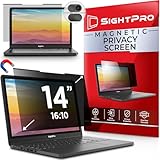
 SightPro Magnetic Laptop Privacy Screen 14 Inch 16:10Laptop 14 Inch 16:1012 x 7.5 x 0.5 inchesCheck on Amazon
 SightPro Magnetic Laptop Privacy Screen 16 Inch 16:10Laptop 16 Inch 16:1013.6 x 8.5 x 0.5 inchesCheck on Amazon
 SightPro Magnetic Laptop Privacy Screen 15.6 Inch 16:9Laptop 15.6 Inch 16:913.6 x 7.6 x 0.5 inchesCheck on Amazon
 SightPro Magnetic Laptop Privacy Screen 14 Inch 16:9Laptop 14 Inch 16:912.2 x 6.9 x 0.5 inchesCheck on Amazon
 PYS 14 Inch 16:10 Magnetic Laptop Privacy Screen14 Inch (16:10)11.85 x 7.75 x 0.1 inches0.4 poundsCheck on Amazon

Top 3 picks at a glance
Quick Picks
As an Amazon Associate we earn from qualifying purchases at no extra cost to you.


| Product | Best for | Key spec from the title |
|---|---|---|
| SightPro Magnetic 14-inch 16:10 | Modern 14-inch laptops with taller screens | 14 inch, 16:10, magnetic, removable |
| SightPro 14-inch 16:10 Filter | Buyers who want the same size without the magnetic label | 14 inch, 16:10, privacy shield and protector |
| SightPro Magnetic 16-inch 16:10 | Large-screen creative and office laptops | 16 inch, 16:10, magnetic, removable |
| 15.6-inch Privacy Filter for 16:9 Monitor | Standard 1080p notebooks | 15.6 inch, 16:9, 1920 x 1080, anti-spy and anti-glare |
| SightPro Magnetic 15.6-inch 16:9 | Common 15.6-inch work laptops | 15.6 inch, 16:9, magnetic, removable |
| SightPro Magnetic 14-inch 16:9 | Older or budget 14-inch laptops | 14 inch, 16:9, magnetic, removable |
| 360-degree 4-way 14-inch 16:10 | Buyers who want blue light and glare reduction | 14 inch, 16:10, 1920×1200, 4-way, blue light filter, anti-glare |
| PYS 14-inch 16:10 Magnetic | Lenovo, HP, and Dell owners | 14 inch, 16:10, magnetic, anti-glare, blue light filter |
How to Choose
Match diagonal size and aspect ratio exactly
Screen diagonal tells you only part of the story. A 14-inch laptop with a 16:9 panel (such as 1920 by 1080) and a 14-inch laptop with a 16:10 panel (such as 1920 by 1200) have different heights, so a filter cut for one will leave a strip uncovered or overhang on the other. Check the resolution in your laptop’s display settings, divide width by height, and confirm whether you have 16:9 or 16:10. Then pick a filter whose title states the same diagonal and ratio. Several listings here offer the same size in both ratios, such as 14 inch in 16:10 and 14 inch in 16:9, so the ratio is what separates a good fit from a bad one.
Magnetic, removable, or fixed mounting
Four of the SightPro entries and the PYS entry describe magnetic, removable designs, which attach with magnets or similar hardware and can be taken off when you want to show your screen to a colleague. Magnetic systems are convenient but depend on your laptop’s bezel and lid design, so verify compatibility details in the full listing. The two entries that do not use the word magnetic, the plain 14-inch SightPro and the 15.6-inch filter, may use adhesive strips, clips, or tabs, so find out how they attach before buying. If you share your screen often, removable models avoid the frustration of peeling film.
Viewing angle, brightness, and eye comfort
Every privacy filter works by narrowing the angle from which the screen is readable, and the trade-off is a dimmer image for the person sitting directly in front of it. Expect to raise your display brightness a bit. Anti-glare coatings reduce reflections in bright rooms, and blue light filtering, which the 360-degree and PYS listings mention, tints the image slightly warmer. Treat blue light claims with caution, since evidence that these filters improve sleep or eye strain is mixed, but a mild warm shift can be pleasant for long sessions. The 360-degree filter’s title mentions a 4-way design, which generally refers to blocking viewing from left, right, above, and below, but read the description to confirm.
What to ignore and where budget filters cut corners
Ignore broad compatibility lists, such as lists of computer brands in the title, because size and ratio decide the fit, not the logo on your lid. Ignore the word “patented” as a quality signal, since it describes a design feature rather than how clear the display looks. Budget filters tend to cut corners on edge finishing, clarity, and the mounting hardware, which can mean visible haze, curled corners, or magnets that lose grip. Also check whether you use a touchscreen or a built-in webcam cover, since a thick filter may interfere with either, and the titles here do not address touch support.
The 8 Best Options
SightPro Magnetic 14-inch 16:10
This removable magnetic filter is sized for a 14-inch laptop with a 16:10 aspect ratio, the shape of many current thin-and-light and business notebooks. It suits a consultant or traveler who wants the filter on in public and off in a meeting.
- Strength: the magnetic, removable design lets you switch between private and shared viewing quickly.
- Strength: the 16:10 sizing matches taller modern panels.
- Trade-off: the title does not say which laptops the magnets suit, so bezel design remains a question mark.
Skip it if your display is a 16:9 panel, because the dimensions will not match, or if you never need to remove the filter and would rather have a fixed film that stays in place.
SightPro 14-inch 16:10 Filter
This listing matches the size and ratio of the magnetic model above, described as a monitor privacy shield and protector. It targets buyers who care about the protective role of the film as well as the privacy function and who are comfortable verifying how it attaches.
- Strength: it covers the same 14-inch, 16:10 footprint as the magnetic version.
- Strength: the “protector” wording suggests an added layer against smudges and scratches.
- Trade-off: the title does not state a magnetic mount, so the attachment method is unclear.
Skip it if you want a guaranteed quick-removal mount, in which case the magnetic entry is the safer choice, or ask the seller how the shield attaches before ordering.
SightPro Magnetic 16-inch 16:10
The larger sibling covers 16-inch panels in the 16:10 shape, which is common on larger work and creative laptops. It fits designers, analysts, or managers who carry bigger machines and still need privacy in shared spaces.
- Strength: it is one of the few 16-inch options in this group, so it serves a gap many lists miss.
- Strength: it uses the same magnetic, removable approach as the smaller models.
- Trade-off: a larger filter adds a little more weight to the lid and takes more care to store flat.
Skip it if your screen is 15.6 inches or smaller, because a close size is not a correct size, and a filter that overhangs the bezel looks sloppy and can catch on the hinge.
15.6-inch Privacy Filter for 16:9 Monitor
This unbranded filter targets 15.6-inch screens at 1920 by 1080, with anti-spy and anti-glare features. It fits the huge installed base of standard 1080p work laptops, including budget and mid-range notebooks from several brands.
- Strength: the listing states the exact resolution, which removes guesswork on ratio.
- Strength: anti-glare treatment helps in bright offices or near windows.
- Trade-off: the title ends with a cut-off “Not” note, so read the full listing for exclusions before buying.
Skip it if your laptop is a touchscreen or uses a different resolution, or until you confirm what the exclusion covers, since a filter that does not fit is a wasted purchase.
SightPro Magnetic 15.6-inch 16:9
This is the branded magnetic option for the same 15.6-inch, 16:9 class, aimed at office workers whose laptops run at standard Full HD and who want to take the filter off easily.
- Strength: a removable magnetic design suits people who alternate between solo work and presentations.
- Strength: 15.6 inches at 16:9 is the most common laptop size, so it fits the widest group of buyers.
- Trade-off: it lacks the blue light and anti-glare language seen on two other models.
Skip it if you want eye-comfort features included in the same film, or if your laptop is a newer 16:10 model, because the shorter 16:9 shape will leave a strip of the display uncovered.
SightPro Magnetic 14-inch 16:9
This variant keeps the 14-inch size but switches to the shorter 16:9 shape, common on older and budget 14-inch laptops. It suits students, field workers, and anyone with an older notebook that predates the taller 16:10 trend.
- Strength: it gives 16:9 14-inch owners a magnetic, removable choice that many lists leave out.
- Strength: it shares the same brand and design as the rest of the SightPro line, so the look is consistent.
- Trade-off: putting it on a 16:10 panel would leave part of the screen exposed.
Skip it if you are not sure of your aspect ratio, since the 16:10 version of the same size looks nearly identical in the listing and a wrong guess means a return.
360-degree 4-way 14-inch 16:10
This one pairs a 14-inch, 16:10 fit at 1920×1200 with a 4-way privacy design, a blue light filter, and an anti-glare finish. It is a match for people who read and write for long hours and want a single film that adds eye-comfort features.
- Strength: the 4-way claim suggests privacy from side and vertical angles, which matters on trains and planes.
- Strength: the stated 1920×1200 resolution makes the ratio match easy to confirm.
- Trade-off: the title lists compatible brands but not the mounting method, so confirm how it attaches.
Skip it if you want a magnetic quick-release design or if your display is not 1920×1200, since the ratio and the resolution are the quickest way to confirm a good fit.
PYS 14-inch 16:10 Magnetic
This magnetic, removable screen fits 14-inch 16:10 panels and adds anti-glare and blue light filtering, with Lenovo, HP, and Dell named in the title. It suits business laptop owners who want removable convenience and added comfort in one product.
- Strength: it combines magnetic removal with anti-glare and blue light features in the same listing.
- Strength: the brand mentions make it easy for those owners to feel confident about the size.
- Trade-off: as with any magnetic design, bezel and lid compatibility is something to check in the full details.
Skip it if you own a 16:9 laptop or prefer a fixed film that stays in place, or if your lid design leaves little room for magnets to hold.
Which One Fits Your Situation
You fly or commute with a modern 14-inch laptop
Pick the SightPro Magnetic 14-inch 16:10 if you want clean, quick removal for meetings, or the 360-degree 4-way model if you value a 4-way design and added eye-comfort features.
You use a standard 15.6-inch work laptop
The SightPro Magnetic 15.6-inch 16:9 is the straightforward choice for removable use, while the unbranded 15.6-inch 1920 by 1080 filter works if you want anti-glare and a stated resolution.
You carry a large 16-inch machine
The SightPro Magnetic 16-inch 16:10 is the only listing built for that size, so there is little to compare against. Just confirm your panel is 16:10.
You own an older 14-inch laptop
Use the SightPro Magnetic 14-inch 16:9 if the display is the shorter 16:9 shape. If unsure, check the resolution first and match the ratio.
Common Mistakes
- Buying by diagonal alone and ignoring the 16:9 versus 16:10 split.
- Assuming every listing is magnetic when some titles do not say how the filter attaches.
- Leaving brightness at its default and then blaming the filter for a dim picture.
- Trusting brand compatibility lists in the title over a check of your own screen size and resolution.
- Ignoring touchscreens and webcam clearance, which can limit which filters work properly.
Related guides
- Gaming Chair Cushions And Lumbar Supports
- Business Laptops With Long Battery Life
- How To Use Camelcamelcamel For Amazon Deals
Frequently Asked Questions
How do I find my laptop’s aspect ratio?
Open your display settings and read the resolution. Divide the width by the height: 1920 by 1080 is 16:9, while 1920 by 1200 is 16:10. Match the filter’s stated ratio to that number.
Will a privacy screen make my display dimmer?
Yes, usually. Narrowing the viewing angle reduces how much light reaches you, so most users raise brightness a few notches. Anti-glare coatings can also change how colors look.
Are magnetic privacy screens better than other types?
They are more convenient if you remove the filter often, but their grip depends on your laptop’s lid and bezel. Fixed films may feel more secure for permanent use.
Do blue light filters really protect my eyes?
The evidence is mixed. A warm tint may feel more comfortable in dim rooms, but you should not buy a filter solely for that claim. Take breaks and adjust brightness for real eye comfort.
Related guides
More from Amazon
Programs that pair well with the guide above. Offers and eligibility are set by Amazon and may change.
Free shipping on eligible items, Prime Video and more. Eligible new members can start with a free trial.
Start a Prime free trialAd-free music streaming. Eligible new subscribers can start with a free trial.
Try Music Unlimited freeA Prime membership for ages 18-24 with a trial period. Eligibility is set by Amazon.
See Prime for Young AdultsAudiobooks and podcasts to listen to on the go. Eligible new members can start with a free trial.
Try Audible freeAs an Amazon Associate we earn from qualifying purchases.