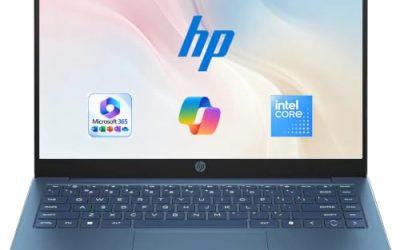
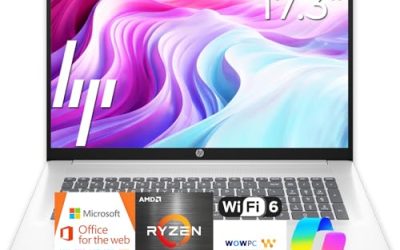
The 15-inch class is where most office work actually happens. A 15.6-inch panel leaves room for a full keyboard with a numeric keypad, two documents side by side, and a spreadsheet with enough columns visible that you stop scrolling sideways. The trade is weight and battery planning: these machines live on desks, in conference rooms, and in a bag that goes home once a day, not in a coat pocket. If your job is accounting, sales operations, administration, or client reporting, the 15-inch frame is usually the sensible default.
The harder decision is how much laptop the work truly needs. The eight models below span a wide range, from entry-level Intel N-series chips with 4GB of memory to a Ryzen 7 machine with 32GB and a 1TB drive. For 2026 buyers, the dividing line is simple: light email, web apps, and documents run fine on the lean models, while multi-tab research, video calls with screen sharing, and large spreadsheets reward more memory and a faster processor. This guide sorts the field by what each configuration can reasonably carry.
Our Top Picks
 Lenovo V15 Gen 4 Business Laptop16GB RAM | 512GB SSD14.13 x 9.29 x 0.78 inches3.64 poundsCheck on Amazon


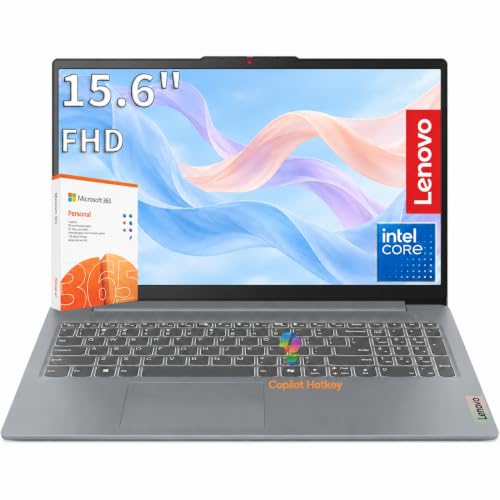

Top 3 picks at a glance
Quick Picks
As an Amazon Associate we earn from qualifying purchases at no extra cost to you.



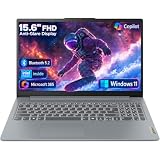
| Product | Best for | Key spec from the title |
|---|---|---|
| HP 15.6 Intel N200 | Basic office tasks on a tight budget | 4GB RAM, 128GB SSD, Windows 11 Home in S mode |
| Dell 15.6 Ryzen 5 7520U | Smooth scrolling and local storage | FHD 120Hz IPS, 512GB SSD, LPDDR5 |
| Dell 15.6 Core Ultra 5 225U | Bright rooms and long typing sessions | 16GB DDR5, anti-glare 300 nits, backlit keyboard |
| Lenovo V15 Gen 4 | Wired offices and docked desks | Core i5-13420H, RJ45, HDMI, Windows 11 Pro |
| Lenovo 15.6 8GB DDR5 | Light mobile work | 8GB DDR5, 128GB, Office 365, fast charging |
| HP 15.6 Touchscreen Ryzen 7 | Heavy multitasking and big files | Ryzen 7 7730U, 32GB RAM, 1TB SSD, touchscreen |
| Lenovo 15.6 with Cloud Storage | Students and part-time office use | 8GB DDR5, 128GB, 1TB cloud storage, Copilot AI |
| Lenovo Business 15.6 USB-C | Modern docks and wireless meetings | 8GB DDR5, Wi-Fi 6, USB-C, anti-glare screen |
How to Choose
Memory and storage first
Memory decides how the laptop feels after a year of use. Look for 8GB as the floor and 16GB if you keep many browser tabs, a mail client, and a chat app open together. The 4GB configuration in this group is workable only for a single-purpose machine such as a front-desk terminal. On storage, 128GB fills up quickly once Windows updates and Office files accumulate, so 256GB or 512GB is far more comfortable. Where a title lists cloud storage, treat it as a backup perk, not a replacement for a roomy drive.
Processor class and what it means for work
Intel N-series chips such as the N200 are designed for low power and light loads. Core i5 and Core Ultra 5 parts, and AMD Ryzen 5 and Ryzen 7 parts, sit in a different league for spreadsheets with formulas, video calls, and several apps at once. Do not chase a model name suffix. Instead, ask whether the title names an actual chip family and whether the memory is DDR5 or LPDDR5, which indicates a newer platform than older DDR4 designs.
Screen, keyboard, and ports
Every model here is 15.6-inch, so compare the panel details. Full HD (1920 by 1080) is the practical minimum for office text. A 120Hz IPS panel makes scrolling feel smoother, an anti-glare coating at 300 nits helps near windows, and a touchscreen adds convenience for presentations. A numeric keypad speeds up data entry, and a backlit keyboard matters for evening work. For ports, HDMI lets you connect a projector, RJ45 gives a stable wired connection, and USB-C adds flexibility for newer chargers and docks.
Operating system and where budget models cut corners
Windows 11 Pro adds domain join, BitLocker management, and remote desktop hosting that Home does not, which matters if your employer manages devices. Windows 11 Home in S mode restricts installs to the Microsoft Store unless you switch out of it, which can block line-of-business software. Budget models also trim memory, storage, and panel quality first. Ignore vague phrases such as long battery life when no capacity is given, and treat bundled software subscriptions as a temporary bonus, not a feature of the hardware.
The 8 Best Options
HP 15.6 Intel N200
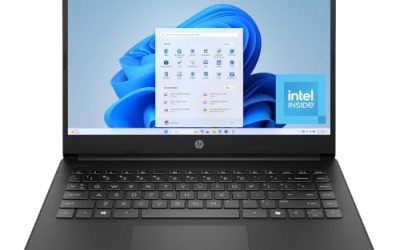
This is the leanest laptop in the group, pairing an Intel 4-core N200 with 4GB of RAM and a 128GB SSD. It suits a shared reception computer, a point-of-sale back office, or a secondary machine that handles email and web forms. The listing also mentions long battery life, though no capacity is stated.
- Strength: Low-power chip and SSD storage keep basic tasks quiet and responsive.
- Strength: Business-friendly 15.6-inch size with enough room for a full-size layout.
- Trade-off: 4GB of memory and Windows 11 Home in S mode limit multitasking and software choice.
Skip it if you run accounting packages, many browser tabs, or any app that is not available in the Microsoft Store.
Dell 15.6 Ryzen 5 7520U
Dell pairs an AMD Ryzen 5 7520U and Radeon 610M graphics with a 512GB SSD and LPDDR5 memory. The FHD 120Hz IPS display stands out in this price tier, because smoother scrolling makes long documents and spreadsheets easier on the eyes. It fits an office worker who wants a clean, simple Windows 11 Home machine with plenty of local storage.
- Strength: 512GB SSD gives breathing room for files, installers, and offline mail.
- Strength: 120Hz IPS panel is uncommon among budget business laptops.
- Trade-off: Wi-Fi 5 is an older wireless standard, and the title does not state the memory amount.
Skip it if you need Windows 11 Pro features or Wi-Fi 6 for a congested office network.
Dell 15.6 Core Ultra 5 225U
This Dell uses an Intel Core Ultra 5 225U with 16GB of DDR5 memory and a 512GB SSD, a configuration that handles dozens of browser tabs plus a video call without strain. The anti-glare 300-nit WVA panel and backlit keyboard make it a good pick for long days in bright offices and dim airport lounges alike.
- Strength: 16GB DDR5 is the most comfortable memory level for general business use in this group aside from the 32GB Ryzen model.
- Strength: Anti-glare screen and backlit keyboard help in varied lighting.
- Trade-off: Graphics are integrated Intel Graphics, so it is not meant for heavy visual work.
Skip it if you want a touchscreen or a built-in Ethernet port, since neither appears in the title.
Lenovo V15 Gen 4
The V15 Gen 4 is the most traditional business machine here. It uses a Core i5-13420H, runs Windows 11 Pro, and lists HDMI, RJ45 Ethernet, a webcam, and a numeric keypad. That port mix suits an employee who plugs into a wired network and a second monitor every day.
- Strength: Ethernet and HDMI cover docked desk setups without adapters.
- Strength: Windows 11 Pro supports managed-device features that IT departments expect.
- Trade-off: The title names a performance-oriented H-series chip but cuts off before stating the memory and storage, so confirm both before ordering.
Skip it if you plan to carry the laptop all day, since an H-series processor generally implies a bigger power draw than a U-series part.
Lenovo 15.6 8GB DDR5
This Lenovo bundles 8GB of DDR5, 128GB of storage, Office 365, Wi-Fi, HDMI, fast charging, and a lightweight design. It fits someone who wants an affordable machine for documents, email, and video meetings and does not expect to store much locally.
- Strength: DDR5 memory and fast charging bring modern touches to an entry-level price tier.
- Strength: HDMI makes presentations simple.
- Trade-off: 128GB of storage runs short quickly, and the processor is only described as Intel, not named.
Skip it if you keep large file libraries on the device or want a clear picture of the processor class before buying.
HP 15.6 Touchscreen Ryzen 7
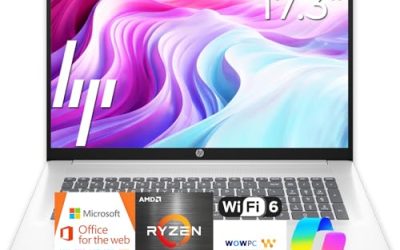
The most capable configuration in the roundup combines an AMD Ryzen 7 7730U, 32GB of RAM, and a 1TB SSD behind a Full HD touchscreen. It adds a Copilot key, Wi-Fi 6, Bluetooth, fast charging, and a numeric keypad. Analysts, consultants, and managers who live in large workbooks and many open apps will get the most from it.
- Strength: 32GB and 1TB give headroom that should last through several years of growing files.
- Strength: Touchscreen and Wi-Fi 6 suit modern meeting rooms and annotated presentations.
- Trade-off: Touch panels are often glossier, which can add reflections near windows.
Skip it if you want the lowest cost option or a matte screen for bright rooms.
Lenovo 15.6 with Cloud Storage
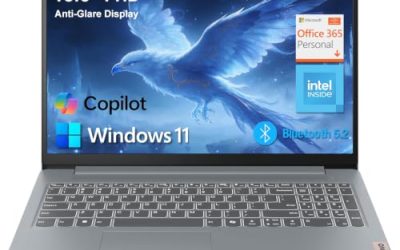
This Lenovo pairs 8GB DDR5 with 128GB of local storage and adds 1TB of cloud storage, Copilot AI, and Office 365 in a slim body aimed at students and light office users. The cloud allowance offsets the small drive for people who store most files online.
- Strength: Included cloud storage helps compensate for the small SSD.
- Strength: Slim, student-friendly design with software already bundled.
- Trade-off: Cloud storage depends on a steady connection, and bundled subscriptions typically run for a limited term.
Skip it if you work offline for long stretches or handle sensitive files that must stay on a local drive.
Lenovo Business 15.6 USB-C
This model matches the previous Lenovo on memory and storage but highlights Wi-Fi 6, a USB-C port, and an anti-glare screen. For a hybrid worker who joins video calls from various rooms and plugs into a USB-C dock at the desk, those details matter more than a name on the lid.
- Strength: Wi-Fi 6 improves reliability on busy networks.
- Strength: Anti-glare screen is easier to read in bright spaces.
- Trade-off: 128GB of storage and 8GB of memory suit light loads only.
Skip it if you need more than light office work or intend to keep the laptop for many years without upgrades.
Which One Fits Your Situation
You manage big spreadsheets and many open apps
Choose the HP 15.6 Touchscreen Ryzen 7. Its 32GB of memory and 1TB drive are the only combination here that comfortably handles large workbooks, dozens of tabs, and a video call at once.
You work from a desk with a wired network and a second monitor
The Lenovo V15 Gen 4 is the natural match. RJ45 Ethernet, HDMI, and Windows 11 Pro cover the daily docked routine, and the Core i5-13420H gives the processor room for office loads.
You split time between bright offices and evening travel
Pick the Dell 15.6 Core Ultra 5 225U. The anti-glare 300-nit panel and backlit keyboard handle both settings, and 16GB of DDR5 keeps the machine responsive.
You need a cheap second computer for simple tasks
The HP 15.6 Intel N200 or the Lenovo 15.6 8GB DDR5 fits here. Pick the Lenovo if you want Office 365 and HDMI included, and the HP only for single-purpose duty where S mode is not a problem.
Common Mistakes
- Buying 4GB of memory for a machine that will run a browser, mail, and chat at the same time.
- Ignoring Windows 11 Home in S mode, then discovering that work software cannot be installed.
- Treating bundled Office subscriptions and cloud storage as permanent, when they usually expire.
- Paying for a touchscreen or 120Hz panel when the real bottleneck is a small drive or low memory.
- Skipping port checks, then needing Ethernet or HDMI and carrying a pile of adapters.
Related guides
- Gaming Chair Cushions And Lumbar Supports
- Warranty Considerations When Buying On Sale
- How To Use Camelcamelcamel For Amazon Deals
Frequently Asked Questions
Is 8GB of RAM enough for a business laptop?
For email, web apps, and documents, 8GB works. If you keep many tabs open, use video conferencing, or open large spreadsheets, 16GB gives noticeably more headroom and is worth seeking out.
Does a 15.6-inch laptop make sense if I travel often?
It can, but the bigger body adds weight and takes more bag space. Frequent flyers often prefer 14-inch designs, while 15.6-inch models suit people who split time between desk and meeting room.
What is the difference between Windows 11 Pro and Home for business?
Pro adds device management, domain join, and stronger drive encryption controls. If your employer uses managed devices, Pro is usually required, while Home is fine for personal or very small business use.
Should I worry about the numeric keypad?
Only if you enter lots of numbers. Accountants and data-entry staff benefit greatly, while writers and presenters may prefer a smaller body without it. Every model in this roundup is a 15.6-inch design, so the option is common.
Related guides
More from Amazon
Programs that pair well with the guide above. Offers and eligibility are set by Amazon and may change.
Free shipping on eligible items, Prime Video and more. Eligible new members can start with a free trial.
Start a Prime free trialAd-free music streaming. Eligible new subscribers can start with a free trial.
Try Music Unlimited freeA Prime membership for ages 18-24 with a trial period. Eligibility is set by Amazon.
See Prime for Young AdultsAudiobooks and podcasts to listen to on the go. Eligible new members can start with a free trial.
Try Audible freeAs an Amazon Associate we earn from qualifying purchases.