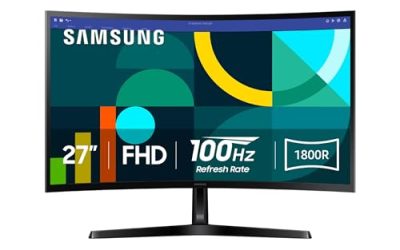
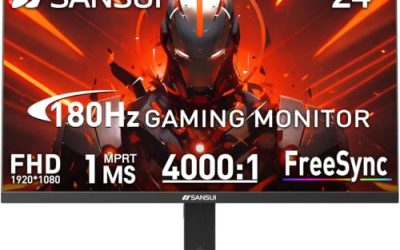
Two monitors on one desk are only as good as the way they match. Buy two different models and you will spend your first week fighting mismatched colors, heights and bezels; buy a matched pair and the two panels behave like one wide workspace. That is why a pre-packaged two-pack is such a popular answer for dual-screen setups, and why the real questions are the size of each screen, whether to choose flat or curved, and how much desk depth and arm support you have to work with.
This guide is for remote workers, traders, students, spreadsheet users and anyone who wants documents on one screen and a call, chat or reference window on the other, rather than flipping between tabs. It compares seven matched sets, six from Kado in 22, 24 and 27 inch sizes and one ViewSonic pair, and judges each strictly on its listing. A simple 2026 rule applies: when you buy a pair, the details of spacing and mounting matter more than the spec sheet headline.
Our Top Picks
 Kado 2-Pack Dual 27" Curved 1500R 1920x1080 75Hz27" Curved 2-Pack2.83 x 24.46 x 14.56 inches11 poundsCheck on Amazon
 Kado 2-Pack Dual 22" Flat Screen 1920x1080 75Hz22" 2-Pack1.46 x 19.93 x 11.92 inches16.5 poundsCheck on Amazon
 Kado 2-Pack Dual 27" Flat Screen 1920x1080 75Hz27" 2-Pack1.33 x 24.1 x 14.2 inches11.24 poundsCheck on Amazon
 Kado Dual Monitor 2-Pack 27" Curved 1500R 1920x108027" Curved 2-Pack2.83 x 24.46 x 14.56 inches11 poundsCheck on Amazon
 Kado Dual Monitor 2-Pack 24" Curved 1500R 1920x108024" Curved 2-Pack2.21 x 21.17 x 12.65 inches11.64 poundsCheck on Amazon
 ViewSonic VA2256-MHD_H2 22 Inch IPS Dual Monitor 222-Inch FHD11.7 x 1.9 x 19.3 inches5.8 poundsCheck on Amazon
Top 3 picks at a glance
Quick Picks
As an Amazon Associate we earn from qualifying purchases at no extra cost to you.


| Product | Best for | Key spec from the title |
|---|---|---|
| Kado 27″ Curved 2-Pack | Immersive wide workspace | Two 27″ curved 1500R, 1920×1080, 75Hz, HDMI, VESA mount |
| Kado 22″ Flat 2-Pack | Compact desks | Two 22″ flat, 1920×1080, 75Hz, HDMI, VESA mount |
| Kado 27″ Flat 2-Pack | Large screens without curve | Two 27″ flat, 1920×1080, 75Hz, HDMI, VESA mount |
| Kado Dual Monitor 27″ Curved 2-Pack | Alternate listing of the 27″ curved set | Two 27″ curved 1500R, 1920×1080, 75Hz, HDMI |
| Kado Dual Monitor 24″ Curved 2-Pack | Mid-size curved pair | Two 24″ curved 1500R, 1920×1080, 75Hz |
| ViewSonic VA2256-MHD_H2 | IPS color with arm mounting | Two 22″ 1080p IPS, FreeSync, HDMI, DisplayPort, head-only |
| Kado 24″ Flat 2-Pack | Balanced flat pair | Two 24″ flat, 1920×1080, 75Hz, HDMI, VESA mount |
How to Choose
Size, resolution and pixel density
Every set here uses a 1920×1080 panel, so the main difference is how thinly those pixels are spread. At 22 inches, the density is around 100 pixels per inch, which looks crisp; at 24 inches it drops to roughly 92; at 27 inches it falls to about 82, and text can look softer if you sit close. Two 27 inch screens also demand about 48 inches of horizontal desk space. If your desk is under four feet wide, the 22 or 24 inch pairs are the realistic choice. As a rough guide, a pair of 22 inch screens needs around 40 inches of width, and a pair of 24 inch screens needs closer to 44, so measure your desk before you measure your ambition.
Flat versus curved
A 1500R curve means the screen follows a circle with a radius of 1.5 meters, which wraps gently toward you. On a single large screen that can feel immersive, but on a dual setup, curved panels placed side by side form a shallow V that suits a seat directly in the center. Flat panels line up edge to edge and suit a layout where you look at one screen most of the time and glance at the other. Choose curved for a centered work desk and flat for angled or shared spaces. If you share the desk with a colleague or a client who leans in to view one screen, flat panels also look more natural from the side.
Refresh rate, panel type and inputs
75Hz, listed on the Kado sets, is smoother than a standard 60Hz office monitor and is a pleasant touch for scrolling and light gaming. The ViewSonic lists an IPS panel and FreeSync, and IPS generally offers wider viewing angles and steadier color, which matters when two screens are viewed from the side. Check the inputs: HDMI is named throughout, and the ViewSonic also lists DisplayPort, which helps if your computer has limited HDMI outputs. Make sure your graphics card can drive two displays, and remember that two HDMI cables are not included in every box, so confirm cables before you set up.
Mounting, stands and what to ignore
Dual setups save desk space when you use a VESA arm. Most Kado titles mention VESA wall or arm mounting, while the ViewSonic is described as head-only, which suggests stands are not included, so plan to buy an arm. Ignore broad claims about gaming or hybrid use; at 1080p and 75Hz these are office and general-use monitors. Budget pairs commonly cut corners on brightness, color accuracy and stand adjustability, so use an arm for height and tilt. Aim to line up the top edges of both screens at or just below eye level, with the pair angled slightly inward, so you can turn your head instead of your whole body.
The 7 Best Options
Kado 27″ Curved 2-Pack
The Kado 27 inch curved pair is the immersive widescreen option. The title lists two 27 inch curved monitors with a 1500R curve, 1920×1080 resolution, a 75Hz refresh rate, HDMI and VESA wall or arm mount support. It suits a seated, centered desk where the two curves form a gentle wraparound.
- Strength: a 1500R curve on 27 inch screens gives a wide, enveloping field of view.
- Strength: a matched pair avoids mismatched color between screens.
- Trade-off: 1080p on 27 inches is lower in pixel density than smaller options.
Skip it if your desk is narrow or you read fine print on screen for hours.
Kado 22″ Flat 2-Pack
The Kado 22 inch flat pair is the compact choice. The title lists two 22 inch flat monitors at 1920×1080 and 75Hz, with HDMI and VESA wall or arm mount support, positioned for office and gaming hybrid use. It is built for desks where width is the limit.
- Strength: a 22 inch size keeps pixel density high and the total width modest.
- Strength: a flat design lines up cleanly edge to edge.
- Trade-off: small screens offer less room for side-by-side windows.
Skip it if you want large spreadsheets or timelines displayed at full size.
Kado 27″ Flat 2-Pack
The Kado 27 inch flat pair gives large screens without the curve. The title lists two 27 inch flat monitors at 1920×1080 and 75Hz, with HDMI and VESA mount support. It suits users who want maximum workspace and a flat edge for shared viewing or angled layouts.
- Strength: 27 inch panels offer generous room for multiple windows.
- Strength: a flat panel avoids the distortion some users notice on curved screens.
- Trade-off: the combined width demands a deep, wide desk.
Skip it if your desk is under four feet wide or you sit very close.
Kado Dual Monitor 27″ Curved 2-Pack
This second Kado 27 inch curved listing shares the first one’s headline specs. The title lists two 27 inch curved 1500R monitors at 1920×1080 and 75Hz with HDMI and VESA mount support, presented under the Dual Monitor name. It appeals to buyers who have settled on 27 inches and want to compare listings.
- Strength: the same 1500R curve and 75Hz refresh rate as its twin listing.
- Strength: a matched pair simplifies color and height alignment.
- Trade-off: it offers no separate spec advantage over the other 27 inch curved set.
Skip it if you already chose the other 27 inch curved listing, as they look alike on paper.
Kado Dual Monitor 24″ Curved 2-Pack
The 24 inch curved pair is the middle-ground curved option. The title lists two 24 inch curved 1500R monitors at 1920×1080 and 75Hz. It balances a gentle curve with a size that fits a standard desk, and it has a pixel density higher than the 27 inch sets.
- Strength: 24 inches suits most desks and keeps text reasonably sharp.
- Strength: a curve adds comfort for a centered seat.
- Trade-off: the short title does not mention ports or mount support, so verify those.
Treat the missing details as a reason to confirm the listing before you commit, not as a flaw in the pair itself. Skip it if you need the title to confirm HDMI and VESA mounting.
ViewSonic VA2256-MHD_H2
The ViewSonic VA2256-MHD_H2 is the brand-name IPS pair. The title lists two 22 inch 1080p head-only monitors, an IPS display, FreeSync, HDMI and DisplayPort, for dual-screen home and office setups. Head-only means you supply the mounting arm or stands.
- Strength: an IPS panel and FreeSync suit color-sensitive and smooth use.
- Strength: both HDMI and DisplayPort inputs add connection flexibility.
- Trade-off: head-only listing means stands may not be included.
Skip it if you want ready-to-use stands in the box or a larger screen.
Kado 24″ Flat 2-Pack
The Kado 24 inch flat pair is the balanced everyday choice. The title lists two 24 inch flat monitors at 1920×1080 and 75Hz, with HDMI and VESA wall or arm mount support. It sits between the compact 22 inch and large 27 inch sets for most home offices.
- Strength: 24 inches is a comfortable size with good pixel density.
- Strength: HDMI and VESA mounting are both stated in the title.
- Trade-off: a flat panel is less immersive than a curved one for a centered desk.
It is also the easiest set to place on two matching arms later, since the 24 inch size sits comfortably within the weight range most arms handle. Skip it if you want a curved panel or IPS color.
Which One Fits Your Situation
You have a small desk or a shared workspace
Choose the Kado 22″ Flat 2-Pack. The compact width keeps both screens within reach, and flat panels line up neatly.
You sit centered and want an immersive layout
Go with the Kado 27″ Curved 2-Pack if your desk is wide, or the Kado Dual Monitor 24″ Curved 2-Pack if space is moderate.
You care about color and viewing angles
Pick the ViewSonic VA2256-MHD_H2. The IPS panel and DisplayPort input suit side-by-side use, though plan to buy a monitor arm.
You want an all-round, no-fuss pair
The Kado 24″ Flat 2-Pack fits best, with HDMI, VESA mounting and a size that works on most desks. If you later decide to add an arm, the VESA support in the title keeps that door open.
Common Mistakes
- Buying two 27 inch screens without measuring desk width.
- Assuming a head-only monitor includes a stand.
- Checking only the monitors and forgetting that the computer must support two outputs.
- Choosing curved panels for a desk where you sit off to one side.
- Expecting 1080p on a 27 inch screen to look as sharp as a smaller panel.
Related guides
- Gaming Chair Cushions And Lumbar Supports
- How To Use Camelcamelcamel For Amazon Deals
- Warranty Considerations When Buying On Sale
Frequently Asked Questions
Is a matched pair better than two different monitors?
Usually, yes. Identical panels share color, brightness and height, so windows moved between them look consistent.
Do I need a monitor arm for a dual setup?
It is not required, but it frees desk space and lets you align heights precisely. A head-only monitor requires one.
Can my computer drive two monitors?
Most modern laptops and desktops can, but confirm the number of video outputs. You may need an adapter or dock if you only have one HDMI port.
Is 75Hz worth having?
It is smoother than 60Hz for scrolling and general use. It is a modest upgrade and not a replacement for a true high-refresh gaming monitor.
Related guides
More from Amazon
Programs that pair well with the guide above. Offers and eligibility are set by Amazon and may change.
Free shipping on eligible items, Prime Video and more. Eligible new members can start with a free trial.
Start a Prime free trialAd-free music streaming. Eligible new subscribers can start with a free trial.
Try Music Unlimited freeA Prime membership for ages 18-24 with a trial period. Eligibility is set by Amazon.
See Prime for Young AdultsAudiobooks and podcasts to listen to on the go. Eligible new members can start with a free trial.
Try Audible freeAs an Amazon Associate we earn from qualifying purchases.