An OLED laptop earns its place on a desk for one reason: the screen. Each pixel lights itself, so blacks look black, contrast jumps, and HDR content has depth that a standard LCD panel struggles to match. That makes the keyword about display priority first. If you edit photos, watch films in bed, or simply stare at text for hours, the panel is where your money should go, and everything else is a supporting decision.
The trade-offs are real, though. OLED panels can be glossy, they can draw more power with bright white content, and the best ones live in thin laptops where cooling and ports are limited. This guide for 2026 compares seven OLED models by resolution, refresh rate, memory, and processor class, so you can choose between a creator laptop, an ultraportable, and one gaming-oriented model with a high-refresh OLED panel.
Our Top Picks
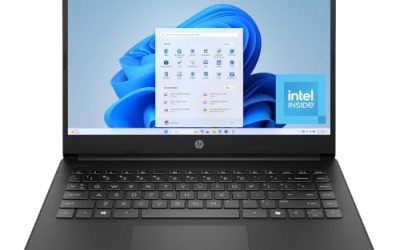
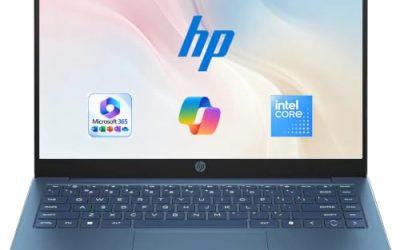
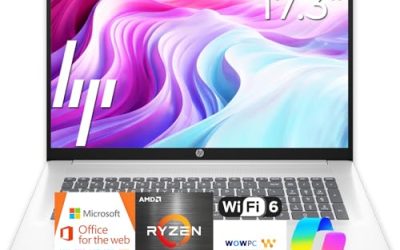
 HP OmniBook 3 AI-Powered Laptop 14" WUXGA OLED16GB RAM | 256GB SSD12.38 x 8.9 x 0.58 inches3.13 poundsCheck on Amazon
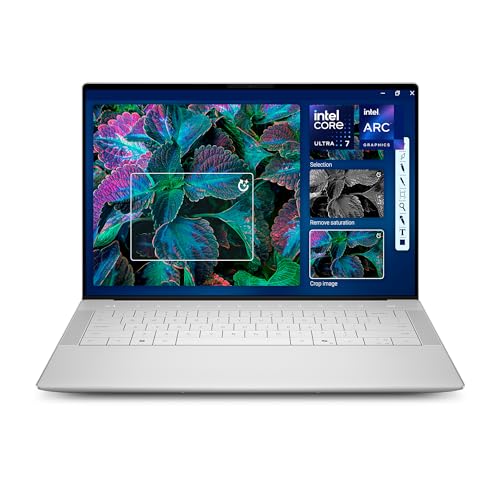 Dell XPS 14 Premium Laptop DA14250-14.5-inch Touch 3.2KXPS14|32GB|1TB8.5 x 12.6 x 0.71 inches3.79 poundsCheck on Amazon


Top 3 picks at a glance
Quick Picks
As an Amazon Associate we earn from qualifying purchases at no extra cost to you.



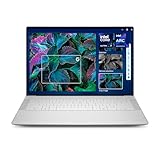

| Product | Best for | Key spec taken from the product title |
|---|---|---|
| ASUS Zenbook 14 OLED | Thin, touch-friendly daily use | 2K, 500 nits HDR, Ryzen AI 9 465, 16GB, 1TB SSD |
| ASUS Vivobook S16 (Ryzen AI 7) | Big-screen multitasking | 16-inch 16:10 WUXGA OLED, 32GB RAM, 1TB SSD |
| HP OmniBook 3 14-inch | Color-focused creators | 100% DCI-P3 WUXGA OLED, Snapdragon X, 16GB |
| Acer Swift Go 16 | Smooth scrolling | 3200×2000 OLED, 120Hz, Ultra 5 125H |
| Dell XPS 14 | Premium sharpness | 3.2K touch OLED, 48-120Hz, Core Ultra 7 255H |
| ASUS Vivobook S16 (Snapdragon X2) | Arm-based efficiency | Snapdragon X2 Elite, Copilot+ PC, 16GB, 1TB SSD |
| Lenovo Legion 5a | Gaming on an OLED panel | RTX 5060, 15.3-inch 165Hz OLED, 32GB DDR5 |
How to Choose
Resolution and refresh rate
OLED laptops range from WUXGA (1920×1200) to 3.2K and 3200×2000. Higher resolution looks sharper but costs battery, so WUXGA is a sensible balance on 14 to 16 inch screens. On a 16-inch panel the extra pixels of 3200×2000 are visible, but only if your apps scale text cleanly. For refresh rate, 60Hz is fine for documents, 120Hz makes scrolling and cursor movement smoother, and a gaming OLED at 165Hz suits fast action. A variable range such as 48-120Hz saves power when content is static. Higher refresh also asks more of the battery, so a laptop you will use unplugged benefits from a lower setting.
Color and brightness figures
For creative work, look for a color gamut claim such as 100% DCI-P3, which signals wide color for photo and video editing. For brightness, a figure like 500 nits with HDR means the panel can handle bright rooms and HDR clips; a missing nit rating is a warning to read the fine print. Glossy finishes add reflections, so think about where you will sit, and keep in mind that peak HDR brightness is shown only in small areas of the screen.
Memory, storage, and processor
Choose 16GB of RAM as a minimum for an OLED machine you intend to edit on, and 32GB for heavy multitasking. A 512GB SSD is workable and 1TB is comfortable for media, while a 256GB drive demands an external drive for any serious video project. Arm-based Snapdragon X chips target efficiency and long battery life, while AMD Ryzen AI and Intel Core Ultra processors favor wider software compatibility.
What to ignore, and where corners get cut
Ignore NPU and AI marketing numbers unless you plan to use the specific features. Budget OLED laptops tend to cut corners on memory, storage, or chassis build rather than on the panel itself. One more caution: OLED can show burn-in if static elements stay on screen for very long periods, so use dark mode and let the screen sleep.
The 7 Best Options
Each write-up relies on the specs in its title. Port selection, weight, and real battery life are not stated in the titles, so check those on the full product page, especially for the thin models.
ASUS Zenbook 14 OLED
The Zenbook 14 is the ultraportable of the group, with a touchscreen OLED at 2K and 500 nits HDR, a Ryzen AI 9 465 processor, 16GB of RAM, a 1TB SSD, and a backlit keyboard.
- The listed 500 nits HDR rating suggests a bright, punchy panel.
- 16GB of RAM and 1TB of storage are generous for a thin laptop.
- Trade-off: the title stresses ultra-light design, which can mean fewer ports.
Its touch support also suits reading, sketching with a finger, and flipping through documents. Skip it if you want a bigger screen for editing side by side.
ASUS Vivobook S16 (Ryzen AI 7 445)
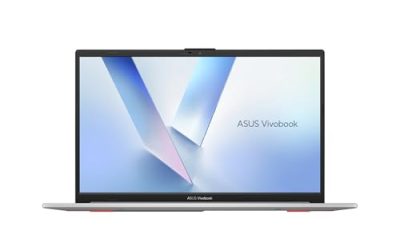
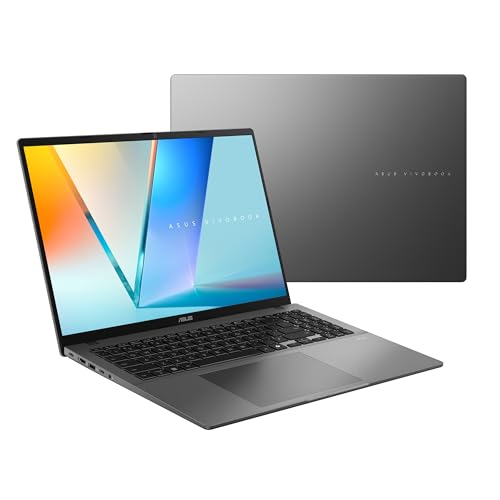
This Vivobook S16 pairs a 16-inch 16:10 WUXGA OLED display with a Ryzen AI 7 445 processor, AMD Radeon graphics, 32GB of RAM, and a 1TB SSD, and is labeled a Copilot+ PC.
- 32GB of RAM is the most memory on the list alongside the Dell and Lenovo.
- A 16:10 screen gives extra vertical space for documents and timelines.
- Trade-off: a 16-inch laptop is bulkier to carry than a 14-inch one.
Writers and spreadsheet users will like the extra vertical room, and 32GB leaves space for a browser and several apps together. Skip it if portability matters more than screen size.
HP OmniBook 3 14-inch OLED
HP offers a 14-inch WUXGA OLED with 100% DCI-P3 color, an 8-core Snapdragon X processor with up to 45 NPU TOPS, 16GB of DDR5 RAM, a 256GB SSD, and Wi-Fi 6E, marketed to creators and designers.
- 100% DCI-P3 is the clearest color claim in this group.
- 16GB of DDR5 memory suits creative apps and multitasking.
- Trade-off: a 256GB SSD is the smallest storage on the list.
The Snapdragon X chip makes sense for someone who values a quiet, efficient machine for browsing, design apps, and video calls. Skip it if you keep large media libraries on the laptop.
Acer Swift Go 16 OLED
Acer’s Swift Go 16 includes a 16-inch OLED at 3200×2000 resolution and 120Hz, an Intel Core Ultra 5 125H, 8GB of RAM, and a 512GB SSD, and carries Intel Evo AI certification (model SFG16-72-5844).
- A 3200×2000 panel at 120Hz is sharp and smooth for a 16-inch screen.
- Intel Evo certification points to a laptop built around a thin, long-lasting design.
- Trade-off: 8GB of RAM is the weak link for heavy creative work.
The 120Hz refresh makes scrolling noticeably fluid, which suits long web pages and documents. Skip it if you plan to edit video or keep many large apps open.
Dell XPS 14
The XPS 14 (DA14250) lists a 14.5-inch touchscreen with 3.2K OLED and a 48-120Hz variable range, an Intel Core Ultra 7 255H, Intel Arc graphics, 32GB of memory, and a 1TB SSD.
- The 3.2K OLED with 48-120Hz range offers sharpness and flexible refresh.
- Core Ultra 7 with 32GB of memory is a strong base for creative apps.
- Trade-off: it is the premium-tier option, so expect it to sit at the premium end of this group.
Designers and photographers who want a screen that looks refined and sharp will appreciate it. Skip it if you want to spend less and do not need touch.
ASUS Vivobook S16 (Snapdragon X2 Elite)
This second S16 swaps in a Snapdragon X2 Elite processor with Adreno graphics, 16GB of RAM, a 1TB SSD, and the same 16:10 WUXGA OLED. It is branded a Copilot+ PC.
- Arm-based design points to efficiency and long battery life.
- 1TB of storage with 16GB of RAM is a comfortable pairing.
- Trade-off: some older Windows software may run less smoothly on an Arm chip.
It is a good match for a traveler who mostly uses browser tools, Microsoft apps, and streaming. Skip it if you rely on specialized programs that are x86-only.
Lenovo Legion 5a Gaming Laptop
The Legion 5a is the only gaming machine on this list, with a Ryzen 7 250, a GeForce RTX 5060, a 15.3-inch WQXGA (2560×1600) OLED at 165Hz, 32GB of DDR5 RAM, a 1TB SSD, Wi-Fi 7, and RGB lighting.
- A 165Hz OLED panel suits fast-paced games.
- RTX 5060 graphics and 32GB of memory support gaming and creative work.
- Trade-off: a gaming chassis is typically heavier and louder than an ultraportable.
The OLED panel adds film-like contrast to games and movies alike, which the title makes a selling point. Skip it if you want a quiet, thin laptop for travel.
Which One Fits Your Situation
You edit photos and video
Choose the HP OmniBook 3 for its 100% DCI-P3 claim, or the Dell XPS 14 if you want the sharper 3.2K display and 32GB of RAM. The Dell also lists Intel Arc graphics, which suits light editing better than a bare integrated setup.
You want a thin travel laptop
Choose the ASUS Zenbook 14 OLED. It is the ultra-light pick, with a touchscreen, 16GB of RAM, and 1TB of storage, so it fits a student or consultant who carries a laptop all day and still wants a vivid screen.
You game and care about contrast
Choose the Lenovo Legion 5a. It is the only model here with an RTX 5060 and a 165Hz OLED display.
You want the biggest screen and the most memory
Choose the ASUS Vivobook S16 with the Ryzen AI 7. It pairs a 16-inch OLED with 32GB of RAM and a 1TB SSD, and works for office, streaming, and light creative work. If you want the same screen with an Arm chip, the Snapdragon X2 version of the S16 is the alternative.
Common Mistakes
- Buying OLED for the display and then accepting 8GB of RAM that bogs down the laptop.
- Ignoring the glossy finish and then fighting reflections near a window.
- Assuming an Arm-based laptop runs every Windows program with no issues; check your must-have apps first.
- Leaving a static desktop on screen at full brightness for long sessions, when a screen saver or a lower brightness would protect the panel.
- Judging a panel only by resolution without checking brightness and color claims, which matter more for photo work than a higher pixel count.
Related guides
- Gaming Chair Cushions And Lumbar Supports
- Travel Backpack With Laptop Compartment
- Business Laptops With Long Battery Life
Frequently Asked Questions
Is burn-in a real risk on OLED laptops?
It is possible but unlikely with normal use, since modern panels include pixel-shifting and similar protections. Dark mode, an automatic screen sleep timer, and a changing wallpaper reduce the chance.
Does OLED hurt battery life?
It can, especially with bright white pages at high resolution. Variable refresh and dark themes help, and a lower-resolution panel saves power. Arm-based chips such as the Snapdragon models are positioned for efficiency, so they are worth a look if battery life is the priority.
What does 100% DCI-P3 mean?
It is a color gamut measurement. A panel that covers the DCI-P3 space can show a wider range of saturated colors, which helps photo and video editing.
Do I need a high refresh rate on an OLED laptop?
Not for office work. A 120Hz panel feels smoother when scrolling and moving windows, and 165Hz mainly benefits fast gaming. OLED pixels respond quickly, so even a 60Hz panel looks crisp in motion.
Related guides
More from Amazon
Programs that pair well with the guide above. Offers and eligibility are set by Amazon and may change.
Free shipping on eligible items, Prime Video and more. Eligible new members can start with a free trial.
Start a Prime free trialAd-free music streaming. Eligible new subscribers can start with a free trial.
Try Music Unlimited freeA Prime membership for ages 18-24 with a trial period. Eligibility is set by Amazon.
See Prime for Young AdultsAudiobooks and podcasts to listen to on the go. Eligible new members can start with a free trial.
Try Audible freeAs an Amazon Associate we earn from qualifying purchases.