Shopping for a Logitech gaming mouse on a tight budget is really a question of which trade-off you are willing to live with. Every Logitech mouse in this range uses a genuine gaming sensor and the same G HUB software as the flagship models, so the differences that matter are shape, weight, connection type and how many buttons you get for your money. Pick the wrong shape and no sensor specification will save the purchase; pick the right one and a modest mouse can carry you through years of evening matches.
This guide is for first-time PC gamers building a setup piece by piece, for students who need one mouse for classwork and ranked play, for competitive players who want a dependable backup, and for anyone replacing a worn-out office mouse with something faster. Each pick below is a Logitech gaming mouse with its name and specifications taken from its Amazon listing, so you can check the exact model before you buy.
Our Top Picks


Top 3 picks at a glance

Quick Picks
As an Amazon Associate we earn from qualifying purchases at no extra cost to you.
| Product | Best for | Key spec from title |
|---|---|---|
| Logitech G305 LIGHTSPEED | Wireless play without a cable | HERO 12K sensor, 12,000 DPI, 250-hour battery life |
| Logitech G203 LIGHTSYNC | A first gaming mouse with RGB lighting | 8,000 DPI sensor, LIGHTSYNC RGB, 6 programmable buttons |
| Logitech G502 HERO | Button-heavy games and tunable weight | HERO 25K sensor, 25,600 DPI, 11 buttons, adjustable weights |
| Logitech G403 HERO | A light ergonomic wired mouse | HERO 25K sensor, 25,600 DPI, 87 g plus a 10 g weight |
How to Choose
Start with the shape, not the sensor
Sensor numbers dominate mouse marketing, but shape decides whether a mouse feels good after two hours. Logitech’s budget range covers several distinct shapes: the compact and symmetrical G305, the low-profile G203, the long ergonomic G502 HERO and the sculpted right-handed G403 HERO. Measure your hand from wrist to middle fingertip and compare it with the dimensions on the listing. A palm grip player with a long hand will fight a small symmetrical shell, while a claw grip player may find a wide ergonomic body sluggish. If you cannot try the mouse in a store, choose the shape that matches your grip style first and treat the sensor as a secondary filter.
Decide wired or wireless before anything else
Wireless freedom sounds appealing, but it changes what you manage. The G305 runs on a single AA battery and stores its receiver inside the body, so it suits players who move between a desk and a laptop. Wired models like the G203, G502 HERO and G403 HERO never need charging and usually cost less for the same sensor class, at the cost of a cable you must route. If your desk already has a cable mess, a wireless mouse removes one more snag point; if you play at a fixed desk and hate thinking about batteries, a wired mouse is the simpler choice. Either way, check the cable length on the listing for wired picks.
Match the sensor to your games, not to the biggest number
A 25,600 DPI ceiling looks impressive on a box, yet most players use a fraction of it. Fast-paced shooters reward a sensor with clean tracking at high speeds and no smoothing, which is why the HERO 25K models in this guide suit flick-heavy play. Slower strategy and MOBA titles care more about button placement and a comfortable shell than about maximum DPI. What matters in practice is the sensor’s accuracy at the sensitivity you actually play at, plus a polling rate of 1,000 Hz for responsive clicks. Do not pay extra for a bigger DPI number if your current sensitivity already sits in the low thousands.
Count the buttons you will actually press
Extra buttons are only useful if your thumb can reach them without shifting your grip. The G502 HERO’s eleven buttons suit MMO and battle royale players who bind inventory, healing and abilities to the mouse, while the G203’s six buttons cover the basics for shooters and everyday use. Think about your most-played game: if you regularly run out of comfortable keys, a button-rich mouse is worth the extra weight; if you play with two buttons and a scroll wheel, a lighter six-button mouse will feel faster. Programmable buttons also need G HUB software to configure, so confirm your operating system is supported before buying.
The 4 Best Options
Logitech G305 LIGHTSPEED

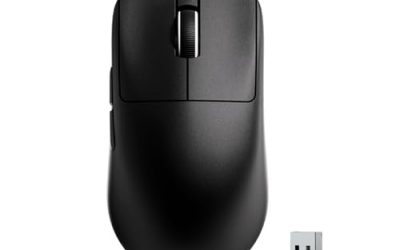
The G305 is the pick for players who want wireless freedom without giving up competitive response times. Its compact symmetrical shell suits claw and fingertip grips, and at 99 grams it flicks easily across a pad without feeling hollow. The HERO 12K sensor tracks cleanly up to 12,000 DPI, and the single AA battery keeps it running for up to 250 hours of play, so battery anxiety rarely enters the picture. The receiver parks inside the body, which makes the G305 a natural travel companion for laptop gamers who play away from their desk.
- Specs:
- Sensor: HERO 12K optical, 200 to 12,000 DPI
- Connection: LIGHTSPEED wireless, 1 ms report rate
- Weight: 99 g
- Battery: up to 250 hours on one AA battery
- Buttons: 6 programmable buttons
- Memory: on-board memory for saved profiles
- Max speed: over 400 IPS
- Model: 910-005280
- Best for: players who want a light wireless mouse for FPS games and travel.
- Watch out for: the symmetrical shape can feel small for large palm-grip hands, so check the dimensions against your hand before ordering.
- ASIN: B07CMS5Q6P
Logitech G203 LIGHTSYNC
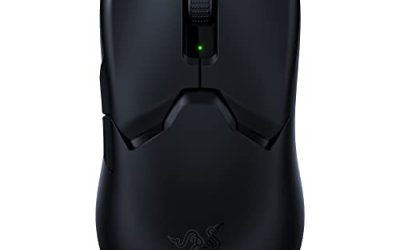
The G203 is the simplest way into Logitech’s gaming lineup, and it is the pick that makes the most sense for a first gaming mouse. Its low-profile shell weighs 85 grams and fits small to medium hands in palm, claw and fingertip grips, while the LIGHTSYNC RGB light bar gives a desk setup some colour without any extra hardware. The 8,000 DPI sensor covers every sensitivity most players use, and six programmable buttons plus on-board memory handle the essentials for shooters and everyday work alike. It is a wired mouse with a 2.1 metre cable, so there is nothing to charge and nothing to pair.
- Specs:
- Sensor: gaming-grade optical, 200 to 8,000 DPI
- Connection: wired USB, 2.1 m cable
- Weight: 85 g
- Buttons: 6 programmable buttons
- Lighting: LIGHTSYNC RGB, three-zone light bar
- Memory: on-board memory
- Dimensions: 116.6 x 62.15 x 38.2 mm
- Model: 910-005790
- Best for: first-time buyers and students who want a dependable wired mouse with RGB lighting.
- Watch out for: the sensor can lose tracking during very fast swipes, so high-sensitivity flick players should consider a HERO 25K model instead.
- ASIN: B07YN82X3B
Logitech G502 HERO
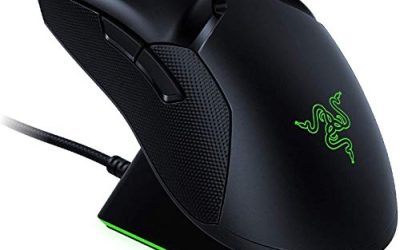
The G502 HERO is the pick for players who want maximum control from one mouse. Its HERO 25K sensor reaches 25,600 DPI with no smoothing or filtering, and eleven programmable buttons plus a dual-mode hyper-fast scroll wheel give MMO, battle royale and strategy players room to bind everything they need. Five removable 3.6 gram weights let you tune the balance from 121 grams upward, and the sculpted right-handed shell with a dedicated sniper button suits palm and claw grips on medium to large hands. It is the heaviest mouse in this guide, but that weight is a deliberate choice rather than an accident.
- Specs:
- Sensor: HERO 25K optical, up to 25,600 DPI
- Connection: wired USB, corded electric
- Weight: 121 g before added weights; five 3.6 g weights included
- Buttons: 11 programmable buttons
- Scroll wheel: dual-mode hyper-fast scroll wheel
- Lighting: LIGHTSYNC RGB
- Memory: on-board memory
- Model: 910-005469
- Best for: MMO and battle royale players who want many buttons and a tunable weight.
- Watch out for: the wide ergonomic shell is right-handed only and can feel bulky for small hands, so left-handed players should look at the G305 instead.
- ASIN: B07GBZ4Q68
Logitech G403 HERO

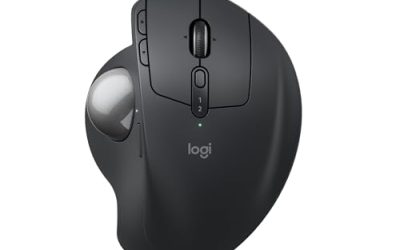
The G403 HERO sits between the G203 and the G502 HERO: a light ergonomic wired mouse with a flagship-class sensor. At 87 grams it is one of the lightest wired Logitech mice in this range, and the included 10 gram weight lets you add a little planted heft if flicks feel too floaty. The HERO 25K sensor tracks at 1:1 with no smoothing or acceleration across a 100 to 25,600 DPI range, and rubber side grips keep the shell secure during long sessions. Six programmable buttons, a 2.1 metre braided cable and LIGHTSYNC RGB round out a mouse that does the fundamentals very well without the G502’s extra bulk.
- Specs:
- Sensor: HERO 25K optical, 100 to 25,600 DPI
- Connection: wired USB, 2.1 m braided cable
- Weight: 87 g, plus a removable 10 g weight
- Buttons: 6 programmable buttons
- Tracking: over 400 IPS, zero smoothing or acceleration
- Lighting: LIGHTSYNC RGB
- Grip: rubber side grips, right-handed ergonomic shape
- Model: 910-005630
- Best for: FPS players who want a light ergonomic wired mouse with a top-tier sensor.
- Watch out for: the HERO 25K sensor ships at a lower ceiling until a free G HUB update unlocks the full range, so install the software before judging the maximum DPI.
- ASIN: B07L4LRCXN
Which One Fits Your Situation
You play on a laptop in different places
Choose the Logitech G305 LIGHTSPEED. Its receiver stores inside the body, its battery lasts for months of regular play, and the compact shell packs easily into a bag. You get wireless freedom without carrying a charging cable or a separate dongle case, and the light weight keeps long sessions comfortable.
You are buying your first gaming mouse
Choose the Logitech G203 LIGHTSYNC. It is light, comfortable for most hand sizes, and its six buttons cover the basics without overwhelming a new player. The RGB lighting makes a first setup feel personal, the wired connection means there is nothing to configure before your first match, and the low weight keeps your aim steady while you learn.
You play MMO or battle royale games with many abilities
Choose the Logitech G502 HERO. Eleven programmable buttons and a sniper button put healing, inventory and abilities under your thumb, and the tunable weight system lets you balance the mouse for long sessions. Its sensor handles fast flicks cleanly, which matters when fights turn chaotic and every single input counts.
You want a light wired mouse for competitive shooters
Choose the Logitech G403 HERO. At 87 grams with the HERO 25K sensor, it tracks fast flicks without smoothing, and the ergonomic shell with rubber grips stays planted during long ranked sessions. Add the 10 gram weight only if the mouse feels too light in your hand, and keep the braided cable routed so it never drags.
Common Mistakes
- Choosing by the biggest DPI number instead of by shape and grip, then discovering the mouse hurts after an hour of play.
- Buying a right-handed ergonomic mouse like the G502 HERO or G403 HERO without checking hand orientation first.
- Assuming a wireless mouse needs daily charging; the G305 runs on a single AA battery, so keep a spare rather than a charging routine.
- Skipping G HUB installation, which leaves programmable buttons on their defaults and the G403 HERO sensor below its full range.
- Ignoring cable length on wired picks, then finding the cable too short to route comfortably around the desk.
Frequently Asked Questions
Which Logitech gaming mouse is best for small hands on a budget?
The Logitech G203 LIGHTSYNC is the safest starting point, because its low-profile shell measures 116.6 mm long and weighs 85 grams, fitting small to medium hands in palm, claw and fingertip grips. The G305 is the wireless alternative if you prefer a compact symmetrical shape. Either way, compare the listed dimensions with your hand before ordering.
Do I need a wireless mouse for competitive gaming?
No, and many competitive players still prefer wired mice. A wired mouse never needs charging and its connection cannot run out of battery mid-match, while a modern wireless mouse like the G305 answers with a 1 ms report rate that matches wired response. Choose based on your desk setup and tolerance for cables, not on an assumption that one type is always faster.
What does the G502 HERO weight system actually do?
The G502 HERO ships with five removable 3.6 gram weights that sit in a tray under the mouse, letting you shift its balance and total weight to suit your grip. A heavier mouse feels more planted for precise aiming, while a lighter setup flicks faster. Try the mouse without weights first, then add them one at a time until the glide feels right.
Can one mouse work for both gaming and office work?
Yes, all four picks in this guide work as everyday mice, since they use standard USB connections and store their settings in on-board memory. The G203 and G305 are the most office-friendly because they are light and understated, while the G502 HERO’s extra buttons can be programmed for productivity shortcuts. Check that your operating system supports G HUB if you want to remap buttons.
Related guides
More from Amazon
Programs that pair well with the guide above. Offers and eligibility are set by Amazon and may change.
Free shipping on eligible items, Prime Video and more. Eligible new members can start with a free trial.
Start a Prime free trialAd-free music streaming. Eligible new subscribers can start with a free trial.
Try Music Unlimited freeA Prime membership for ages 18-24 with a trial period. Eligibility is set by Amazon.
See Prime for Young AdultsAudiobooks and podcasts to listen to on the go. Eligible new members can start with a free trial.
Try Audible freeAs an Amazon Associate we earn from qualifying purchases.