Alienware has trimmed its laptop lineup down to a few clear tiers, and that makes the “best alienware laptop” question more answerable than it used to be. The Aurora models sit in the middle of the range, the Area-51 machines sit at the top, and a lone Alienware 15 with an RTX 4050 hangs on as the older, smaller option. Within each tier the real choice is the graphics card, because the same chassis shows up with an RTX 5050, 5060, or 5070 inside, and the memory and storage change with it.
This guide is for players who have already decided on Alienware’s look and cooling approach and want to know which configuration is worth the step up. It is also for anyone moving from a desktop who is trying to understand why 16-inch and 18-inch models carry such different hardware. The eight laptops below are judged only from what their titles say, with no invented frame rates or battery claims, and cost is described in tiers because listings change. Read the choosing section first so the model numbers make sense, then use the picks to narrow down.
Our Top Picks




Top 3 picks at a glance
Quick Picks
As an Amazon Associate we earn from qualifying purchases at no extra cost to you.



| Product | Best for | Key spec from the title |
|---|---|---|
| Alienware 16 Area-51 (RTX 5070 Ti) | High-end 16-inch performance | Core Ultra 9 275HX, 240Hz 2560×1600, 32GB DDR5 |
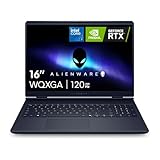
| Alienware 16 Aurora (RTX 5060) | Mainstream QHD+ gaming | Core 7 240H, 120Hz 16:10, 16GB, 1TB |
| Alienware 16 Aurora (RTX 5050) | Entry point to the Aurora line | WQXGA 120Hz, Wi-Fi 7, 16GB, 1TB |
| Alienware 16 Aurora (RTX 5070) | Strongest Aurora configuration | Core 9 270H, 300 nits, 32GB DDR5, Wi-Fi 7 |
| Alienware 18 Area-51 (RTX 5080) | Big-screen flagship | Ultra 9 290HX, 300Hz WQXGA, 32GB, 2TB NVMe |
| Alienware 15 (RTX 4050) | Compact, older platform | Core 7 240H, 1920×1200 165Hz, 16GB, 1TB |
| Alienware 18 Area-51 (RTX 5070) | 18-inch with a step-down GPU | Core Ultra 9 275HX, 300Hz WQXGA, 32GB, 1TB |
| Alienware 18 Area-51 (RTX 5090) | Maximum hardware | RTX 5090, 64GB DDR5, 2TB PCIe SSD, Wi-Fi 7 |
How to Choose
Aurora, Area-51, or the older 15
The Aurora 16 models pair Intel Core 7 240H or Core 9 270H processors with RTX 5050, 5060, and 5070 graphics, which fits most gamers who want a QHD+ screen and strong cooling without paying for the top tier. Area-51 models use Core Ultra 9 HX-series processors, such as the 275HX and 290HX, with faster refresh rates and larger memory pools. The Alienware 15 uses the older RTX 4050, so treat it as the compact choice rather than the future-proof one.
Graphics card and screen resolution
Nearly every model here uses a 2560×1600 WQXGA panel, which has nearly twice the pixels of 1920×1080. A card like the RTX 5050 handles that resolution on moderate settings, while an RTX 5070 or higher keeps frame rates healthier in demanding games. The 16:10 aspect ratio gives extra vertical space, useful for strategy and open-world titles. If you prefer very high frame rates, the 240Hz and 300Hz Area-51 panels exist for esports-style play. Check whether the title lists brightness; only the Aurora with the 300-nit figure does.
Memory, storage, and wireless
16GB of DDR5 is the baseline, 32GB is the sweet spot for streaming and heavy multitasking, and 64GB is overkill for most players but useful for creative workloads. A 1TB SSD fits a handful of large games; 2TB is better for a library. Wi-Fi 7 appears on several models, and while it requires a Wi-Fi 7 router to matter, it future-proofs the laptop. Prefer more RAM and storage over a minor GPU bump if the budget is tight, because those cannot always be upgraded later.
Size, power, and what to ignore
An 18-inch Area-51 is a desktop replacement; it is heavy, needs a large power brick, and will not fit a standard laptop backpack comfortably. The 16-inch models are easier to carry but still bulky. Ignore vague cooling or color claims and focus on the processor, GPU, memory, and screen. Budget configurations of premium brands cut corners on memory and storage first, so make sure the model you pick matches the 16GB-or-better rule.
One more habit pays off: compare listings within the same chassis before comparing across tiers. Two Aurora 16 laptops can look identical in photos while one carries an RTX 5050 and the other an RTX 5070 with double the memory, and the title is the only place that difference is spelled out. Write down the GPU, RAM, storage, and refresh rate for each candidate, then rank them against the games you actually play instead of against the badge on the lid. That small exercise usually reveals that the middle configuration offers the best balance.
The 8 Best Options
Alienware 16 Area-51 (RTX 5070 Ti)
This 16-inch Area-51 lists an RTX 5070 Ti, Intel Core Ultra 9 275HX, a 2560×1600 display at 240Hz, 32GB of DDR5, and a 1TB SSD. It sits above the Aurora in the lineup and below the 18-inch flagships, which makes it a strong all-rounder for players who want a high refresh rate in a smaller body.
- Strength: 240Hz QHD+ panel with a high-end processor.
- Strength: 32GB of DDR5 and 1TB of storage.
- Trade-off: a premium tier choice that costs far more than the Aurora family.
Skip it if your games do not need this much hardware.
Alienware 16 Aurora (RTX 5060)
The Aurora with an RTX 5060 uses a Core 7 240H, a 2560×1600 120Hz 16:10 display, 16GB of DDR5, and a 1TB SSD. It is the mainstream sweet spot of the Aurora line for gamers who want a higher-resolution screen without the Area-51 premium.
- Strength: balanced RTX 5060 with a QHD+ 16:10 screen.
- Strength: 1TB SSD included.
- Trade-off: 16GB of RAM leaves less room for multitasking than 32GB models.
Skip it if you stream or run creative apps alongside games.
Alienware 16 Aurora (RTX 5050)
The entry Aurora lists an RTX 5050, Core 7 240H, a WQXGA 120Hz display, 16GB of DDR5, a 1TB SSD, and Wi-Fi 7. It is the lowest-tier graphics option for the 16-inch Aurora, suitable for players who care about the build and screen more than raw GPU power.
- Strength: Wi-Fi 7 and a QHD+ 120Hz display at the entry tier.
- Strength: 1TB of storage.
- Trade-off: an RTX 5050 will have limited headroom at 2560×1600 in demanding games.
Skip it if high settings at native resolution matter to you.
Alienware 16 Aurora (RTX 5070)
The top Aurora configuration brings an RTX 5070, Core 9 270H, a 300-nit 2560×1600 120Hz display, 32GB of DDR5, a 1TB SSD, and Wi-Fi 7. It is the most capable option in the Aurora family and avoids stepping into Area-51 territory.
- Strength: RTX 5070 with 32GB of RAM.
- Strength: the only listing that states a brightness figure.
- Trade-off: the 120Hz screen is slower than the Area-51 panels.
Skip it if you want 240Hz or higher refresh rates.
Alienware 18 Area-51 (RTX 5080)
This flagship pairs an RTX 5080 with an Intel Ultra 9 290HX, a WQXGA 300Hz display, 32GB of DDR5, a 2TB NVMe SSD, and Windows 11 Home. It targets desktop-replacement buyers who want high resolution, very high refresh rates, and a large storage pool.
- Strength: RTX 5080 and a 300Hz panel for top-end play.
- Strength: 2TB NVMe storage.
- Trade-off: an 18-inch body is large and heavy to carry.
Skip it if you travel often with your laptop.
Alienware 15 (RTX 4050)
The Alienware 15 uses an RTX 4050, Core 7 240H, a WUXGA 1920×1200 165Hz display, 16GB of DDR5, and a 1TB SSD. It is the smallest, lowest-tier option and the only one on the older GPU generation, making it a compact entry into the brand.
- Strength: 165Hz screen and 1TB of storage in a smaller footprint.
- Strength: easier to carry than the 18-inch models.
- Trade-off: the older RTX 4050 is the weakest GPU listed.
Skip it if you want current-generation graphics.
Alienware 18 Area-51 (RTX 5070)
This 18-inch model combines an RTX 5070 with a Core Ultra 9 275HX, a WQXGA 300Hz display, 32GB of DDR5, and a 1TB SSD. It offers the Area-51 chassis and display with a lower-tier GPU than the RTX 5080 version.
- Strength: 300Hz big-screen panel with 32GB of RAM.
- Strength: Area-51 build with a more modest graphics tier.
- Trade-off: a 5070 may not fully use a 300Hz QHD+ panel in demanding games.
Skip it if you want the strongest GPU in the 18-inch body.
Alienware 18 Area-51 (RTX 5090)
The extreme configuration lists an RTX 5090, Intel Ultra 9 275HX, 64GB of DDR5, a 2TB PCIe SSD, Wi-Fi 7, and an 18-inch 2.5K WQXGA anti-glare display. It is aimed at buyers who want the maximum hardware available in a laptop.
- Strength: RTX 5090 and 64GB of DDR5 for demanding work.
- Strength: anti-glare screen and 2TB of storage.
- Trade-off: it is the largest and costliest tier here.
Skip it if you do not need creative or extreme gaming performance.
Which One Fits Your Situation
You want a balanced gaming laptop
The Alienware 16 Aurora with the RTX 5060 offers a QHD+ screen, 16GB of memory, and 1TB of storage at the middle of the line.
You care about refresh rate
The 16-inch Area-51 at 240Hz and the 18-inch Area-51 models at 300Hz lead the group, with the RTX 5080 version providing the most graphics power behind that panel.
You want maximum power
The RTX 5090 Area-51 with 64GB of DDR5 is the clear choice, while the RTX 5070 Ti Area-51 16 is the more portable high-end option.
You need something compact
The Alienware 15 with RTX 4050 is the smallest and most portable here, and the 16-inch Aurora models are the next step up.
Common Mistakes
- Choosing an 18-inch Area-51 without checking that the laptop and charger fit your bag and desk.
- Paying for a 300Hz panel and then pairing it with a GPU that cannot reach those frame rates.
- Ignoring memory: 16GB is workable, but 32GB makes sense on the higher tiers.
- Assuming every Aurora is the same when the RTX 5050 and 5070 versions differ widely.
- Overlooking Wi-Fi 7 requirements, since it only helps with a compatible router.
Specs and Terms Explained
TGP and why the same GPU name varies
Laptop graphics cards share names with desktop parts but run at wattages the maker chooses. That setting is called total graphics power, and a higher number lets the card sustain higher clocks. Two models with the same RTX label can differ, so read the full specification rather than relying on the name.
VRAM
Video memory holds textures and frame data. Modern games at high settings and resolution consume more of it, which is why lower-tier cards in the Aurora range can start to struggle at demanding settings even when raw speed looks fine.
Refresh rate and resolution trade-offs
A higher refresh rate gives smoother motion, but a higher resolution asks the graphics card to push far more pixels. On an 18-inch panel the sharper picture looks great, though it can reduce frame rates on the smaller cards. Balance the two based on the games you play.
Thermal modes
Alienware gaming laptops expose thermal profiles in the Alienware Command Center software. Quieter profiles lower fan speed at the expense of performance, while full-speed profiles allow the hardware to reach its limit with more noise.
Setup and Care Tips
- Install the Command Center and the latest graphics driver on day one, then pick a thermal profile that suits the room you play in.
- Use the original power adapter. These systems draw a lot of power, and an underpowered charger can cause throttling.
- Give an 18-inch machine a solid, flat desk with open space around the vents.
- Check the bag before you buy. The Area-51 18-inch models need a case or backpack built for large gaming laptops.
- Clean the intake with compressed air a few times a year, with the laptop off and unplugged.
Connecting a monitor and peripherals
If the laptop will live on a desk, plan for an external monitor and a wired network connection. A dock or direct cables keep the internal fans from working harder than needed, and a wired link avoids the latency spikes that wireless adds. Confirm the available display outputs in the specifications first.
Who Should Skip These
If portability matters, the 18-inch Area-51 models are better thought of as desktop replacements than travel companions. Casual players, or anyone whose main games run well on mid-range hardware, may not need the RTX 5090 or even the RTX 5080 configurations. The older Alienware 15 with the RTX 4050 will feel limited for newer demanding titles, so skip it if you want the longest useful life from your purchase.
Related guides
- Gaming Chair Cushions And Lumbar Supports
- Business Laptops With Long Battery Life
- Business Laptops For Graphic Designers
Frequently Asked Questions
What is the difference between Aurora and Area-51?
Aurora is the mainstream line with Core 7 and Core 9 processors and RTX 5050 to 5070 graphics. Area-51 sits above it with HX-series processors, faster panels, and the highest-tier GPUs, including the RTX 5080 and 5090.
Is the Alienware 15 still worth considering in 2026?
It can make sense if you want a compact machine and a lower tier. Its RTX 4050 is an older generation than the other listings, so expect less headroom for new games.
How much RAM do I need?
16GB is fine for gaming alone. 32GB is better for streaming or multitasking, and 64GB is only needed for heavy creative work.
Do I need a 300Hz screen?
Only if you play fast competitive games and your GPU can reach those frame rates. For most single-player titles, a 120Hz panel feels smooth.
Related guides
More from Amazon
Programs that pair well with the guide above. Offers and eligibility are set by Amazon and may change.
Free shipping on eligible items, Prime Video and more. Eligible new members can start with a free trial.
Start a Prime free trialAd-free music streaming. Eligible new subscribers can start with a free trial.
Try Music Unlimited freeA Prime membership for ages 18-24 with a trial period. Eligibility is set by Amazon.
See Prime for Young AdultsAudiobooks and podcasts to listen to on the go. Eligible new members can start with a free trial.
Try Audible freeAs an Amazon Associate we earn from qualifying purchases.