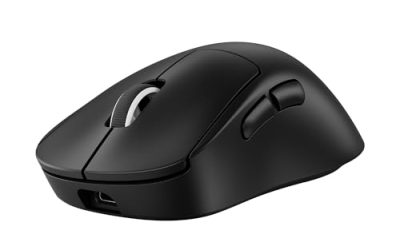
Hand size decides whether a mouse feels like an extension of the hand or a distraction. A mouse that is too small leaves the palm unsupported and the fingers cramped. A mouse that is too large forces the hand to stretch and makes small movements clumsy. Medium hands, roughly 17 to 19 cm from the wrist to the tip of the middle finger, sit in the middle of that range, and most gaming mice are actually designed around them — but not all of them fit the same way.
This guide compares four mice that fit medium hands well, in different shapes and weights. Each one is a full-size gaming mouse with a proven sensor, and each one suits a different grip. Measure your hand, note your grip, and pick the mouse whose shape matches both.
Our Top Picks


Top 3 picks at a glance


How to Choose a Gaming Mouse for Medium Hands
Measure your hand first
Measure from the crease of the wrist to the tip of the middle finger, with the hand flat and the fingers together. A length of 17 to 19 cm counts as medium for most players. Width matters too: measure across the knuckles, and note whether the hand is narrow or wide. A medium hand that is narrow suits a slimmer mouse, while a medium hand that is wide suits a broader shell. Length alone does not tell the whole story, so check both numbers before choosing.
Match the shape to the grip
Three grips cover most players. In a palm grip, the whole hand rests on the mouse, and the mouse should be long and tall enough to support the palm. In a claw grip, the palm rests on the back of the mouse while the fingers arch down to the clicks, and the mouse should have a clear hump under the palm. In a fingertip grip, only the fingertips touch the mouse, and the mouse should be light with a shape that the fingertips can control. Medium hands can use all three grips, so the grip decides the shape more than the hand size does.
Weight and balance
A mouse for medium hands should feel balanced under the palm, not front-heavy or tail-heavy. Lighter mice, around 60 grams, suit fast flicks and fingertip or claw grips. Heavier mice, around 120 grams, suit palm grips and players who like a solid, planted feel. Adjustable weights, found on some mice in this guide, let the player tune the balance by adding or removing small weights inside the shell. If the mouse feels like it tips forward or drags at the back, the balance is wrong for the grip.
Buttons and scroll wheel
The number of buttons should match how the mouse is used. Five buttons cover the basics in most games. More buttons help players who bind abilities, grenades, or voice chat to the mouse, but each extra button adds weight and can get in the way of the grip. The scroll wheel should turn with clear, even steps and a middle click that does not need a hard press. A dual-mode wheel that switches between notched and free-spinning scroll suits players who also browse long pages between games.
Top Picks
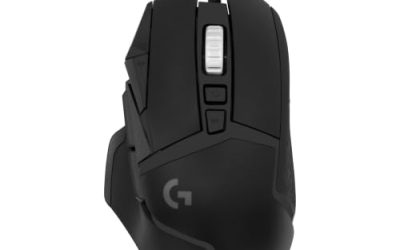
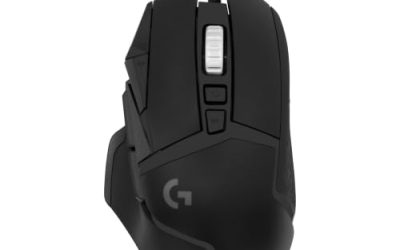
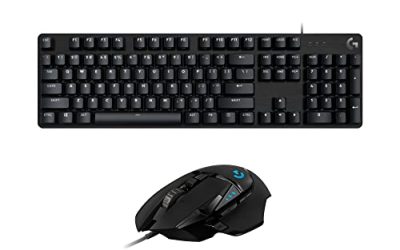
Logitech G502 HERO High Performance Wired Gaming Mouse
The Logitech G502 HERO is a full-size ergonomic mouse that fits medium hands in a palm or claw grip. Its HERO 25K sensor reaches 25,600 DPI, and its 11 programmable buttons include a thumb rest with three side buttons, a DPI shift button, and a dual-mode scroll wheel. Adjustable weights let the player tune the balance, and on-board memory stores the settings on the mouse itself. The shape is broad and tall, with a thumb rest that supports the hand through long sessions.
- HERO 25K sensor with up to 25,600 DPI
- 11 programmable buttons
- Adjustable weights for balance tuning
- Dual-mode scroll wheel
- On-board memory
- RGB lighting
Best for: Medium hands in a palm or claw grip who want many buttons and a tunable, full-size shape.
Logitech G502 X LIGHTSPEED Wireless Gaming Mouse
The Logitech G502 X LIGHTSPEED takes the G502 shape wireless. It uses LIGHTFORCE hybrid optical-mechanical switches and the HERO 25K sensor, and it carries 13 buttons with an infinite scroll toggle. The wireless connection removes cable drag, and the mouse supports PowerPlay wireless charging for players who use a compatible charging pad. The ergonomic shape and thumb rest are the same family as the G502 HERO, so medium hands that fit the wired model will fit this one too.
- LIGHTFORCE hybrid optical-mechanical switches
- HERO 25K gaming sensor
- 13 buttons with infinite scroll toggle
- LIGHTSPEED wireless with USB-C charging
- PowerPlay wireless charging capable
Best for: Medium hands that like the G502 shape and want it wireless with extra buttons.
Razer DeathAdder V3 Pro Wireless Gaming Mouse
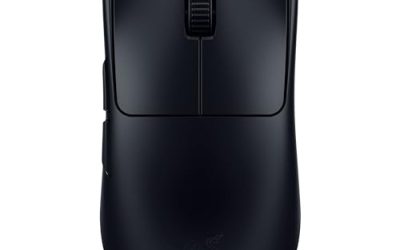
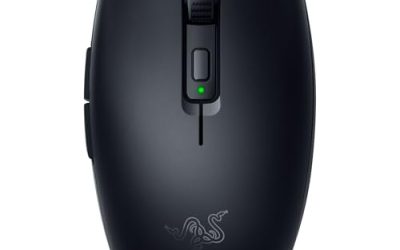
The Razer DeathAdder V3 Pro is a 63 gram ergonomic mouse that suits medium hands in palm and claw grips. Its right-handed shape has a gentle hump that supports the palm, and its narrow waist gives the thumb and ring finger a natural place to rest. The Focus Pro 30K optical sensor tracks precisely, and Gen-3 optical switches actuate cleanly without the bounce that causes double clicks. The battery lasts up to 90 hours, and the HyperSpeed wireless connection keeps the response fast.
- 63 gram lightweight ergonomic design
- Focus Pro 30K optical sensor
- Gen-3 optical switches
- Up to 90 hour battery life
- HyperSpeed wireless
- Five programmable buttons
Best for: Medium hands in palm and claw grips who want a light, ergonomic mouse for long sessions.
Logitech G PRO X Superlight 2 Wireless Gaming Mouse

The Logitech G PRO X Superlight 2 is a 60 gram symmetrical mouse that suits medium hands in claw and fingertip grips. Its low, even shape lets the fingertips control it precisely, and its HERO 2 sensor reaches 44,000 DPI with a report rate of up to 8 kHz over LIGHTSPEED wireless. Five programmable buttons keep the layout simple, and USB-C charging keeps the setup modern. Medium hands that find ergonomic mice too wide often fit this symmetrical shape better.
- 60 gram lightweight design
- HERO 2 sensor with up to 44,000 DPI
- Up to 8 kHz report rate over LIGHTSPEED wireless
- Five programmable buttons
- USB-C charging
Best for: Medium hands in claw and fingertip grips who want a light, symmetrical mouse.
Comparison
| Product | Key Feature | Best For |
|---|---|---|
| Logitech G502 HERO | 11 buttons, adjustable weights, HERO 25K | Palm and claw grips with many binds |
| Logitech G502 X LIGHTSPEED | 13 buttons, LIGHTFORCE, wireless | The G502 shape, wireless |
| Razer DeathAdder V3 Pro | 63 g ergonomic, Focus Pro 30K | Palm and claw grips, long sessions |
| Logitech G PRO X Superlight 2 | 60 g symmetrical, HERO 2, up to 8 kHz | Claw and fingertip grips |
Buying Guide
Test the grip before committing
If possible, hold the mouse before buying, or buy from a place that accepts returns. Rest the hand on the mouse the way it sits in a game, not the way it sits on a desk. The palm should feel supported without stretching, the thumb should reach the side buttons without shifting the grip, and the ring finger should rest on the side of the shell without dragging on the pad. A mouse that feels fine for a minute on a desk can feel wrong after an hour in a game, so pay attention to comfort over time, not just the first touch.
Palm, claw, and fingertip: what changes
A palm grip needs length and height: the mouse should reach from the wrist to the base of the fingers and support the whole hand. A claw grip needs a clear hump under the palm and a shape the arched fingers can control. A fingertip grip needs low weight and a shape the fingertips can lift and place precisely. Medium hands can use any of the three, so choose the grip first and the mouse second. Changing grip to fit a mouse rarely works; changing the mouse to fit the grip usually does.
Weight: lighter is not always better
Light mice suit fast aim and fingertip control, but some players aim better with a mouse that has some weight behind it. A heavier mouse resists small tremors and feels planted during slow, precise movements. The G502 models in this guide let the player adjust the weight, which is useful for finding the right balance. Start with the mouse as it comes, play for a few days, and only then adjust the weight, so the hand learns one feel at a time.
Check the side buttons reach
Side buttons are only useful if the thumb can reach them without moving the whole hand. On a mouse that is too long, the front side button sits too far forward; on a mouse that is too short, the thumb crowds the buttons. Medium hands usually reach two side buttons comfortably on the mice in this guide. If a mouse has three or more side buttons, check that the thumb can reach each one without shifting the grip, or the extra buttons will go unused.
Frequently Asked Questions
What size mouse fits medium hands?
A mouse around 120 to 130 mm long usually fits a 17 to 19 cm hand, but the shape matters as much as the length. An ergonomic mouse with a thumb rest suits palm grips, while a symmetrical mouse suits claw and fingertip grips. The mice in this guide cover both shapes, so the grip decides the pick.
Is a heavier mouse better for medium hands?
It depends on the grip and the game. Palm grip players often like a heavier mouse because it feels planted and resists tremors. Claw and fingertip players usually prefer a lighter mouse because it is easier to flick and lift. The G502 models let the player adjust the weight, which helps find the right balance for the grip.
How do I know my grip type?
Look at how the hand sits on the mouse during play. If the whole hand rests on the shell, it is a palm grip. If the palm rests but the fingers arch down to the clicks, it is a claw grip. If only the fingertips touch the mouse and the palm floats, it is a fingertip grip. Most players use one grip most of the time, with some variation between games.
Can one mouse work for gaming and office work?
Yes. The mice in this guide work as everyday mice too, and the extra buttons can be set to useful shortcuts for work. A mouse that fits the hand for gaming will usually fit the hand for work as well, since the grip and the shape do not change between tasks.
Conclusion
The best gaming mouse for medium hands is the one whose shape matches the grip and whose weight matches the game. The Logitech G502 HERO suits palm and claw grips that want many buttons and adjustable weight. The Logitech G502 X LIGHTSPEED takes that shape wireless. The Razer DeathAdder V3 Pro suits palm and claw grips that want a light, ergonomic mouse for long sessions. The Logitech G PRO X Superlight 2 suits claw and fingertip grips that want a light, symmetrical mouse. Measure the hand, note the grip, and pick the shape that fits both.
Disclosure: As an Amazon Associate, we earn from qualifying purchases.
Related guides
More from Amazon
Programs that pair well with the guide above. Offers and eligibility are set by Amazon and may change.
Free shipping on eligible items, Prime Video and more. Eligible new members can start with a free trial.
Start a Prime free trialAd-free music streaming. Eligible new subscribers can start with a free trial.
Try Music Unlimited freeA Prime membership for ages 18-24 with a trial period. Eligibility is set by Amazon.
See Prime for Young AdultsAudiobooks and podcasts to listen to on the go. Eligible new members can start with a free trial.
Try Audible freeAs an Amazon Associate we earn from qualifying purchases.