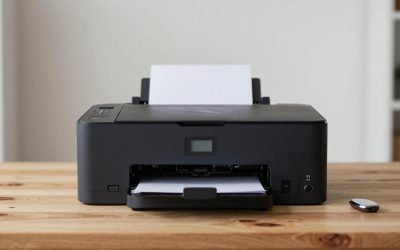
With a ceiling of 1000 dollars, a buyer is no longer shopping for a hobby kit that needs a weekend of tinkering. This is the range where fast CoreXY machines, automatic bed leveling, and multicolor printing arrive in one box, so the question becomes which set of conveniences matters most to you. Do you want the largest ecosystem of ready-made models, the highest nozzle temperature for tougher filaments, or a printer that can swap among four colors in one job?
This guide is for first-time owners who want predictable results, for gaming-desk hobbyists printing controller stands, cable holders, and miniatures, and for makers upgrading from an older bed-slinger. In 2026 the market under 1000 dollars is crowded, and the six printers below represent three families: Flashforge, Bambu Lab, and the newer multicolor machines from Elegoo and Creality. All comparisons rely on specifications printed in each listing title, so check build volume and included accessories on the full spec sheet before ordering.
Our Top Picks
 FLASHFORGE Adventurer 5M 3D Printer with Fully Auto15.83 x 14.29 x 17.64 inches22 poundsCheck on Amazon
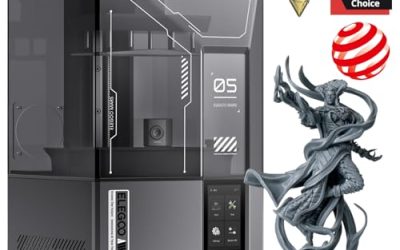
 ELEGOO Centauri 2 Combo 3D PrinterCentauri 2 Combo19.69 x 18.9 x 23.23 inches33.1 poundsCheck on Amazon

Top 3 picks at a glance
Quick Picks
As an Amazon Associate we earn from qualifying purchases at no extra cost to you.


| Product | Best for | Key spec from the title |
|---|---|---|
| Flashforge Adventurer 5M | Fast single-color printing without fuss | 600mm/s max, 280C direct extruder, CoreXY, auto leveling |
| Bambu Lab P1S Combo | Multicolor with a large model library | P1S plus AMS, CoreXY, MakerWorld library |
| Bambu Lab A1 | Beginners and families | Ready-to-use FDM, full-auto calibration |
| Flashforge AD5X | Multicolor on a compact frame | CoreXY, 600mm/s, 300C direct drive, 220x220x220mm |
| Elegoo Centauri 2 Combo | Four-color prints and hotter nozzles | 4-color printing, 500mm/s CoreXY, up to 350C |
| Creality K2 Combo (A) | Monitored multicolor jobs | CFS multicolor, 600mm/s, AI camera, 95% pre-assembled |
How to Choose
Build volume against desk space
A cube of roughly 220mm per side, as listed on the Flashforge AD5X, is enough for helmets cut into parts, planters, and most desk accessories. Anything much smaller limits you to miniatures, while anything much larger takes real desk or shelf area. Measure the spot first, and leave about 10 centimeters behind the machine for filament and cabling, plus extra room on top if the printer uses an overhead spool holder.
Speed claims versus real print quality
Numbers like 500 or 600mm/s are peak travel speeds, not typical print speeds. Surface finish and corners usually degrade when you push acceleration, so a printer that handles 200 to 300mm/s cleanly will still feel fast compared with older machines. Look for CoreXY motion, automatic bed leveling, and input shaping or vibration compensation, since these features decide whether speed produces good parts or only quick failures.
Multicolor systems and waste
Multicolor machines such as the Bambu P1S with AMS, the Elegoo Centauri 2, and the Creality K2 with CFS let you load several spools at once. Every color change in a single-nozzle system purges some filament, which adds waste and print time. If you only plan to print one color at a time, a simpler machine will cost less to run, and you can add a multicolor unit later where the maker offers one.
Nozzle temperature, ecosystem, and what to ignore
A nozzle that reaches 280 to 350 degrees Celsius opens the door to nylon and carbon-fiber blends, while 220 to 260 handles PLA, PETG, and most everyday filaments. Beginners can ignore the top temperature and focus on slicer software, a model library, and community support. Be wary of vague claims about thousands of ready-made models in a listing, because the quality of a library matters more than its size. Also keep in mind that cheaper filament spools and replacement nozzles are part of the long-term cost, so a printer that accepts common third-party materials saves money over a few years.
The 6 Best Options
Flashforge Adventurer 5M
A CoreXY printer with fully automatic leveling, a listed maximum of 600mm/s, and a 280 degree Celsius direct extruder with a detachable 3S nozzle. It fits buyers who want quick, single-color prints without learning a complicated calibration routine, such as someone producing headset stands, cable clips, and spare parts for a gaming desk in batches on a weekend afternoon.
- Strength: the detachable nozzle design makes swapping or cleaning a nozzle less awkward.
- Strength: a 280 degree extruder supports more filament types than basic PLA-only machines.
- Trade-off: the title lists no multicolor system, so color changes mean manual filament swaps.
Skip it if multicolor prints are your main goal, since the multicolor models below are built for that. Hobbyists who print mostly in one or two colors will find it a sensible, less crowded choice.
Bambu Lab P1S Combo
This bundle pairs the P1S with the AMS multicolor system and ties into the MakerWorld model library. It suits makers who want a polished, high-speed CoreXY machine and plan to print in several colors from the start, whether that means painted-looking miniatures, labeled organizers, or logo plaques that would otherwise need hand painting after the print finishes.
- Strength: the AMS lets you load multiple spools for multicolor prints.
- Strength: MakerWorld integration provides a deep supply of ready-to-print models.
- Trade-off: the printer plus the AMS is more equipment to place and manage than a single-spool machine, so plan the desk layout first.
Skip it if you want a first printer that is simple and uncluttered. The combination suits people who already know they will use multiple colors, because otherwise the extra system sits idle.
Bambu Lab A1
A ready-to-use FDM printer aimed at beginners and kids, with full-auto calibration and the MakerWorld library behind it. It is designed for families, classrooms, and first-time owners who want to press print and see a result, and the listing leans on that promise by naming kids and beginners directly rather than experienced tinkerers.
- Strength: full-auto calibration removes the most common setup frustration.
- Strength: the beginner-friendly ecosystem means fewer settings to learn before the first print.
- Trade-off: the listing does not mention a CoreXY frame, so it is not described as a speed-focused machine.
Skip it if you want to print engineering plastics or need an enclosed chamber. Buyers who want the simplest route into the hobby will find it a good match, and it can sit on a bedroom desk without taking over the room.
Flashforge AD5X
A multicolor CoreXY printer with 600mm/s speed, one-click auto leveling, a 300 degree Celsius direct drive extruder, and a 220x220x220mm build volume. It is for makers who want multicolor capability at a manageable size, for example a hobbyist who prints small multicolor figures, signs, and gifts and would rather not give up desk space to a bigger frame.
- Strength: 300 degrees Celsius supports a wider range of filaments than entry-level machines.
- Strength: one-click leveling reduces setup to a quick routine.
- Trade-off: the 220mm cube is moderate, so large parts need to be split.
Skip it if you regularly print oversized pieces such as full-size props. People who like the Adventurer 5M but want color options will find it a natural step up.
Elegoo Centauri 2 Combo
A beginner-friendly CoreXY printer with 500mm/s speed, four-color printing, auto leveling, and a nozzle listed up to 350 degrees Celsius. It targets buyers who want multicolor and hot-end headroom in the same package, and who are willing to try a newer brand in exchange for a feature list that matches or exceeds several better-known rivals.
- Strength: the 350 degree rating gives the most temperature headroom in this group.
- Strength: four-color printing is built into the Combo configuration.
- Trade-off: 500mm/s is slightly lower than the 600mm/s ratings of rivals, though real prints rarely hit these peaks.
Skip it if you need the biggest user community or the largest model library. Those who care about high-temperature filaments should put this near the top of the list.
Creality K2 Combo (A)
A multicolor printer using the CFS system, with a 600mm/s rating, 95 percent pre-assembly, a smart AI camera, and automatic leveling. It is for makers who like to check on long prints remotely and want less assembly work, such as a busy parent or student who starts a job in the evening and wants to glance at it from another room.
- Strength: the built-in camera helps catch failed prints before they waste a whole spool.
- Strength: 95 percent pre-assembly shortens the time to the first print.
- Trade-off: the listing title is truncated, so confirm build volume and enclosure details on the full spec sheet.
Skip it if you prefer a printer with the biggest library of community-made guides. Buyers who plan overnight prints may appreciate the camera most.
Which One Fits Your Situation
You are buying your first printer and want minimal setup
The Bambu Lab A1 is the most beginner-oriented listing, with full-auto calibration and a large starter library. The Flashforge Adventurer 5M is a good second option if you want a CoreXY machine without multicolor extras. Either way, buy a couple of spools of basic PLA first and learn the habits of one material before branching into exotic filaments.
You want multicolor prints with a polished ecosystem
The Bambu Lab P1S Combo includes the AMS and the MakerWorld library. If you prefer a smaller frame, the Flashforge AD5X delivers multicolor at 220mm per side.
You plan to print tougher filaments
The Elegoo Centauri 2 Combo lists the highest nozzle temperature here at 350 degrees Celsius, which suits materials that need more heat. The Flashforge AD5X at 300 degrees is a close second if you would rather stay with a brand that also makes the Adventurer line.
You print long jobs while away from home
The Creality K2 Combo (A) includes a smart AI camera, which lets you watch progress and stop a failing print early.
Common Mistakes
- Choosing a multicolor system for work that is mostly one color, then paying for filament waste during purges.
- Judging a printer by peak speed alone instead of how clean the surface looks at normal speeds.
- Skipping a desk measurement and discovering that the printer plus spool does not fit.
- Ignoring the cost of filament, nozzles, and build plates over the first year.
- Buying for a high-temperature filament you never intend to use.
Related guides
- Gaming Chair Cushions And Lumbar Supports
- Warranty Considerations When Buying On Sale
- How To Use Camelcamelcamel For Amazon Deals
Frequently Asked Questions
Is a 3D printer under 1000 dollars good enough for serious projects?
Yes. Printers in this range can handle functional parts, cosplay pieces, and detailed models. The main limits are build volume and the filaments the hot end supports, and both are easy to check against the project you have in mind before you buy.
Do I need an enclosure?
An enclosure helps keep temperature stable and reduces drafts, which matters for materials such as ABS. For PLA and PETG, an open frame works well in most rooms. If you share a living space, an enclosed machine also keeps curious pets and fingers away from the moving parts, but the listings here do not all state enclosure details, so verify before buying.
How hard is it to learn?
Auto leveling and ready-to-use ecosystems have shortened the learning curve a lot. Plan on a few failed prints while you learn how filament storage and bed adhesion affect results.
Should I buy a combo with multicolor support or the base printer?
Choose the combo if you know you want multicolor prints, since the add-on can cost more later. If you mostly print in one color, a base model keeps the setup simpler.
Related guides
More from Amazon
Programs that pair well with the guide above. Offers and eligibility are set by Amazon and may change.
Free shipping on eligible items, Prime Video and more. Eligible new members can start with a free trial.
Start a Prime free trialAd-free music streaming. Eligible new subscribers can start with a free trial.
Try Music Unlimited freeA Prime membership for ages 18-24 with a trial period. Eligibility is set by Amazon.
See Prime for Young AdultsAudiobooks and podcasts to listen to on the go. Eligible new members can start with a free trial.
Try Audible freeAs an Amazon Associate we earn from qualifying purchases.