
Picking a business laptop with an Intel Core i7 sounds simple until the spec sheets start to disagree. An i7 from 2018 and an i7 from the 13th generation share a name but belong to different eras: different core counts, different power behavior, different Wi-Fi standards, and very different expectations for how long the machine stays useful. The real decision behind this keyword is whether you want a recent-generation i7 for daily office work, or an older i7 on a business-class chassis because the ports and keyboard matter more than raw speed.
This guide is written for freelancers, small-office managers, and employees buying their own work machine who want an i7 label backed by sensible memory, storage, and connectivity. It compares five listings by what their titles actually state, then walks through the thresholds worth checking before you commit. Two other listings in the same search results were left out on purpose: one is an i5 model that only mentions the i7 in a comparison, and another is a second configuration of an Inspiron already covered below. Nothing here assumes a gaming workload; the focus is spreadsheets, video calls, browser tabs by the dozen, and the occasional light editing job.
Our Top Picks
 DELL 13th Generation Business Inspiron 15 3530 Laptop16GB RAM | 1TB SSD14.11 x 9.25 x 0.75 inches3.64 poundsCheck on Amazon
 Lenovo V15 Gen 4 Business Laptop16GB RAM | 512GB SSD14.13 x 9.29 x 0.78 inches3.64 poundsCheck on Amazon


Top 3 picks at a glance
Quick Picks
As an Amazon Associate we earn from qualifying purchases at no extra cost to you.


| Product | Best for | Key spec from the title |
|---|---|---|
| Dell Inspiron 15 3530 | Roomy storage with a touchscreen | Core i7-1355U, 16GB RAM, 1TB SSD, 15.6-inch FHD touchscreen |
| Dell Latitude 7490 (Renewed) | Compact business chassis on a tight budget | Core i7-8650U, 16GB DDR4, 512GB SSD, 14-inch display |
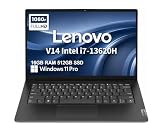
| Lenovo V14 Gen 4 | Portable daily driver with wired networking | Core i7-13620H, 16GB RAM, 512GB SSD, 14-inch FHD anti-glare |
| Dell Latitude 5520 | Heavy multitasking and file handling | Core i7-1165G7, 32GB RAM, 1TB NVMe SSD, backlit keyboard |
| HP 15.6-inch Touchscreen i7 | Number crunching with a full keypad | 10-core Core i7-1355U, 16GB RAM, 1TB SSD, numeric pad |
How to Choose
Read the full processor name, not just “i7”
The suffix and the generation tell you more than the badge. A model such as the i7-1355U is a 13th-generation chip aimed at thin laptops, the i7-13620H is a higher-power H-series part, the i7-1165G7 is an 11th-generation design, and the i7-8650U is from the 8th generation. Buyers who run long video calls with many open applications should lean toward the newer generations, while light office users can accept an older chip if the rest of the machine is solid. Ignore the “up to” boost figure in a title; sustained speed depends on cooling and power limits, which a listing never states.
Set a floor for memory and storage
For business use, 16GB of RAM is a comfortable floor in 2026, and 32GB makes sense if you keep large spreadsheets, virtual machines, or dozens of browser tabs open all day. For storage, 512GB covers the operating system, office suite, and a year of working files for many people, while 1TB suits anyone who stores client folders locally. Check that the drive is an SSD, ideally NVMe, since a slow drive makes even a fast processor feel sluggish at startup and when opening large files.
Match the screen and ports to your workday
A full HD panel (1920 by 1080) is the practical minimum for side-by-side windows. Some business machines still ship with 1366 by 768 displays, which show noticeably less on screen. If you plug into projectors or monitors, confirm an HDMI port is listed. Teams that connect to wired office networks should look for an Ethernet jack, and anyone who ingests photos from cameras will appreciate an SD card reader. A numeric keypad matters if you enter figures all day, and a backlit keyboard helps in dim meeting rooms.
Know where budget models cut corners
Low-priced i7 laptops often save money on the display, the keyboard, and the build quality instead of the processor. Renewed units trade a lower upfront cost for an older platform and a battery that has already seen years of use. Touchscreens add convenience but can add weight and reduce battery runtime. Also look at the Wi-Fi standard: Wi-Fi 6 is the modern baseline, and an older wireless card can bottleneck a fast office connection. Ignore bundled extras and marketing phrases like “business and student”; they describe the audience, not the hardware.
The 5 Best Options
Dell Inspiron 15 3530
This 13th-generation Inspiron pairs a Core i7-1355U with 16GB of RAM and a 1TB SSD behind a 15.6-inch full HD touchscreen. The title also lists a webcam, an HDMI port, and Wi-Fi 6, which covers the connection basics for a home office or a small team. It suits someone who keeps a large local library of documents, presentations, and client files and wants a larger screen than the 14-inch class offers.
- Strength: the 1TB SSD leaves ample room for working files without an external drive.
- Strength: a modern 13th-generation processor with 16GB of memory handles office multitasking comfortably.
- Trade-off: it is an Inspiron consumer line rather than a Latitude-class business chassis, so durability and docking features are not part of the listed specs.
Skip it if you need a dedicated Ethernet jack or a numeric keypad, since neither appears in the title.
Dell Latitude 7490 (Renewed)
The Latitude 7490 is a renewed unit built around an Intel Core i7-8650U, with 16GB of DDR4 RAM, a 512GB SSD, and a 14-inch display running Windows 11 Pro. The listing includes a camera and an HDMI port. It makes sense for a buyer who wants the Latitude business line and a Pro operating system at the lowest tier of spending, and who mostly does email, documents, and web apps.
- Strength: 16GB of DDR4 and a 512GB SSD give it a workable memory and storage floor.
- Strength: Windows 11 Pro is listed, which matters for work features like device management.
- Trade-off: the 14-inch panel is 1366 by 768, so it shows less content than a full HD screen, and the 8th-generation processor is the oldest in this group.
Skip it if you edit images, juggle many windows, or want a sharp display.
Lenovo V14 Gen 4
The V14 Gen 4 lists a Core i7-13620H with 10 cores, 16GB of RAM, a 512GB SSD, and a 14-inch full HD anti-glare display. The title adds a webcam with a privacy shutter, an Ethernet port, and Wi-Fi 6. That mix points at someone who moves between a desk and conference rooms and still plugs into a wired network when it matters.
- Strength: the H-series 10-core processor is the most capable chip in this lineup on paper.
- Strength: the privacy shutter, Ethernet port, and anti-glare full HD screen suit office work.
- Trade-off: 512GB of storage fills up faster than the 1TB options here if you keep large files locally.
Skip it if you prefer a 15-inch screen or a touchscreen.
Dell Latitude 5520
This Latitude pairs a Core i7-1165G7 with 32GB of RAM and a 1TB NVMe SSD on a 15.6-inch HD display. The listing also names a backlit keyboard, AX Wi-Fi, Bluetooth, an SD card reader, HDMI, and USB ports. It is the pick for someone whose work involves large datasets, many applications at once, or lots of files pulled from cameras and memory cards.
- Strength: 32GB of RAM and a 1TB NVMe drive give the most headroom of the five.
- Strength: the connectivity list, including an SD card reader and a backlit keyboard, is the most complete here.
- Trade-off: the display is listed as HD rather than full HD, so text and windows look less sharp than on the 1920 by 1080 models.
Skip it if screen sharpness is your priority or you want the newest processor generation.
HP 15.6-inch Touchscreen i7
HP’s listing describes a 10-core Core i7-1355U with up to 5GHz boost, 16GB of RAM, a 1TB SSD, Intel Iris Xe graphics, and a numeric pad on a 15.6-inch touchscreen. The title frames it for both business and student use. Accountants, bookkeepers, and anyone entering numbers for hours will value the full keypad paired with a large screen.
- Strength: 1TB of SSD space and 16GB of RAM match the more generous configurations in the group.
- Strength: the numeric pad and touchscreen make data entry and quick navigation easier.
- Trade-off: the title gives no mention of Ethernet or an SD card reader, so check the port list if you need either.
Skip it if you want a compact 14-inch body for frequent travel.
Which One Fits Your Situation
You work from a single desk with a lot of files
The Dell Latitude 5520 is the better fit. Its 32GB of RAM, 1TB NVMe SSD, SD card reader, and backlit keyboard suit a stationary setup where multitasking and storage matter more than a sharp display. If calls and a bigger touch-friendly screen matter more than raw memory, the Dell Inspiron 15 3530 is the balanced alternative, since its webcam, Wi-Fi 6, and 1TB drive cover recordings and exports without crowding the system.
You travel between meetings and need something compact
The Lenovo V14 Gen 4 is built around a 14-inch full HD anti-glare screen, a privacy shutter, and a modern H-series processor, which fits a person who carries a laptop daily.
You spend your day entering figures
The HP 15.6-inch touchscreen stands out for its numeric pad. Combined with a 1TB SSD and a 10-core i7-1355U, it handles spreadsheet-heavy work comfortably.
You need the lowest tier of spending with a business badge
The renewed Dell Latitude 7490 gives you a Latitude body and Windows 11 Pro. Accept the older processor and the 1366 by 768 display, and plan to check the battery condition when it arrives.
Common Mistakes
- Assuming every i7 performs the same; the generation and the suffix letter change speed and battery behavior substantially.
- Paying for a touchscreen when you never use touch, then living with a heavier, shorter-lasting laptop.
- Overlooking the display resolution on older business models, where 1366 by 768 can feel cramped for multitasking.
- Skipping the port list and discovering later that there is no Ethernet jack or SD reader when you need one.
- Buying a renewed laptop without checking what the listing says about condition, battery health, and the return window.
Related guides
- Gaming Chair Cushions And Lumbar Supports
- Business Laptops For Graphic Designers
- Warranty Considerations When Buying On Sale
Frequently Asked Questions
Is 16GB of RAM enough for business use?
For most office work, yes. Email, video calls, browser tabs, and office apps run smoothly at 16GB. Move to 32GB if you work with very large spreadsheets, run virtual machines, or keep many heavy applications open at once.
Does an older i7 still make sense?
It can, if the price is low and your work is light. An i7-8650U handles documents and web apps, but it is an older platform with less efficient power use and a likely worn battery on a renewed unit.
Do I need Windows 11 Pro instead of Home?
Pro adds business features such as device encryption management and domain join options. If your employer manages your device or you need those tools, look for Pro in the listing; otherwise Home covers everyday use.
Is a touchscreen worth it on a business laptop?
It is a convenience rather than a necessity. Touch helps with signing documents and navigating quickly, but it can reduce battery life and add weight, so choose it only if you will use it.
Related guides
More from Amazon
Programs that pair well with the guide above. Offers and eligibility are set by Amazon and may change.
Free shipping on eligible items, Prime Video and more. Eligible new members can start with a free trial.
Start a Prime free trialAd-free music streaming. Eligible new subscribers can start with a free trial.
Try Music Unlimited freeA Prime membership for ages 18-24 with a trial period. Eligibility is set by Amazon.
See Prime for Young AdultsAudiobooks and podcasts to listen to on the go. Eligible new members can start with a free trial.
Try Audible freeAs an Amazon Associate we earn from qualifying purchases.









