Counter-Strike rewards fast, precise aim more than almost any other game. A flick to a head, a tight spray transfer, a quick check of an angle — each of these happens in a fraction of a second, and the mouse is the link between the hand and the crosshair. The right mouse for CSGO is light, tracks cleanly at high speed, and stays out of the way: no drag from a cable, no mushy clicks, no shape that fights the grip.
This guide compares four mice that fit competitive play in CSGO. None of them is an official CSGO product, and no mouse can aim for you, but each one brings the low weight, fast sensor and reliable clicks that competitive players look for. Read the guide, check the shapes against your own hand, and pick the mouse that matches how you hold it and how you play.
Top 3 picks at a glance


How to Choose a Gaming Mouse for CSGO
Weight matters more than anything else
In CSGO, the mouse moves constantly: wide flicks across the pad, small corrections while holding an angle, fast resets between targets. A lighter mouse makes all of that easier, because the hand accelerates and stops it with less effort. The mice in this guide weigh around 60 grams, which is the range most competitive players now prefer. A heavier mouse can still work, especially for players who like a solid feel, but weight is the first thing to check, and lighter is usually the safer pick for fast aim.
Sensor accuracy and polling rate
The sensor is the part that turns hand movement into crosshair movement. Modern flagship sensors track accurately at high speeds, with no acceleration or smoothing that would change the feel of a flick. Polling rate is how often the mouse reports its position to the PC. A 1000 Hz polling rate reports a thousand times per second, and some newer mice report at up to 8000 Hz over wireless. A higher polling rate can make tracking feel slightly smoother, but the sensor itself matters more: a clean, accurate sensor at 1000 Hz beats a noisy sensor at a higher rate.
Clicks and switches
CSGO is a game of single taps and short bursts. The main clicks should feel crisp and respond the same way every time, with no double-clicking and no delay between the press and the shot. Optical switches, used in several mice in this guide, actuate with a light beam instead of a metal contact, which removes the bounce that causes double clicks over time. Mechanical switches can feel just as good when they are well made. Either way, the clicks should feel consistent from the first round to the last.
Shape and grip
Shape decides whether a mouse disappears in the hand or becomes a distraction. CSGO players use three main grips: palm, where the whole hand rests on the mouse; claw, where the palm rests and the fingers arch down to the clicks; and fingertip, where only the fingertips touch the mouse. A symmetrical mouse suits claw and fingertip grips, while a right-handed ergonomic mouse suits palm and claw grips. There is no single best shape, only the shape that fits your hand and your grip.
Top Picks
Logitech G PRO X Superlight 2 Wireless Gaming Mouse
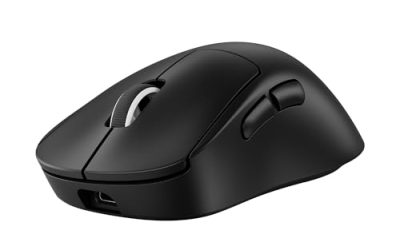
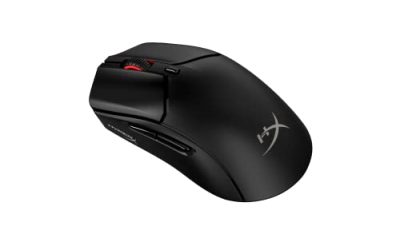
The Logitech G PRO X Superlight 2 is one of the most widely used mice in competitive shooters, and it fits CSGO well. It weighs 60 grams, uses the HERO 2 sensor with up to 44,000 DPI, and reports at up to 8 kHz over its LIGHTSPEED wireless connection. The shape is a low, symmetrical design that suits claw and fingertip grips, and the five programmable buttons keep the layout simple: two main clicks, a scroll wheel click, and two side buttons.
- 60 gram lightweight design
- HERO 2 sensor with up to 44,000 DPI
- Up to 8 kHz report rate over LIGHTSPEED wireless
- Five programmable buttons
- USB-C charging
Best for: Competitive players who want a light, simple, symmetrical mouse with a top-tier sensor.
Razer Viper V2 Pro HyperSpeed Wireless Gaming Mouse
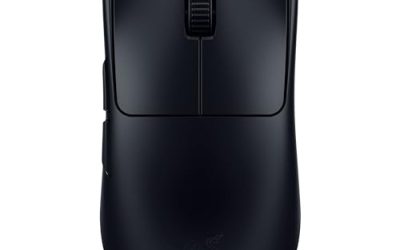
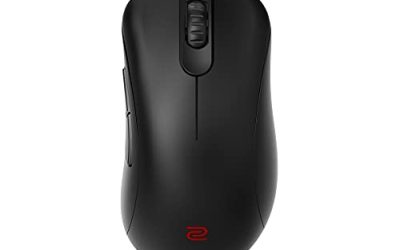
The Razer Viper V2 Pro is a 58 gram symmetrical mouse built for fast aim. Its Focus Pro 30K optical sensor tracks precisely, and its Gen-3 optical switches actuate without the metal contact bounce that can cause double clicks. The HyperSpeed wireless connection keeps latency low, and the battery lasts up to 90 hours, so the mouse can run for weeks of play between charges. On-mouse DPI controls let the player change sensitivity without opening software.
- 58 gram ultra-lightweight design
- Focus Pro 30K optical sensor
- Gen-3 optical switches
- Up to 90 hour battery life
- HyperSpeed wireless with USB-C cable included
- On-mouse DPI controls
Best for: Players who want the lightest symmetrical mouse in this guide with long battery life.
Razer DeathAdder V3 Pro Wireless Gaming Mouse
The Razer DeathAdder V3 Pro is the ergonomic option in this guide. It weighs 63 grams and uses the same Focus Pro 30K optical sensor and Gen-3 optical switches as the Viper V2 Pro, but its right-handed ergonomic shape supports the palm and gives the thumb a natural resting place. That shape suits palm and claw grips, and it stays comfortable through long sessions of holding angles and playing full matches. Five programmable buttons keep the layout clean, and the HyperSpeed wireless connection keeps the response fast.
- 63 gram lightweight ergonomic design
- Focus Pro 30K optical sensor
- Gen-3 optical switches
- Up to 90 hour battery life
- HyperSpeed wireless
- Five programmable buttons
Best for: Palm and claw grip players who want an ergonomic shape that stays comfortable in long matches.
Logitech G502 X LIGHTSPEED Wireless Gaming Mouse

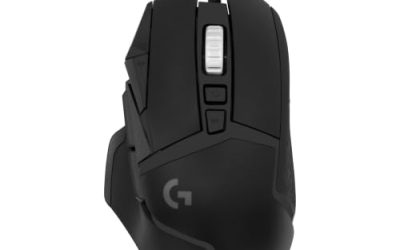
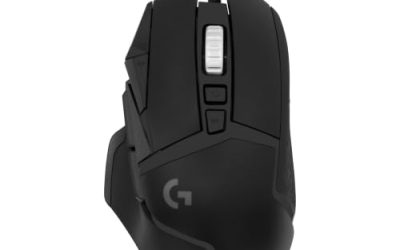
The Logitech G502 X LIGHTSPEED is the button-rich option in this guide. It uses LIGHTFORCE hybrid optical-mechanical switches and the HERO 25K sensor, and it carries 13 buttons, including a dual-mode scroll wheel that switches between a notched scroll and a free-spinning scroll. The extra buttons suit players who bind grenades, voice chat, or utility keys to the mouse, and the ergonomic shape with a thumb rest supports the hand during long sessions.
- LIGHTFORCE hybrid optical-mechanical switches
- HERO 25K gaming sensor
- 13 buttons with dual-mode scroll wheel
- LIGHTSPEED wireless with USB-C charging
- PowerPlay wireless charging capable
Best for: Players who want extra buttons for binds and an ergonomic shape with a thumb rest.
Comparison
| Product | Key Feature | Best For |
|---|---|---|
| Logitech G PRO X Superlight 2 | 60 g, HERO 2 sensor, up to 8 kHz | Light, simple, symmetrical competitive play |
| Razer Viper V2 Pro | 58 g, Focus Pro 30K, 90 hour battery | The lightest symmetrical mouse here |
| Razer DeathAdder V3 Pro | 63 g ergonomic, Focus Pro 30K | Palm and claw grips in long matches |
| Logitech G502 X LIGHTSPEED | 13 buttons, LIGHTFORCE switches | Extra binds and an ergonomic shape |
Buying Guide
Match the mouse to your grip
Before buying, hold your current mouse the way you hold it in a match and notice where your hand touches it. If your palm rests flat on the shell, you use a palm grip and an ergonomic mouse such as the DeathAdder V3 Pro or the G502 X LIGHTSPEED will fit. If your palm rests but your fingers arch, you use a claw grip, and either shape can work. If only your fingertips touch the mouse, you use a fingertip grip and a light symmetrical mouse such as the Superlight 2 or the Viper V2 Pro will fit. A mouse that fights the grip will hurt aim more than any sensor difference.
Set sensitivity low and build muscle memory
Most competitive CSGO players use a low sensitivity, often in the range of 400 to 800 DPI with a low in-game sensitivity value, so that a full swipe across the pad turns the view a controlled amount. A low sensitivity makes small aim corrections easier and makes flicks more consistent. Whatever sensitivity you choose, keep it the same for weeks at a time: muscle memory builds from repetition, and changing sensitivity often resets that progress. Pick a sensitivity, stick with it, and let the aim improve through practice.
Pair the mouse with a large, consistent pad
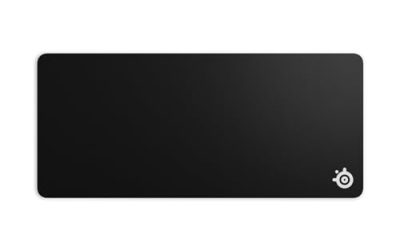
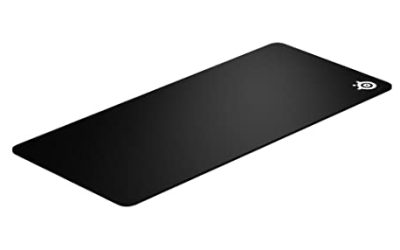
A light mouse needs room to move. A large cloth pad gives the hand space for wide flicks and low-sensitivity swipes without running off the edge. The surface should feel the same across the whole pad, so a flick feels the same at the start and the end of a swipe. A control-oriented cloth surface suits CSGO well, because it gives the mouse enough friction to stop precisely on a head. Keep the pad clean, since dust and crumbs change how the mouse glides.
Keep the wireless connection clean
Wireless mice in this guide use a 2.4 GHz dongle, and the dongle works best when it sits close to the mouse with a clear line of sight. Plug the dongle into a front USB port or use the included adapter cable to bring it onto the desk, away from the back of the PC where metal and other wireless devices can interfere. A clean connection keeps the polling rate steady and the clicks responsive in every round.
Frequently Asked Questions
What weight is best for a CSGO mouse?
Most competitive players prefer a mouse around 60 grams, because a light mouse is easier to flick and stop precisely. The mice in this guide range from 58 to 63 grams, which is the range most pro-style setups now use. A heavier mouse can still work for players who like a solid feel, but lighter is the safer starting point for fast aim.
Does a higher polling rate help in CSGO?
A higher polling rate makes the mouse report its position more often, which can make tracking feel smoother. The Superlight 2 reports at up to 8 kHz, while the other mice in this guide report at 1000 Hz. The difference is subtle, and sensor accuracy and a shape that fits the hand matter more than polling rate alone.
Should I use a wired or wireless mouse for CSGO?
Modern wireless mice in this guide use low-latency 2.4 GHz connections that play the same as a wired mouse in practice. Wireless removes cable drag, which helps with wide flicks. A wired mouse removes any worry about battery, so either choice works; the shape and weight matter more than the connection type.
How many buttons do I need on a CSGO mouse?
Five buttons cover the basics: two main clicks, a scroll wheel click, and two side buttons. The G502 X LIGHTSPEED adds more buttons for players who bind grenades, voice chat, or utility keys to the mouse. Extra buttons help only if you actually use them; unused buttons just add weight and clutter.
Conclusion
The best gaming mouse for CSGO is the one that fits the hand, stays light, and tracks cleanly every time. The Logitech G PRO X Superlight 2 suits players who want a simple, light, symmetrical mouse with a top-tier sensor. The Razer Viper V2 Pro is the lightest option here, with long battery life. The Razer DeathAdder V3 Pro suits palm and claw grips with an ergonomic shape that stays comfortable in long matches. The Logitech G502 X LIGHTSPEED suits players who want extra buttons and a thumb rest. Pick the shape that matches your grip, set a low sensitivity and keep it, and let practice do the rest.
Disclosure: As an Amazon Associate, we earn from qualifying purchases.
Related guides
More from Amazon
Programs that pair well with the guide above. Offers and eligibility are set by Amazon and may change.
Free shipping on eligible items, Prime Video and more. Eligible new members can start with a free trial.
Start a Prime free trialAd-free music streaming. Eligible new subscribers can start with a free trial.
Try Music Unlimited freeA Prime membership for ages 18-24 with a trial period. Eligibility is set by Amazon.
See Prime for Young AdultsAudiobooks and podcasts to listen to on the go. Eligible new members can start with a free trial.
Try Audible freeAs an Amazon Associate we earn from qualifying purchases.