A small business printer has to do something a home printer never faces: keep working when several people depend on it. A shop that prints receipts and invoices, a clinic that scans intake forms and an agency that sends proposals to clients all share the same weak point, which is a machine that jams, runs out of toner or drops off the network at the wrong moment. The practical question is therefore not which printer is cheapest on day one, but which one keeps cost per page, paper handling and network reliability under control for years.
This guide is for owners and office managers with a team of two to fifteen people who print contracts, invoices, labels and the occasional color brochure. It compares eight models: two color laser all-in-ones from Brother, an HP color laser multifunction, four Brother monochrome lasers and one Epson ink tank printer. Because the listing titles give limited detail, each review sticks to the stated features such as duplex, tray size and Ethernet, and notes where you should read the full spec sheet. In 2026 laser remains the default for office reliability, with ink tank as the volume alternative.
Our Top Picks
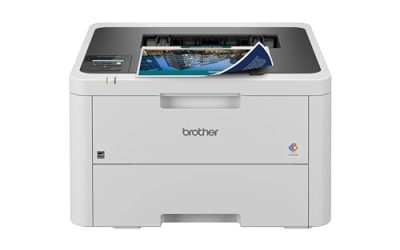
 Brother MFC-L3720CDW Wireless Color Laser PrinterStandard16.1 x 17.5 x 15.8 inches44 poundsCheck on Amazon
 Brother MFC-L8930CDW Business Color Laser All-in-One Printer withOne Size20.7 x 16.1 x 21.6 inches71.2 poundsCheck on Amazon
 Brother DCP-L2640DW Wireless Compact Monochrome Multi-Function PrinterStandard15.7 x 16.1 x 12.5 inches25 poundsCheck on Amazon
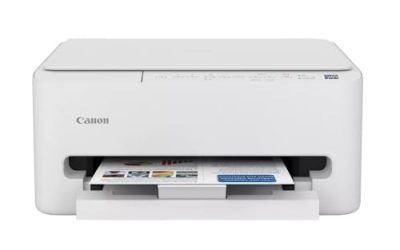
 Epson EcoTank ET-4800 Wireless Color All-in-One Supertank PrinterOne Size11.8 x 14.8 x 6.7 inches11 poundsCheck on Amazon
 Brother MFC-L2820DW Wireless Compact Monochrome All-in-One Laser PrinterStandard15.7 x 16.1 x 12.5 inches22.5 poundsCheck on Amazon

Top 3 picks at a glance
Quick Picks
As an Amazon Associate we earn from qualifying purchases at no extra cost to you.


| Product | Best for | Key spec taken from the product title |
|---|---|---|
| Brother MFC-L3720CDW | Small team color laser | Wireless color laser, auto duplex, 250-sheet capacity |
| Brother MFC-L8930CDW | Growing offices with security needs | Business color laser, advanced security features |
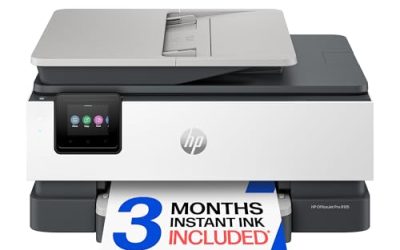
| HP Color LaserJet Pro MFP 3301sdw | Color documents and duplex | Wireless color laser all-in-one, duplex |
| Brother DCP-L2640DW | Compact text-focused desk | Wireless compact monochrome, copy, scan, duplex |
| Epson EcoTank ET-4800 | High-volume color on tanks | Cartridge-free tanks, ADF, Ethernet |
| Brother MFC-L2820DW | Offices that still fax | Compact monochrome all-in-one with fax, duplex |
| Brother HL-L2480DW | Shared compact mono printing | Wireless monochrome laser, copy and scan, duplex |
| Brother HL-6210DW | Heavy-duty text printing | 520-sheet tray, 100-sheet multipurpose feed, Gigabit Ethernet |
How to Choose
Laser, ink tank and monthly volume
Lasers use toner that does not dry out and are built for steady document output, making them the usual answer for offices. An ink tank printer swaps cartridges for refillable reservoirs and can lower the cost of each color page, which matters for businesses that print marketing material. As a rough guide, a monochrome laser fits anything up to a few thousand pages a month, while heavier color printing points toward a business-class color laser or a tank model.
Paper handling: trays, duplex and the feeder
Tray capacity decides how often someone has to refill paper. A 250-sheet tray suits a small team, while a 520-sheet tray plus a 100-sheet multipurpose feed, as on the larger Brother, cuts interruptions and handles envelopes or letterhead. Automatic duplex is close to essential for invoices and reports. If you scan multi-page paperwork, look for an automatic document feeder, since it saves hours over a year of scanning by hand.
Network, security and support
For shared use, look for Ethernet alongside wireless, because a wired connection avoids dropouts on a busy network. Gigabit Ethernet and dual-band Wi-Fi are a bonus. Business models often list security features, such as secure print release and user authentication, which matter if client documents move through the machine. Check the warranty and whether the maker offers toner subscription programs.
Cost per page and what to ignore
Starter toner is often a partial supply, and the real cost shows up at the first replacement. Compare toner yield and replacement price on the spec sheet rather than the sticker cost of the printer. Ignore speed claims that are not tied to a page-per-minute number, and skip fax unless a vendor or client demands it. Budget lasers cut corners on tray size, scan feeders and Ethernet, which are precisely the features an office notices later.
The 8 Best Options
Brother MFC-L3720CDW
The MFC-L3720CDW is a wireless color laser all-in-one that lists a scanner, copier, fax, automatic duplex and a 250-sheet capacity. It targets a small team that needs color for proposals and presentations without stepping up to a larger business machine. A design studio, a real-estate office or a small accounting firm printing client packets would fit the profile.
- Strength: Color laser with scan, copy, fax and auto duplex in one unit.
- Strength: A 250-sheet capacity suits a busy small team.
- Trade-off: The title gives no speed or page-yield figures to compare.
Skip it if you print only black-and-white documents and want the lowest running cost, or if the team is large enough to need a bigger tray.
Brother MFC-L8930CDW
This is the business-class color model, a laser all-in-one with duplex printing, scanning and copying, plus low-cost printing and advanced security features. It makes sense for an office where several staff share the machine and client data passes through it, such as a law practice, a clinic or an insurance agency.
- Strength: Advanced security features suit offices handling sensitive documents.
- Strength: Described as low-cost printing for color laser output.
- Trade-off: Business-class models cost more upfront and take more desk space.
Skip it if you are a solo operator or a team that prints only a few pages a day, since you would pay for security and capacity you will not use.
HP Color LaserJet Pro MFP 3301sdw
HP’s 3301sdw is a wireless color laser all-in-one with duplex. The title is brief, but it identifies a color laser multifunction aimed at small offices that want HP’s ecosystem and color output, for example a retail back office printing price sheets, invoices and promotional flyers.
- Strength: Color laser multifunction with duplex and wireless connectivity.
- Strength: Suits mixed workloads of invoices and presentations.
- Trade-off: The title lists no tray size or speed, so check the full specification.
Skip it if you want a printer with fax or a large paper capacity listed upfront, and confirm toner costs before choosing it over the Brother color models.
Brother DCP-L2640DW
A wireless compact monochrome multifunction printer with copy, scan, duplex and mobile printing, the DCP-L2640DW is the tidy choice for a text-focused desk. It lacks fax in the title, which keeps it simple. A bookkeeper, a tutor or a two-person consultancy that prints contracts and reports gets what it needs without extra complexity.
- Strength: Compact, duplex and wireless for everyday black-and-white work.
- Strength: Mobile printing supports phones and tablets.
- Trade-off: No color and no fax listed.
Skip it if you need color documents or a large paper tray, or if the printer will be shared by many people at once.
Epson EcoTank ET-4800
The ET-4800 is the only ink tank printer here. Its title lists cartridge-free printing, scan, copy and fax, up to 10 ppm, an automatic document feeder and Ethernet, which add up to a flexible machine for a small color-printing business, such as a bakery printing menus or a craft seller producing labels and inserts in-house.
- Strength: Refillable supertank system with an ADF and Ethernet.
- Strength: Print, scan, copy and fax in one color unit.
- Trade-off: The listed 10 ppm is slower than most lasers.
Skip it if speed is your priority or you print mostly black-and-white text, where a laser will be faster and tidier to maintain.
Brother MFC-L2820DW
This wireless compact monochrome all-in-one laser lists copy, scan, fax and duplex, with a Refresh subscription trial. It fits offices that still send and receive faxes but otherwise print in black and white, for instance a medical office or a trades business that works with vendors who still use fax.
- Strength: Fax plus duplex in a compact monochrome laser.
- Strength: Refresh trial helps with early toner supply.
- Trade-off: Fax adds little if you operate entirely by email.
Skip it if you do not need fax, since the L2480DW covers similar ground.
Brother HL-L2480DW
The HL-L2480DW is a wireless compact monochrome multifunction laser with copy, scan, duplex and mobile printing, plus a Refresh trial. It is a sensible shared printer for a small office with text-focused needs, where the same machine handles quotes, work orders and the occasional scan to email.
- Strength: Duplex, wireless and mobile printing in a compact body.
- Strength: Copy and scan add multifunction value.
- Trade-off: No fax and no color.
Skip it if you need a bigger tray or Ethernet; check the full specs first.
Brother HL-6210DW
The HL-6210DW is the heavy-duty monochrome pick, with a 520-sheet tray, a 100-sheet multipurpose feed, Gigabit Ethernet and dual-band Wi-Fi. It is built for offices that print many pages of text each day, such as a call center, a school administration office or a logistics firm producing shipping paperwork.
- Strength: Large 520-sheet tray and a 100-sheet multipurpose feed.
- Strength: Gigabit Ethernet and dual-band Wi-Fi suit shared networks.
- Trade-off: Print-focused, so no scanner or copier is listed.
Skip it if you need scanning and copying in the same machine, since you would have to buy a separate scanner.
Which One Fits Your Situation
You need color for client proposals
The Brother MFC-L3720CDW is a sensible small-team color laser, while the HP Color LaserJet Pro MFP 3301sdw is the alternative if you prefer HP. Step up to the MFC-L8930CDW if you need advanced security. Whichever you choose, set up Ethernet if the router is close, because a wired link is steadier than Wi-Fi for color jobs.
You print many pages of text every day
The Brother HL-6210DW, with its 520-sheet tray and Gigabit Ethernet, is built for that. Pair it with a separate scanner if you need one, and keep a spare toner on the shelf so a busy week never stalls on an empty cartridge.
You need a compact shared printer with scanning
The Brother HL-L2480DW or DCP-L2640DW both offer duplex, copy and scan in a monochrome laser. Pick the MFC-L2820DW instead if you still need fax. Either model keeps a front desk or a back office supplied with sharp text pages at a modest running cost.
You print a lot of color on a tight running-cost plan
The Epson EcoTank ET-4800 uses refillable tanks and includes an ADF and Ethernet. Accept its slower 10 ppm in exchange for lower ink costs, and remember that ink tank printers reward regular use, so a machine that sits idle for weeks gains less from the design.
Common Mistakes
- Buying on sticker cost and ignoring toner yield, which decides the real cost per page.
- Choosing a home-class printer for a shared office, then outgrowing its tray and duty cycle.
- Skipping Ethernet, then fighting wireless dropouts when several people print at once.
- Paying for color when nearly every page is black-and-white text.
- Forgetting an automatic document feeder, which turns multi-page scanning into a chore.
Related guides
- Warranty Considerations When Buying On Sale
- How To Use Camelcamelcamel For Amazon Deals
- Browser Extensions For Finding Deals
Frequently Asked Questions
Is laser better than inkjet for a small business?
For text documents, usually yes. Laser toner does not dry out, output is sharp and speeds are higher. Ink tank models can be cheaper per color page for volume printing.
How big a paper tray do I need?
A 250-sheet tray suits a small team, while 520 sheets or more suits heavier daily printing. A multipurpose feed helps with envelopes and special paper.
Do I need fax at all?
Only if a client, bank or agency requires it. Most small businesses scan and email documents instead.
What does a Refresh subscription do?
It is a Brother toner subscription program, and several listings include a trial. Compare it with buying toner directly before committing.
Related guides
More from Amazon
Programs that pair well with the guide above. Offers and eligibility are set by Amazon and may change.
Free shipping on eligible items, Prime Video and more. Eligible new members can start with a free trial.
Start a Prime free trialAd-free music streaming. Eligible new subscribers can start with a free trial.
Try Music Unlimited freeA Prime membership for ages 18-24 with a trial period. Eligibility is set by Amazon.
See Prime for Young AdultsAudiobooks and podcasts to listen to on the go. Eligible new members can start with a free trial.
Try Audible freeAs an Amazon Associate we earn from qualifying purchases.