
A gaming PC deal is fake when the advertised discount is measured against a price the item never actually sold at, when the seller inflates urgency to rush your decision, or when the listing hides the true condition of the hardware. The fastest way to catch it is pulling up the item’s real price history before you check out, not after. Retailers know shoppers rarely do this, which is exactly why the tactic still works.
Top 3 picks at a glance
Why fake discounts are everywhere right now
Retail pricing software lets sellers set a “reference price” almost anywhere they want, then advertise a percentage off that number. Nothing forces a store to prove the reference price was ever a real selling price. During high-traffic periods like Black Friday gaming PC deals season, this gets worse because shoppers are primed to expect steep cuts and move fast.
As an Amazon Associate we earn from qualifying purchases at no extra cost to you. Product prices and availability are accurate as of the date shown and are subject to change.






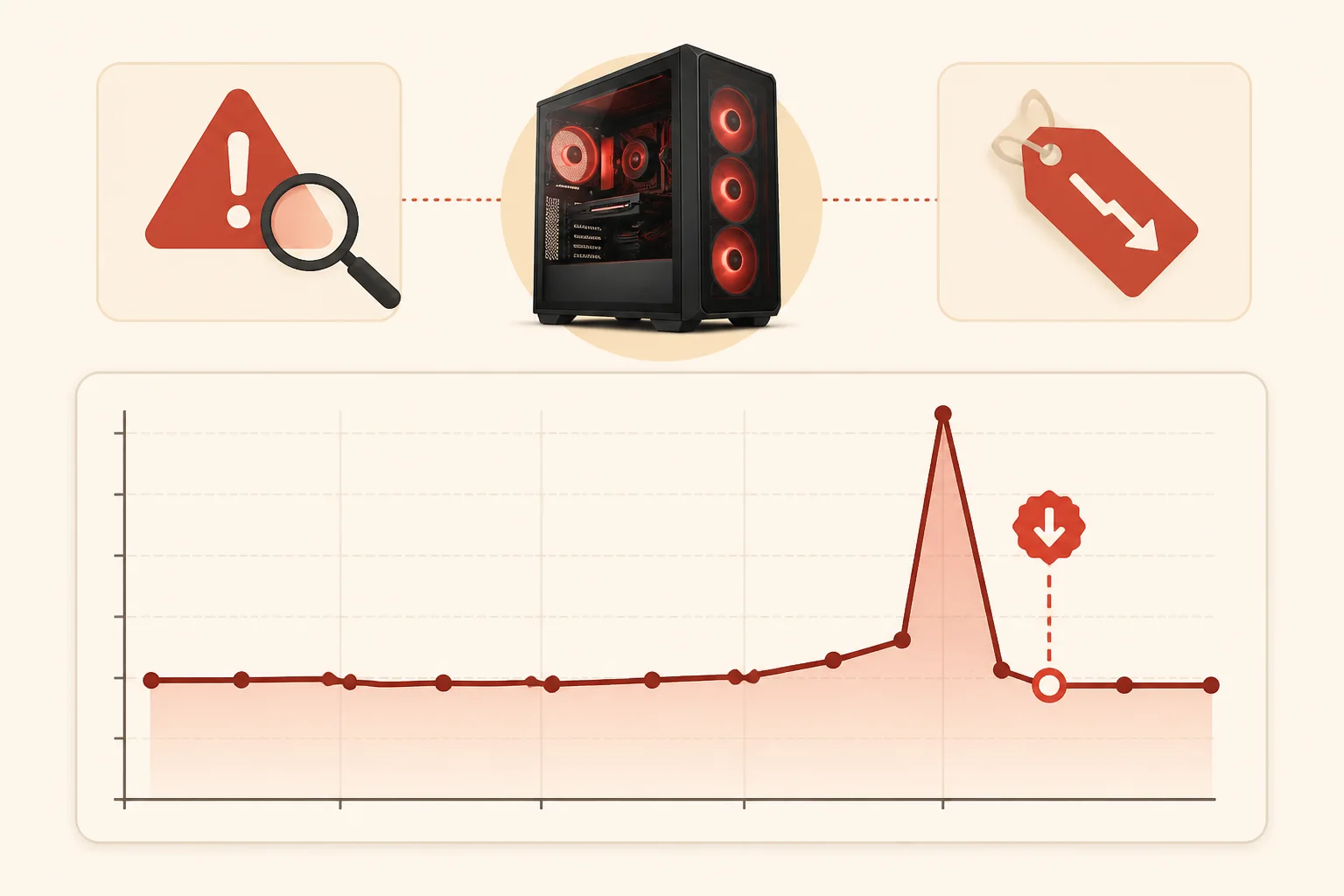
Some sellers raise the sticker price two or three weeks before a sale event, then “discount” it back down to roughly where it was already sitting. The badge says 30% off. The actual savings versus last month is closer to 5%. This pattern shows up constantly on GPUs and prebuilt towers around seasonal sale windows.
Marketplace listings compound the problem because multiple sellers can list the same SKU at different reference prices. A shopper comparing two listings for the same graphics card might see one claiming 40% off and another claiming 15% off, when both are selling at nearly the same dollar amount.
Search algorithms also reward listings that show a discount badge, so sellers have an incentive to always display one, real or not. A card sitting at its normal price with an invented “was” price ranks and clicks better than the same card shown honestly at full price.
None of this means every advertised deal is fake. Plenty are genuine, especially from major retailers during audited sale events. The issue is that badges alone tell you nothing about whether a discount is real, which is why the next step matters more than the sticker.
Treat every discount badge as a claim, not a fact, until you’ve checked it against independent data. That single habit filters out the majority of inflated “deals” before you spend a dollar.
Read the price history before you trust the badge
A price-history chart shows what a specific SKU actually sold for over the past several months, pulled from tracking services rather than the retailer’s own claims. This is the single most reliable tool for separating a real markdown from a marketing number, and it takes under a minute to check.
Search the exact model number, not the general product name, since minor SKU variants (different RAM kit, different retailer bundle) can carry very different pricing histories. Look at the 90-day range: a genuine deal typically sits at or near the low end of that range, not the middle.
Pay attention to how long the “sale” price has actually been live. If a graphics card has been sitting at its supposedly discounted price for six weeks straight, it isn’t a limited-time deal, it’s simply the current market price with a badge attached to it.
Compare the chart’s low point against today’s price. If today is within a few dollars of the all-time low for that SKU, the deal is likely real and worth acting on. If today is 15-20% above the historical low, you’re paying a premium for the illusion of urgency.
Some tracking tools also show competitor pricing side by side, which catches cases where one retailer inflates its reference price while a competitor sells the identical item lower without any discount badge at all.
Rachel Osei, Deals Editor, cross-references every deal featured on this site against a price-history database covering multiple retailers and years of sale cycles before it gets published, which is the same check available to any reader for free through public tracking tools.
Red flags hiding in the listing itself
Vague or missing spec sheets are the first warning sign. A legitimate prebuilt or component listing states exact model numbers, clock speeds, and included accessories. Listings that describe a GPU only as “high performance graphics card” without a model number are often reselling mismatched or discontinued stock.
Watch for stock photos that don’t match the exact SKU being sold, especially on prebuilt towers where the case, RGB configuration, or front panel differs from what arrives. Sellers sometimes use a higher-tier model’s photos while listing a lower-spec configuration.
Check the “sold by” and “ships from” fields separately. A listing that ships from the manufacturer but is sold by an unfamiliar third party can mean the warranty terms differ from what you’d expect buying direct, even though the box looks identical in photos.
Inconsistent unit pricing is another tell: if a 2-pack or bundle costs more per unit than buying the single item elsewhere on the same page, the “bundle savings” framing is misleading rather than a genuine discount on the hardware itself.
Read the full title and bullet points for qualifiers like “renewed,” “open box,” or “compatible with” language that quietly signals the item isn’t new or isn’t the exact branded part it appears to be in the thumbnail image.
If the listing has been edited recently (some platforms show an edit history or a “recently updated” tag), treat the current price and specs as the only reliable version, since older cached reviews may describe a different configuration entirely.
Fake urgency tactics and how to test them
Countdown timers, “only 2 left in stock,” and “37 people are viewing this” banners are designed to short-circuit the price-checking habit described above. Most are generated dynamically and reset on page reload, which you can verify in about ten seconds.
Reload the page or revisit it the next day. If the countdown timer shows a similar number of hours remaining, or the “low stock” warning persists for over a week, the urgency messaging is not tied to real inventory or a real deadline.
Cross-check “flash sale” claims against the retailer’s actual sale calendar. Major retailers announce Black Friday, Cyber Monday gaming deals, and Prime Day windows publicly in advance. A “24-hour flash sale” on a random Tuesday in March deserves more scrutiny than a discount during a confirmed event.
Some listings pair urgency banners with a price that is already at its historical baseline, meaning even if the countdown is genuine, the underlying price still isn’t a real discount. Urgency and a real deal are two separate things and only one of them needs verification through data.
Screenshot the listing with its price and stock claim if you’re on the fence. Checking back in 48 hours costs you nothing except the risk of a genuinely rare price disappearing, and in practice, most “limited time” gaming hardware deals reappear at the same or a lower price within a month.
If a seller pressures you toward a decision within minutes through pop-ups or exit-intent discount offers, treat that as a sales tactic aimed at bypassing your price-check habit rather than evidence the deal itself is exceptional.
Verify the seller, not just the sticker price
Seller reputation matters as much as the price on marketplace platforms where multiple businesses can list the same product. Check the seller’s total rating count and percentage, not just the star average, since a 98% rating built on 40 reviews is far less reliable than one built on 4,000.
Look at account age when it’s visible. Sellers who created their storefront within the past few months and are already listing dozens of discounted gaming GPUs or prebuilt towers warrant extra caution, particularly around return and warranty handling.
Confirm whether the seller honors manufacturer warranty directly or requires you to go through them for any claim. Some third-party sellers on marketplaces add friction to returns specifically because they’re counting on buyers not following through when something arrives defective.
Read the seller’s return window and restocking fee policy before buying, not after. A deal that saves $80 upfront but carries a 20% restocking fee and a 7-day return window is a worse deal than a slightly pricier listing from a seller with a 30-day no-fee return policy.
Search the seller’s business name outside the marketplace itself. A quick search for complaints, especially ones mentioning counterfeit components or bait-and-switch prebuilt specs, surfaces patterns that individual reviews on the listing page might not show.
When two listings for the identical SKU carry a meaningful price gap, check whether the cheaper one is fulfilled and sold directly by the retailer or platform itself versus a third party. The price difference sometimes reflects a real difference in what you’re actually buying.
Typical discount ranges by category
Knowing what a normal discount actually looks like for a given component category makes it much easier to spot when a badge is exaggerated. These ranges are drawn from tracked pricing behavior across major sale periods and steady months alike.
| Category | Typical real discount | Discount that warrants suspicion |
|---|---|---|
| Graphics cards | 8-18% off MSRP | 40%+ on a current-generation card |
| Prebuilt towers | 10-20% off list | 35%+ with no stated reason (clearance, refurbished) |
| Gaming monitors | 15-25% off list | 50%+ on a recently released model |
| SSDs | 10-20% off list | 45%+ combined with an unfamiliar seller |
| Gaming laptops | 8-15% off list | 30%+ without a stated prior-generation clearance |
When a listing’s claimed discount exceeds the “warrants suspicion” range in this table, that’s your signal to pull the price-history chart before doing anything else. It doesn’t automatically mean the deal is fake, but it means the badge alone isn’t proof of savings.
Discounts toward the higher end of the “typical” column usually line up with confirmed event windows like Prime Day gaming deals or genuine end-of-generation clearance, which is covered in more detail in our timing guide for when to actually buy.
Bundle padding and inflated “was” prices
Bundling a gaming PC or GPU with accessories is a common way to make a modest discount look larger. A tower listed with a “free” mouse and headset bundle worth a claimed $80 in extra value can mask the fact that the PC itself only dropped $20 from its normal price.
Check the individual retail value of bundled items against their standalone listings on the same site. Peripherals bundled into gaming PC deals are frequently the retailer’s lowest-margin, lowest-demand stock, priced well above what they’d sell for as standalone items.
Inflated “was” pricing works similarly: a retailer sets a manufacturer’s suggested retail price or a self-generated “compare at” price that the item rarely or never actually sold for, then discounts against that inflated number instead of the item’s real recent selling price.
This is especially common with off-brand or lesser-known prebuilt PC brands that don’t have a well-established MSRP anyone can verify. Compare the “compare at” price against a price-history tool for that exact model; if there’s no matching historical data, the reference price cannot be verified and should be treated skeptically.
Look for bundles that let you opt out of the extra items for a lower total price. If a retailer refuses to unbundle or the unbundled price barely changes, the bundled peripherals were likely being used purely to inflate the perceived value of the deal rather than offer real savings.
The safest approach is pricing each bundle component separately against its own market rate, adding them up, and comparing that total to the bundle price. If the bundle doesn’t beat buying pieces separately by at least 10%, the “bundle deal” framing isn’t actually saving you money.
Review and rating manipulation signs
Clusters of reviews posted within a short window, especially right after a listing changes price, are one of the clearest manipulation signals. Sort by most recent and look for a sudden spike of five-star reviews using similar phrasing about “amazing deal” or “can’t believe the price.”
Verified-purchase tags matter more than star count. A listing with 4.7 stars but only 30% verified purchases is less trustworthy than one with 4.3 stars and 90% verified purchases, because unverified reviews are far easier to manufacture at scale.
Watch for reviews that mention receiving the product for free or at a steep discount in exchange for a review, sometimes disclosed and sometimes not. These reviews tend to be uniformly positive regardless of the actual hardware quality, which skews the average rating upward.
Check the review-to-question ratio. Listings with thousands of reviews but almost no answered customer questions, or where questions go unanswered for months, often indicate a seller more focused on volume than actual customer support.
Read a handful of critical reviews specifically, sorted by “most critical” if the platform allows it. Legitimate concerns about a specific component failing after a few months are far more useful for judging a deal’s real value than the aggregate star rating alone.
Cross-reference the product on an independent review aggregator when possible. A gaming PC or GPU with wildly different ratings on the marketplace listing versus an independent tech review source is worth a second look before you commit to the “deal.”
What to do if you already bought a fake deal
Start by requesting a price adjustment if you’re still within the retailer’s price-match or adjustment window, which is commonly 7-15 days depending on the store. Many retailers will refund the difference if the price drops further shortly after you buy, without requiring a full return.
If the discount itself turns out to have been fabricated (the item never actually sold at the claimed “original” price), file a complaint through the platform’s customer service citing the specific price-history discrepancy, including a screenshot or link to the tracking data you used.
For marketplace purchases from third-party sellers, escalate to the platform directly rather than only contacting the seller if the seller is unresponsive or denies the issue. Most major marketplaces have a dedicated process for pricing and listing disputes separate from standard returns.
Check your payment method’s purchase protection. Many credit cards offer price-protection or purchase-protection benefits that can refund the difference if a covered item drops in price within a set window after purchase, independent of the retailer’s own policy.
If the hardware itself is fine and only the discount claim was misleading, weigh whether pursuing a partial refund is worth the effort versus simply applying the lesson to future purchases: always check price history before checkout going forward, not after.
Document everything with dated screenshots the moment you suspect an issue. Price-history data and listing pages both change over time, and having your own record makes any dispute, refund request, or credit card claim significantly easier to support.
Frequently asked questions
How can I tell if a discount percentage is fake?
Compare the listed “original” price against a price-history tool showing at least 90 days of data. If the item never actually sold at that “original” price, the percentage-off badge is manufactured. A genuine discount usually tracks 10-25% below the 90-day average, not against a price nobody ever paid.
Are countdown timers on deal pages ever real?
Occasionally, during officially announced events like Black Friday, but most rolling countdown timers on individual product pages reset every time you reload or return the next day. If the same timer shows 4 hours left three days in a row, treat it as a design element rather than a genuine deadline.
Is a deal from a third-party marketplace seller riskier?
It can be. Third-party sellers set their own prices and return terms, and some list refurbished or bulk-liquidation stock as new. Check the seller’s rating, account age, and whether the listing says “Ships from and sold by” the retailer directly versus a third-party name you don’t recognize.
What’s the fastest way to check if a deal is real?
Open a price-history extension or site, search the exact model number, and look at the 90-day chart. If today’s price sits at or near the historical low, it’s a real deal. If it’s near the historical average or high, the discount badge is inflated regardless of what the page claims.
Should I trust reviews that all mention the same “deal” wording?
No. Clusters of reviews posted within days of each other using near-identical phrasing about the price or a giveaway are a known manipulation pattern. Sort reviews by most recent, check the verified-purchase tag, and weigh listings with a natural spread of dates and wording more heavily.


