Everyone in a household seems to want something different from the printer. One person needs a school permission slip in the next five minutes, another scans a stack of tax paperwork, and a third wants a color picture for the fridge. A good home printer is the one that handles all three without demanding a degree in cartridge management, and without making the family hunt for the right app each time.
Eight models are compared here, all judged by the specs in their listings. They range from the HP DeskJet pair at the simple end to an ink tank Smart Tank with three years of ink, with duplex-capable Envy, Canon, and Brother models and a home-office OfficeJet in between. Looking ahead in 2026, the best choice depends on how much your household prints each month and whether you want convenience, low running costs, or the smallest possible footprint.
Our Top Picks
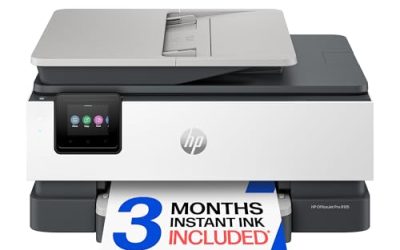
 HP OfficeJet Pro 8125 Wireless All-in-One Color Inkjetone size13.29 x 18.11 x 9.17 inches17.6 poundsCheck on Amazon
 Brother Work Smart 1360 Wireless Color Inkjet All-in-OnePrinter13.5 x 15.4 x 7.2 inches16.8 poundsCheck on Amazon
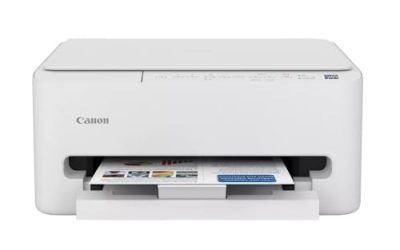
 Canon PIXMA TS6520 Wireless Color Inkjet PrinterMedium14.8 x 14 x 6.7 inches15.42 poundsCheck on Amazon


Top 3 picks at a glance
Quick Picks
As an Amazon Associate we earn from qualifying purchases at no extra cost to you.


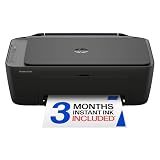


| Product | Best for | Key spec from the title |
|---|---|---|
| HP DeskJet 2923 | Light family use | Wireless all-in-one, print, scan, copy |
| HP OfficeJet Pro 8125 | Working from home | ADF, duplex printing, ink trial |
| Canon PIXMA TS4320 | School projects and photos | Wireless, cost-efficient, home use |
| Brother Work Smart 1360 | Paperwork stacks | Duplex, auto document feeder |
| Canon PIXMA TS6520 | Compact with a display | Duplex, 1.42″ OLED display |
| HP DeskJet 2955 | Simple mobile printing | Wireless, mobile compatibility |
| HP Smart Tank 5003 | High-volume families | 3 years of ink, refillable tanks |
| HP Envy 6155 | Duplex everyday printing | Duplex, 3-month ink trial |
How to Choose
Match the printer to your monthly page count
Households printing fewer than 50 pages a month are well served by a basic cartridge inkjet. Between 50 and 150 pages, a model with duplex printing and a cartridge or subscription plan starts to make sense. Above that, an ink tank printer usually wins on cost per page. Tally what your family printed over the past school term before you shop.
Pick the scanning and copying features you will use
A flatbed scanner handles a single page, a photo, or a book. An automatic document feeder lets you scan or copy a stack without lifting the lid, which matters for tax season, school forms, and home-business paperwork. Duplex printing prints both sides automatically. Pay for these features only when you can name the task that needs them.
Consider size, display, and setup
A compact printer with a small screen makes setup and troubleshooting easier, which helps when family members share the machine. Check that the maker app supports your phones and tablets, and read what an account or subscription would require. Low-cost models often skip a color display and make you rely on a phone for status.
Understand where cheaper models save money
Entry printers use small cartridges, slow print engines, and simple paper trays. They lack feeders and duplex units, and some push ink subscription programs. Those compromises are fine for occasional use, but they push the running cost up if your household prints regularly.
The 8 Best Options
HP DeskJet 2923
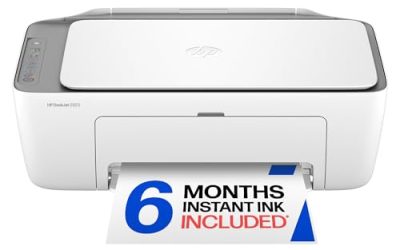
The title describes a wireless color inkjet all-in-one that prints, scans, and copies, with mobile compatibility and easy home printing. It suits families who print only occasionally and want a compact machine that stays out of the way, handling forms, recipes, and the odd worksheet without a lot of configuration or counter space.
- Strength: Compact all-in-one with wireless setup.
- Strength: Mobile compatibility for printing from phones.
- Trade-off: No duplex or document feeder in the title.
Skip it if your household prints weekly or scans multi-page documents. Small cartridges and basic hardware make it a poor choice for steady, higher-volume use. Think of it as the printer for a household that mostly needs the option to print, with real work handled at school or the office, and it pairs well with a phone scanning app for the rare multi-page job.
HP OfficeJet Pro 8125
A wireless all-in-one color inkjet with an automatic document feeder, duplex printing, and a three-month trial of an ink subscription, marketed for the home office. It suits households where someone works or studies from home and needs to scan, copy, and print documents in batches rather than one page at a time.
- Strength: Document feeder for multi-page jobs.
- Strength: Duplex printing reduces paper use.
- Trade-off: Likely costs more than the entry DeskJets.
Skip it if you want the smallest, simplest device. The extras are not worth the added size for someone who prints a few pages a month. Where it earns its place is on busy weekday evenings, when two people need documents at once and a feeder lets one scan a contract while the other prints homework without waiting.
Canon PIXMA TS4320
Canon lists this wireless inkjet as a cost-efficient multifunction photo printer, copier, and scanner for home use. It suits families with kids who bring home art projects and who like to print the occasional picture, and it keeps things simple with the basics only and a straightforward brand.
- Strength: Photo-friendly listing for crafts and snapshots.
- Strength: Wireless print, copy, and scan.
- Trade-off: No feeder or duplex printing in the title.
Skip it if you want double-sided printing or a heavy-duty workhorse. It is a middle-of-the-road pick for a typical family, and a sensible choice if you value a recognized brand and a straightforward interface over extra paper-handling features. Photo paper adds to the running cost, so keep it for projects that deserve it.
Brother Work Smart 1360
A wireless color inkjet all-in-one with print, scan, and copy, duplex printing, an auto document feeder, and mobile printing, marketed as best for home. It suits households that handle a lot of paperwork, such as insurance, school registration, and tax forms, and that want a feeder in a home-friendly model.
- Strength: Feeder and duplex printing together.
- Strength: Mobile printing support.
- Trade-off: The listing is truncated, so confirm ink and size details.
Skip it if you only need a few pages a month. A simpler printer will cost less and take up less room. Since a different brand brings a different cartridge family, check where the ink is sold and whether it is easy to find before choosing it over an HP or Canon alternative.
Canon PIXMA TS6520
This wireless color inkjet lists duplex printing, copier and scanner functions, a 1.42 inch OLED display, and a compact white body. It suits homes where the printer sits in a living space and needs to look tidy, and where a small display makes it easier for everyone in the family to use without a phone.
- Strength: Duplex printing and an OLED status display.
- Strength: Compact, tidy design.
- Trade-off: The title lists no document feeder.
Skip it if you scan stacks of papers. Choose a feeder model for that job. The display is the quiet selling point here, because paper jams, ink alerts, and Wi-Fi setup are all easier to handle from the printer itself than from a phone app that a guest or a grandparent has never installed.
HP DeskJet 2955
A near twin of the 2923 in the listing: wireless all-in-one, color documents, mobile compatibility, and print, scan, and copy. It suits a household that wants the lowest-complexity printer and found this model in stock. It is dependable for coursework and basic documents, and little else.
- Strength: Straightforward HP all-in-one.
- Strength: Wireless and mobile printing.
- Trade-off: Basic features with no feeder or duplex.
Skip it if you want something that stands apart from the 2923. Choose between the two based on availability and ink supply. Households often buy this tier as a second printer for a kid’s room or a guest desk, where a low-risk device is better than sharing the main machine and its more expensive cartridges, and it is easy to replace later if it fails.
HP Smart Tank 5003
An all-in-one ink tank printer with three years of ink included, refillable tanks instead of cartridges, low-cost printing, and wireless printing. It suits families that print weekly, such as homeschoolers or small-business households, who want to bring down the cost of every page over several years.
- Strength: Three years of ink included, per the title.
- Strength: Refillable tanks for lower running cost.
- Trade-off: A higher up-front cost tier than cartridge models.
Skip it if you print only occasionally. The savings accrue with volume, and a lighter user may never recoup the higher entry cost. Before buying, estimate how many pages your household prints in a year and compare the included ink with that number, because the included supply is the whole point of this design.
HP Envy 6155
The Envy lists wireless color inkjet printing with scan, copy, duplex printing, and a three-month ink trial, marketed for home use. It suits households that want a tidy mid-tier all-in-one with double-sided printing for homework, newsletters, and club flyers, without moving up to an office-style machine.
- Strength: Duplex printing at a home-friendly tier.
- Strength: Wireless all-in-one with a trial ink program.
- Trade-off: No document feeder in the title.
Skip it if you do not want a subscription ink program or need to scan stacks of paper. Compared with the Canon TS6520, it trades the OLED display for a trial ink program, so decide which of those matters more in your household before you pick one, and whether double-sided printing is a real need or only a nice-to-have.
Which One Fits Your Situation
Family with kids and school projects
The Canon PIXMA TS4320 focuses on home and photo use, which suits worksheets, posters, and pictures, and the wireless setup lets every child print from a tablet or a phone.
Remote worker with paperwork
The HP OfficeJet Pro 8125 and the Brother Work Smart 1360 both list a document feeder and duplex printing, which cuts the effort of scanning contracts, invoices, and expense receipts at the end of the month.
Homeschool or small business volume
The HP Smart Tank 5003 includes three years of ink and refillable tanks.
Occasional printing in a small home
The HP DeskJet 2923 or 2955 covers the basics in a compact body.
Common Mistakes
- Buying on entry cost alone and ignoring ink costs.
- Paying for duplex and a feeder you rarely use.
- Ignoring app and account requirements before purchase.
- Buying an ink tank printer for a household that prints rarely.
- Choosing between near-identical listings without comparing ink availability.
Related guides
- Warranty Considerations When Buying On Sale
- How To Use Camelcamelcamel For Amazon Deals
- Browser Extensions For Finding Deals
Frequently Asked Questions
What is the cheapest way to print at home?
For high volume, an ink tank printer. For low volume, a basic cartridge inkjet with occasional use is the lower-risk choice. Whichever you pick, compare the cost of replacement ink before you buy, not after the starter supply runs out.
Do I need a feeder?
Only if you scan or copy multi-page documents often. For single pages, a flatbed scanner is enough.
Are subscription ink plans worth it?
They can be for regular printers but are not for everyone. Read the terms and compare with standard cartridges.
How long does a home printer last?
Many last several years with regular use. Keep it powered and print occasionally to prevent clogs. Replace worn rollers or cartridges promptly, and expect software support to matter as much as the hardware over time.
Related guides
More from Amazon
Programs that pair well with the guide above. Offers and eligibility are set by Amazon and may change.
Free shipping on eligible items, Prime Video and more. Eligible new members can start with a free trial.
Start a Prime free trialAd-free music streaming. Eligible new subscribers can start with a free trial.
Try Music Unlimited freeA Prime membership for ages 18-24 with a trial period. Eligibility is set by Amazon.
See Prime for Young AdultsAudiobooks and podcasts to listen to on the go. Eligible new members can start with a free trial.
Try Audible freeAs an Amazon Associate we earn from qualifying purchases.