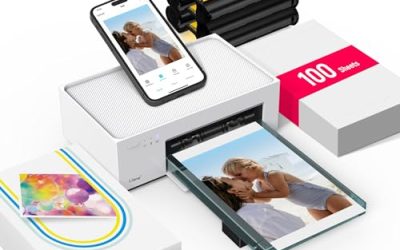
“Compact” can mean two very different things when you shop for a printer. For some buyers it means a small footprint that slides onto a bookshelf, a dorm desk or the corner of a kitchen counter. For others it means a genuinely portable machine that travels in a bag and prints from a phone at a job site, a classroom or a hotel room. The best compact printer for a studio apartment is rarely the best one for a road trip, so the first decision is whether the printer will stay put or move.
This guide is for people who have limited space or need to carry a printer, and who still want reliable everyday output: boarding passes, homework, shipping labels, forms and the occasional color page. It compares eight models, from small all-in-one inkjets with print, scan and copy to a Bluetooth thermal unit that needs no ink at all. Everything below is judged from what the listing titles state, and in 2026 the choices still split cleanly between space-saving desktop printers and true mobile ones.
Our Top Picks
 Canon PIXMA TR160 Color Wireless Portable PrinterSmall12.7 x 7.3 x 2.6 inches4.5 poundsCheck on Amazon
 HP Envy 6155 Wireless All-in-One Color Inkjet Printer17.05 x 14.21 x 5.3517.05 x 5.35 x 14.21 inches11.2 poundsCheck on Amazon
 Canon PIXMA TS6520 Wireless Color Inkjet PrinterMedium14.8 x 14 x 6.7 inches15.42 poundsCheck on Amazon


Top 3 picks at a glance
Quick Picks
As an Amazon Associate we earn from qualifying purchases at no extra cost to you.




| Product | Best for | Key spec taken from the product title |
|---|---|---|
| Canon PIXMA TR160 | Printing on the go | Portable color wireless, 50-sheet tray, 1.44-inch display |
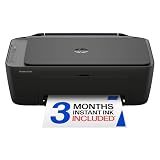
| HP DeskJet 2923 | Light home use | Wireless color all-in-one: print, scan, copy |
| Canon PIXMA TS4320 | Low-cost multifunction | Wireless color inkjet with print, copy, scan |
| HP Envy 6155 | Duplex printing at home | Wireless all-in-one with duplex, Instant Ink trial |
| HP DeskJet 2955 | Simple budget all-in-one | Wireless color all-in-one: print, scan, copy |
| HP OfficeJet 250 | Mobile office work | Mobile inkjet, wireless all-in-one |
| Canon PIXMA TS6520 | Small footprint with a display | Duplex, 1.42-inch OLED display, compact |
| A285M thermal printer | Ink-free travel printing | Inkless thermal, Bluetooth, Letter and A4 |
How to Choose
Footprint versus true portability
Check the actual width and depth on the spec sheet, then add several inches behind the unit for the paper tray to extend and the back panel to breathe. A “compact” desktop all-in-one still needs a flat surface and a power outlet, while a portable model should be light enough to carry and ideally able to print from a phone without a router. If you only print at home, a small all-in-one is usually the better value. If you print in several places, put portability first.
Ink, thermal or toner
Small inkjets give you color and photo capability in a tiny body, but cartridges are small and run out quickly on lower-cost models. Inkless thermal printers remove cartridges entirely and suit receipts, notes and basic documents, though they are not designed for color photos. Check whether the printer offers a subscription program, since a trial included in the box is a convenience, not a lifetime saving.
Connectivity and mobile printing
Look for wireless printing as a minimum, plus phone-app support if you plan to print from a mobile device. A Bluetooth printer pairs directly with a phone, which is useful where no Wi-Fi network exists. Confirm that the printer works with your operating system, and look for an Ethernet or USB port as a fallback if the wireless connection drops.
Features worth paying for, and features to ignore
Duplex (automatic two-sided) printing saves paper if you print long documents. A paper tray of around 50 sheets is enough for casual use but needs frequent refills for heavier jobs. Ignore marketing phrases such as “easy home printing” and “ideal for” taglines, which tell you nothing about speed, page yield or reliability. Budget compact models usually cut corners on paper capacity, document feeders and display size.
The 8 Best Options
Canon PIXMA TR160
The TR160 is built for people who need a printer that can travel. The title calls it a color wireless portable printer with a 50-sheet paper tray, a 1.44-inch display and a lightweight, compact design, which makes it a sensible companion for a mobile workday. Think of a sales rep printing a quote in the car, a teacher preparing worksheets at a second campus, or a student who moves between a dorm and a library.
- Strength: Portable and lightweight, with a built-in display for on-device control.
- Strength: A 50-sheet tray means you can print more than a page or two without reloading.
- Trade-off: The title lists it as a printer, not an all-in-one, so no scanning or copying is stated.
Skip it if you need a flatbed scanner or copier for everyday paperwork.
HP DeskJet 2923
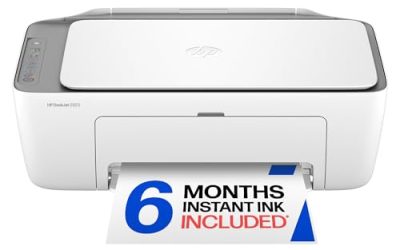
This wireless color all-in-one covers print, scan and copy, which is the core feature set for a student or light home user. The title highlights mobile compatibility and easy home printing. In practice that points to a first printer for a student, a renter or anyone whose printing amounts to a handful of pages a week.
- Strength: Print, scan and copy in a single wireless unit.
- Strength: Mobile compatibility makes printing from a phone straightforward.
- Trade-off: The title lists no duplex printing, so two-sided pages are a manual job.
Skip it if you print long documents regularly or want automatic double-sided output.
Canon PIXMA TS4320
The TS4320 is a wireless color inkjet with print, copy and scan, and the title describes it as cost efficient for home use. It is aimed at households that want a multifunction machine without an elaborate feature list. The phrase “photo printer” in the title suggests the household will print the occasional picture as well as school forms and recipes.
- Strength: A multifunction design with copy and scan as well as printing.
- Strength: Marketed as cost efficient and suited to photos as well as documents.
- Trade-off: The title does not mention duplex printing or a document feeder.
Skip it if you need to scan multi-page stacks, since no automatic feeder is listed.
HP Envy 6155
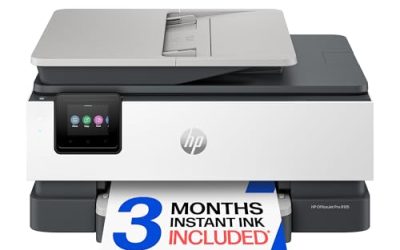
The Envy 6155 steps up with duplex printing, which the title lists alongside print, scan and copy. It also includes a three-month trial of Instant Ink, an HP subscription that supplies ink by the page. It suits a home where printing is steady enough to justify duplex pages, such as a remote worker or a parent managing school paperwork.
- Strength: Automatic duplex printing reduces paper use on longer documents.
- Strength: Wireless all-in-one with a trial subscription included.
- Trade-off: The trial is temporary, so factor in ongoing ink costs after it ends.
Skip it if you would rather buy ink cartridges as needed than join a subscription program.
HP DeskJet 2955
The DeskJet 2955 sits in the same family as the 2923, with a title that lists wireless color printing, an all-in-one design and mobile compatibility. It targets simple, low-volume home printing, and it makes the most sense where the printer sits idle for days and then needs to produce a form, a ticket or a coloring page.
- Strength: Print, scan and copy at the basic tier.
- Strength: Wireless and mobile compatibility keep setup simple.
- Trade-off: Nothing in the title points to duplex or a feeder, so features stay minimal.
Skip it if you want a display, duplex printing or heavier-duty features.
HP OfficeJet 250
This one is described as a mobile printer, yet it also lists print, scan and copy with wireless connectivity. That blend makes it relevant for people who want a portable all-in-one instead of a print-only travel unit. A field technician who must print an invoice and scan a signed work order on the same visit is the kind of buyer this design serves.
- Strength: A mobile-class all-in-one that adds scanning and copying.
- Strength: Wireless connectivity and mobile compatibility are listed.
- Trade-off: The title does not state the size, weight or battery details, so confirm them before buying.
Skip it if you need a pocket-sized print-only model, or specific battery life figures.
Canon PIXMA TS6520
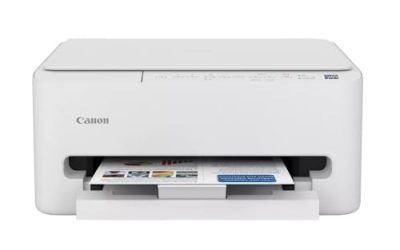
The TS6520 combines a compact white body with duplex printing, a copier and scanner, and a 1.42-inch OLED display. It is one of the more feature-rich small desktop printers in the group. It is a good match for a shared apartment or a home office where the printer lives on a shelf and has to handle varied jobs.
- Strength: Duplex printing and an OLED display make daily use easier.
- Strength: Compact design with copying and scanning included.
- Trade-off: It is a desktop machine, not a portable one, so it will not travel well.
Skip it if you need to carry the printer between locations.
A285M Portable Thermal Printer
This Bluetooth mini printer is the only inkless option in the roundup. The title says it supports 8.5 by 11 inch US Letter and A4 paper, which gives it more range than most pocket thermal printers. Frequent travelers, delivery coordinators and anyone printing tickets, notes or forms away from a desk will find the no-ink approach convenient.
- Strength: No ink or toner cartridges to buy or replace.
- Strength: Bluetooth pairing and travel-friendly design for printing away from a router.
- Trade-off: Thermal output is generally monochrome and not suited to color photos or glossy documents.
Skip it if you want color pages, photos or a scanner.
Which One Fits Your Situation
You work from several locations
The Canon PIXMA TR160 is built around portability, with its lightweight body and display. The HP OfficeJet 250 is the better fit if you also need scanning while on the move.
You live in a small apartment
The Canon PIXMA TS6520 offers a compact footprint plus duplex, copying and scanning. If space and budget matter more than features, the HP DeskJet 2955 is the simpler option.
You print mostly receipts, notes and travel documents
The A285M thermal printer removes ink from the equation and prints over Bluetooth. It is a practical choice if color is not a priority.
You print school and household paperwork
The HP Envy 6155 and Canon PIXMA TS4320 both give you print, scan and copy. The Envy adds duplex, while the TS4320 leans on cost efficiency.
Common Mistakes
- Assuming “compact” means portable, then discovering the printer still needs a desk and a wall outlet.
- Ignoring the ongoing cost of ink, especially with small starter cartridges and subscription trials.
- Buying a print-only model when you also need to scan or copy documents.
- Forgetting to check that the printer works with your phone or computer before purchase.
- Expecting a thermal printer to produce color photos or glossy-quality graphics.
Related guides
- Warranty Considerations When Buying On Sale
- How To Use Camelcamelcamel For Amazon Deals
- Browser Extensions For Finding Deals
Frequently Asked Questions
Is a compact printer cheaper to run?
Not necessarily. Small printers often use smaller cartridges, which can mean more frequent replacements. Compare cartridge yield and any subscription terms alongside the printer itself.
Do portable printers need Wi-Fi?
Not all of them. Bluetooth models pair directly with a phone, while Wi-Fi models connect through your network. Check the connectivity listed on the spec sheet before you commit.
What is the benefit of a thermal printer?
It needs no ink or toner, so there are no cartridges to replace or dry out. The trade-off is that output is typically monochrome and best for documents and labels.
Do I need duplex printing?
If you print multi-page documents or want to save paper, duplex is useful. For occasional one-page jobs, it is a nice extra rather than a requirement.
Related guides
More from Amazon
Programs that pair well with the guide above. Offers and eligibility are set by Amazon and may change.
Free shipping on eligible items, Prime Video and more. Eligible new members can start with a free trial.
Start a Prime free trialAd-free music streaming. Eligible new subscribers can start with a free trial.
Try Music Unlimited freeA Prime membership for ages 18-24 with a trial period. Eligibility is set by Amazon.
See Prime for Young AdultsAudiobooks and podcasts to listen to on the go. Eligible new members can start with a free trial.
Try Audible freeAs an Amazon Associate we earn from qualifying purchases.