Choosing an HP printer is less about the logo and more about which of the company’s very different product families matches how you print. HP sells entry-level DeskJet inkjets, home-oriented Envy models, business-minded OfficeJet Pro machines with automatic document feeders, refillable Smart Tank units that skip cartridges, and a Color LaserJet that uses toner. Each family answers a different question: how many pages a month, how much a page costs, and whether you need to scan stacks of paper or just print a boarding pass.
This guide is for shoppers who have settled on the HP brand, perhaps for its app, its driver support, or an existing ink subscription, and want to avoid buying the wrong tier. In 2026, the practical split is between a low-effort home printer, a feature-rich home office machine, an ink-tank model for heavy printing, and a laser for sharp office documents. The eight models below cover all four paths, and the notes that follow rely only on what each listing states.
Our Top Picks
 HP OfficeJet Pro 8125 Wireless All-in-One Color Inkjetone size13.29 x 18.11 x 9.17 inches17.6 poundsCheck on Amazon
 HP Envy 6155 Wireless All-in-One Color Inkjet Printer17.05 x 14.21 x 5.3517.05 x 5.35 x 14.21 inches11.2 poundsCheck on Amazon
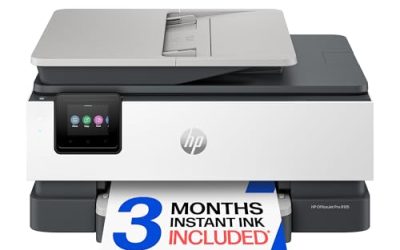
 HP OfficeJet Pro 9135 Wireless All-in-One Color Inkjetone size15.6 x 17.2 x 12.53 inches26.1 poundsCheck on Amazon


Top 3 picks at a glance
Quick Picks
As an Amazon Associate we earn from qualifying purchases at no extra cost to you.



| Product | Best for | Key spec from the title |
|---|---|---|
| HP OfficeJet Pro 8125 | Home office document work | Wireless all-in-one, ADF, duplex printing |
| HP DeskJet 2923 | Light home printing | Wireless all-in-one, print, scan and copy |
| HP Envy 6155 | Family homework and photos | Wireless all-in-one, duplex printing, 3-month Instant Ink trial |
| HP Smart Tank 5003 | High-volume, low-cost printing | Refillable ink tank, 3 years of ink included |
| HP Color LaserJet Pro MFP 3301sdw | Sharp office documents | Color laser, wireless, all-in-one, duplex |
| HP OfficeJet Pro 9135 | Busy offices needing fax | ADF, fax, duplex print and scan |
| HP DeskJet 2955 | Occasional printing in a flat or dorm | Wireless all-in-one, mobile compatibility |
| HP OfficeJet Pro 8139 | Home offices wanting longer ink trial | Fax, ADF, duplex, 1-year Instant Ink trial |
How to Choose
Inkjet, ink tank, or laser
Cartridge inkjets like the DeskJet, Envy, and OfficeJet Pro families keep the purchase cost modest and handle color photos and documents. Ink tank machines such as the Smart Tank add a refillable system meant for people who print often and want to avoid buying small cartridges. Laser printers use toner, which does not dry out between jobs, and they excel at crisp black text. If you print fewer than a few dozen pages a month, an inkjet is fine; if you print stacks weekly, tank or laser deserves a look.
Features that save time: ADF, duplex, fax
An automatic document feeder lets you scan or copy multi-page documents without lifting the lid for each sheet. Duplex printing handles both sides of a page automatically, cutting paper use and speeding up reports. Fax is listed on only some models here, so confirm it matters before paying for it. A household that mostly prints single pages gains little from an ADF, while a home office handling contracts or invoices will use it daily.
Ink plans and ongoing cost
Several listings mention Instant Ink trials of three months or one year, and the Smart Tank mentions three years of ink included. Those are start-up offers, not permanent price cuts, so work out what you will do once the trial ends. Look at cartridge or refill costs per page rather than the printer’s upfront price, because heavy printing makes consumables the largest expense over time. If you rarely print, remember that unused inkjet cartridges can dry out, which favors a tank or laser.
Also consider where the printer will live. A machine with an ADF and a duplex unit is physically larger, and it needs clearance above the scanner lid and behind the paper path. Measure the shelf or desk first, especially in a bedroom or a shared apartment, and check that the router signal reaches the spot if the printer relies on wireless setup.
What to ignore and where budget models cut corners
Ignore ambiguous promises like “easy home printing” or “ideal for home,” since they describe positioning rather than measurable specs. The entry DeskJet models typically lack an ADF and duplex printing, so confirm those features in the title before assuming they exist. Check wireless support and mobile app compatibility if you print from phones. Finally, be wary of using starter cartridges as a gauge of long-term cost, because they often hold less ink than replacements.
The 8 Best Options
HP OfficeJet Pro 8125
The OfficeJet Pro 8125 is a wireless all-in-one color inkjet that prints, scans, and copies, with an automatic document feeder and duplex printing. The title positions it for home offices and includes a three-month Instant Ink trial. It suits remote workers who handle multi-page paperwork.
- Strength: ADF supports multi-page scanning and copying without manual page swaps.
- Strength: Duplex printing reduces paper use for reports.
- Trade-off: The title does not list fax, so businesses that still need it should look higher up the range.
Skip it if you only print a few pages a month; a DeskJet costs less and does the basics.
HP DeskJet 2923
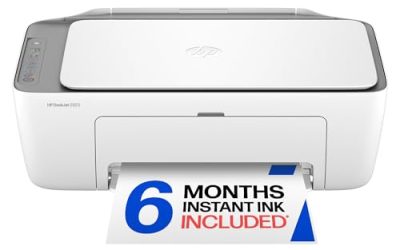
The DeskJet 2923 is a wireless all-in-one color inkjet that prints, scans, and copies, aimed at simple home use and mobile compatibility. It is the type of printer a student or occasional user picks to avoid paying for features they will not use.
- Strength: Print, scan, and copy functions cover the essentials in a compact format.
- Strength: Mobile compatibility supports printing from phones and tablets.
- Trade-off: The listing does not mention an ADF or duplex printing, so multi-page jobs need manual handling.
Skip it if you scan multi-page documents or print weekly, since its entry-level feature set will feel limiting.
HP Envy 6155
The Envy 6155 is a wireless all-in-one color inkjet with print, scan, copy, and duplex printing, and the title says it is made for the home with a three-month Instant Ink trial. It fits families printing homework, recipes, and occasional photos.
- Strength: Duplex printing arrives at a home-oriented tier without stepping up to an office model.
- Strength: Wireless all-in-one operation covers everyday family needs.
- Trade-off: The title does not list an ADF, so document scanning is sheet by sheet.
Skip it if you plan to scan stacks of paperwork or require fax.
HP Smart Tank 5003
The Smart Tank 5003 is an all-in-one ink tank printer with a cartridge-free, refillable ink system and three years of ink included, as the title states. It targets households and small offices that print often and want a lower cost per page than cartridges.
- Strength: The refillable, cartridge-free system is built for frequent printing.
- Strength: Three years of ink included reduces early refill purchases.
- Trade-off: The title does not mention an ADF or fax, so office-style scanning is limited.
Skip it if you print only a few pages every month, since the ink-tank advantage grows with volume.
HP Color LaserJet Pro MFP 3301sdw
This is a color laser all-in-one with wireless connectivity and duplex printing. It targets small offices that want crisp text and reliable toner-based output rather than ink. The title is brief, so confirm scanner details and paper capacity on the spec sheet before buying.
- Strength: Laser printing suits document-heavy offices and does not dry out between jobs.
- Strength: Wireless and duplex support cover common workplace needs.
- Trade-off: Color laser machines usually cost more upfront and take more desk space than DeskJet units.
Skip it if your main use is glossy photo printing, where inkjet models are typically the more natural fit.
HP OfficeJet Pro 9135
The OfficeJet Pro 9135 is a wireless all-in-one color inkjet with print, scan, copy, and fax, an ADF, and duplex printing and scanning. The title calls it an office model and includes a three-month Instant Ink trial. It is designed for busy workspaces handling a lot of paper.
- Strength: Duplex print and scan reduces manual flipping on two-sided documents.
- Strength: Fax plus ADF covers traditional business workflows.
- Trade-off: The expanded feature set is more than a casual home user needs.
Skip it if you only print occasionally or do not need fax and document feeding.
HP DeskJet 2955
The DeskJet 2955 offers the same basics as the 2923: wireless, all-in-one printing, scanning, and copying with mobile compatibility. It is aimed at easy home use and light duties, such as printing forms or shipping labels once in a while.
- Strength: Wireless all-in-one convenience at the entry level.
- Strength: Mobile compatibility works for printing from a phone.
- Trade-off: Feature depth is limited, with no ADF or duplex listed.
Skip it if your household prints regularly or needs two-sided output without flipping pages by hand.
HP OfficeJet Pro 8139
The OfficeJet Pro 8139 is a wireless all-in-one color inkjet with print, scan, copy, fax, an ADF, and duplex printing. The title positions it for home offices and includes a one-year Instant Ink trial, which is longer than other models here.
- Strength: Fax and ADF make it capable for small office tasks.
- Strength: A one-year Instant Ink trial offers a longer start-up period.
- Trade-off: Trial terms end, so plan ongoing ink costs beyond the first year.
Skip it if you do not need fax or a feeder; the 8125 or an Envy covers lighter workloads.
Which One Fits Your Situation
A student or occasional printer
The HP DeskJet 2923 or 2955 handles essays, forms, and the odd copy. Pick either one for its simplicity and mobile compatibility, and accept that two-sided printing will be manual.
A family printing homework and photos
The HP Envy 6155 adds duplex printing to a home-focused all-in-one and includes a three-month ink trial. It is the balanced choice when kids, recipes, and the occasional picture share a printer.
A remote worker with paperwork
The HP OfficeJet Pro 8125 or 8139 brings an ADF and duplex printing to a home office. Choose the 8139 if fax matters or if you want the longer one-year ink trial.
A high-volume user or small team
For heavy ink use, the Smart Tank 5003 offers a refillable system with three years of ink included. For text-focused office work, the Color LaserJet Pro MFP 3301sdw suits a team that values toner and duplex printing.
If you are still torn between two of these, ask a single question: how many pages will pass through it in a typical month, and do any of them need to be scanned as a stack? A low count with no stacks points to a DeskJet or Envy; a steady count with paperwork points to an OfficeJet Pro; and a very high count points to the Smart Tank or the laser.
Common Mistakes
- Choosing by upfront printer cost while ignoring ink or toner cost per page.
- Assuming every all-in-one has an ADF or duplex printing; entry models often skip both.
- Treating Instant Ink trials as permanent discounts instead of start-up offers.
- Buying a laser for glossy photos or an inkjet for heavy black-and-white text.
- Ignoring desk space, since laser and office machines are larger than DeskJet models.
Related guides
- Gaming Chair Cushions And Lumbar Supports
- How To Use Camelcamelcamel For Amazon Deals
- Warranty Considerations When Buying On Sale
Frequently Asked Questions
Which HP printer is best for home use?
For light printing, the DeskJet models cover the basics. If you print for a family, the Envy 6155 adds duplex printing and a home-oriented tier.
Is an ink tank printer worth it?
It can be if you print often, because refillable ink usually lowers cost per page compared with cartridges. For occasional printing, a standard inkjet is simpler.
Do I need a fax function?
Only some businesses and offices still need it. Among these models, the OfficeJet Pro 9135 and 8139 list fax.
Are HP printers good for printing from a phone?
Several listings mention wireless operation and mobile compatibility. Check that your phone’s operating system works with HP’s app and your Wi-Fi network before you buy.
Related guides
More from Amazon
Programs that pair well with the guide above. Offers and eligibility are set by Amazon and may change.
Free shipping on eligible items, Prime Video and more. Eligible new members can start with a free trial.
Start a Prime free trialAd-free music streaming. Eligible new subscribers can start with a free trial.
Try Music Unlimited freeA Prime membership for ages 18-24 with a trial period. Eligibility is set by Amazon.
See Prime for Young AdultsAudiobooks and podcasts to listen to on the go. Eligible new members can start with a free trial.
Try Audible freeAs an Amazon Associate we earn from qualifying purchases.