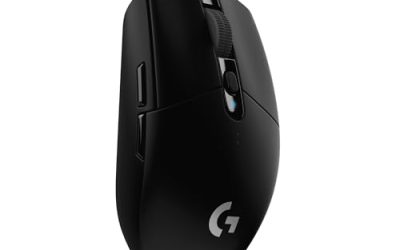
The Logitech G502 HERO is the strongest overall pick in this guide: it pairs a 25,600 DPI sensor with eleven programmable buttons and adjustable weights, so it adapts to shooters, strategy games and long everyday sessions alike. If you would rather cut the cable, the Logitech G Pro X Superlight 2 and the Razer DeathAdder V3 Pro give you the same class of sensor in a much lighter wireless shell.


A gaming mouse is not really about the biggest DPI number on the box. The decision that matters is how the mouse fits your hand, your grip and the games you actually play, because a shape that cramps your wrist after an hour will cost you more aim than any sensor upgrade will ever give back. Weight, button layout and connection type shape that fit just as much as the sensor does, and a mouse built for fast flick shots in a shooter feels very different from one built for a dozen hotkeys in an MMO.
This guide is for players setting up a first gaming PC, for shooter fans chasing a lighter and faster mouse, and for anyone replacing a worn-out mouse with something that will last through years of daily use. Every pick below is a standalone gaming mouse with its own Amazon listing, and every specification comes from the product title or listing on Amazon rather than from a guess.
Our Top Picks
 Razer Basilisk V3 Customizable RGB Wired Ergonomic GamingMouse2.96 x 5.12 x 1.67 inches0.2 poundsCheck on Amazon


Top 3 picks at a glance

Quick Picks
As an Amazon Associate we earn from qualifying purchases
| Product | Best for | Key spec from title |
|---|---|---|
| Logitech G502 HERO | All-round play with many buttons | HERO 25K sensor, 25,600 DPI |
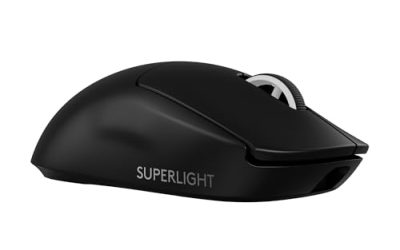
| Logitech G Pro X Superlight 2 | Competitive shooters, lightweight wireless | 60g, 44k DPI sensor, 8kHz report rate |
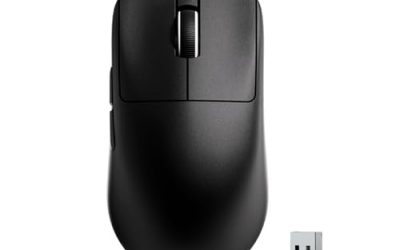
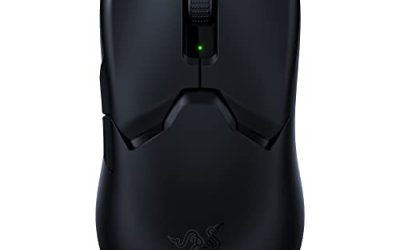
| Razer DeathAdder V3 Pro | Palm-grip wireless comfort | 63g, Focus Pro 30K optical sensor |
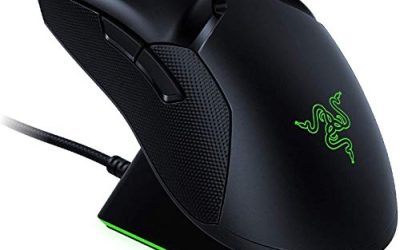
| Razer Basilisk V3 | Wired control with a tilt scroll wheel | 26K DPI optical sensor, 11 programmable buttons |
| Logitech G305 LIGHTSPEED | Wireless play on a simple setup | HERO 12K sensor, 12,000 DPI, 250h battery life |
How to Choose
Match the sensor to your games, not to the headline number
Every mouse here tracks far beyond what most players use, since few people play above 1,600 DPI in a shooter. What separates a good sensor from a poor one is consistent tracking at the speed you move, with no smoothing or acceleration changing your aim mid-flick. The HERO 25K in the G502 HERO and the Focus Pro 30K in the DeathAdder V3 Pro both come from current flagship sensor families, while the HERO 12K in the G305 is an older design that still covers everyday and casual competitive play. If you play fast shooters, prioritise a modern sensor and a high polling rate; if you play strategy or role-playing games, almost any sensor here will do and shape matters more.
Weight and shape decide comfort over long sessions
A mouse between 60 and 65 grams, like the Superlight 2 or the DeathAdder V3 Pro, feels almost weightless during fast flicks and long ranked sessions, while a heavier mouse near 120 grams feels steadier for slow, deliberate aiming. Shape matters just as much: the DeathAdder and Basilisk lines use a tall, right-handed ergonomic shell that supports a palm grip, while the Superlight 2 uses a lower symmetrical shell that suits claw and fingertip grips. If your hand is on the smaller side, a compact shell will let you reach the side buttons without stretching. Measure your hand from wrist to middle fingertip and compare it with the dimensions on the listing before you commit.
Wired or wireless is a desk decision as much as a latency one
Modern wireless mice from Logitech and Razer use dedicated 2.4 GHz receivers that play without the lag older wireless mice suffered, so the choice is now about your desk rather than your aim. Wireless removes cable drag and keeps a small desk tidy, but it adds battery management: the DeathAdder V3 Pro is listed at up to 90 hours, while the G305 runs on a single AA battery for a listed 250 hours. Wired mice like the G502 HERO and Basilisk V3 never need charging and work the moment you plug them in, at the cost of a cable that can snag unless routed well. If you travel, wireless wins; if your mouse never leaves the desk, wired is simpler.
Count the buttons you will actually press
Extra buttons only help if you can reach them without shifting your grip. Eleven programmable buttons on the G502 HERO and Basilisk V3 suit players who bind abilities, push-to-talk and weapon swaps, and both mice add a sniper button or a tilt wheel for extra inputs. Five or six buttons, as on the Superlight 2, DeathAdder V3 Pro and G305, keep the layout clean for shooters where the side buttons handle two or three binds at most. Think about your most-played game: an MMO or MOBA player benefits from a button-rich mouse, while a shooter player gains more from a light shell and a clean layout. On-board memory, listed on the G502 HERO and G305, keeps your binds between computers.
The 5 Best Options
Logitech G502 HERO
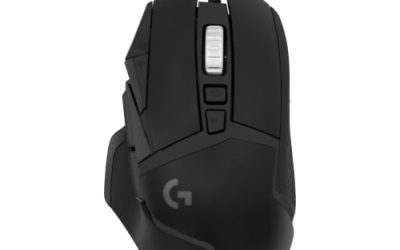
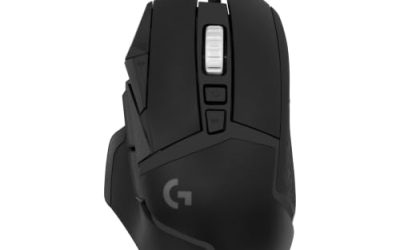
The G502 HERO is the most versatile mouse in this guide, and the one to buy when you play several genres and want a single mouse that handles all of them. Its eleven programmable buttons cover MMO abilities and push-to-talk, the adjustable weight system lets you tune the feel from light to planted, and the scroll wheel switches between notched steps and free spinning for long documents. The HERO 25K sensor tracks up to 25,600 DPI, far beyond what any game needs, and RGB lighting plus on-board memory round out a package that has stayed in Logitech’s lineup for years.
Specs
- Wired USB gaming mouse
- HERO 25K sensor, up to 25,600 DPI
- 11 programmable buttons
- Adjustable weights
- RGB lighting
- On-board memory
- PC / Mac
Best for: Players who want one wired mouse for shooters, strategy games and everyday work.
Watch out for: It is heavier than the lightweight wireless picks here, so check the listed weight against your grip before buying; confirm it is still sold before buying.
Logitech G Pro X Superlight 2
The Superlight 2 is built for players who treat every gram as a decision, weighing 60 grams while keeping a full-size symmetrical shell. Its HERO 2 sensor is listed at 44,000 DPI with an 8 kHz report rate, which suits fast flick aiming in competitive shooters, and the five programmable buttons keep the layout free of anything you might press by accident. USB-C charging and LIGHTSPEED wireless mean no cable drag and a quick top-up between sessions. The minimal shape suits claw and fingertip grips best, and players coming from a tall ergonomic mouse should expect an adjustment period.
Specs
- LIGHTSPEED wireless gaming mouse
- 60g pro-grade design
- 44k DPI sensor
- 8kHz report rate
- 5 programmable buttons
- USB-C charging
- PC / Mac
Best for: Competitive shooter players who want the lightest wireless mouse with a top sensor.
Watch out for: The low symmetrical shell gives less palm support than an ergonomic mouse, and there is no tilt wheel; confirm it is still sold before buying.
Razer DeathAdder V3 Pro
The DeathAdder V3 Pro keeps the tall, right-handed ergonomic shape that made the DeathAdder line a default recommendation for palm-grip players, now at 63 grams with wireless freedom. Its Focus Pro 30K optical sensor and Gen-3 optical switches are built for fast, consistent clicks, and the listed battery life of up to 90 hours means charging is a weekly task rather than a daily one. Five programmable buttons keep the layout simple, and HyperSpeed wireless connects through a dedicated receiver. It is the pick here for players who want wireless without giving up a full, supportive shell.
Specs
- HyperSpeed wireless gaming mouse
- 63g ultra lightweight design
- Focus Pro 30K optical sensor
- Fast optical switches Gen-3
- 5 programmable buttons
- Up to 90-hour battery life
- Black
Best for: Palm-grip players who want a light wireless mouse with a tall ergonomic shell.
Watch out for: The right-handed shape does not suit left-handed players, and the 8K polling dongle is a separate bundle; confirm it is still sold before buying.
Razer Basilisk V3
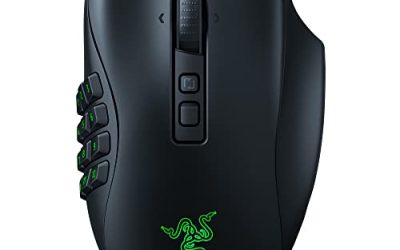
The Basilisk V3 is the wired answer to the G502 HERO: an ergonomic right-handed mouse with eleven programmable buttons, a 26K DPI optical sensor and Chroma RGB lighting. Its standout feature is the HyperScroll tilt wheel, which switches between notched scrolling and free spin and tilts sideways for extra binds. The wired USB connection means no battery to manage and no receiver to lose, which suits a fixed desk setup. The thumb rest and textured grips keep the mouse steady during long sessions, and the shape suits medium to large hands better than small ones.
Specs
- Wired USB gaming mouse, corded electric
- 26K DPI optical sensor
- 11 programmable buttons
- Chroma RGB lighting
- HyperScroll tilt wheel
- Classic Black
Best for: Wired players who want many buttons and a tilt scroll wheel on a fixed desk.
Watch out for: The tall shell and thumb rest suit medium to large hands more than small ones; confirm it is still sold before buying.
Logitech G305 LIGHTSPEED
The G305 is the simplest wireless mouse in this guide, and the easiest to live with: it runs on a single AA battery with a listed 250-hour life, so there is no cable and no charging routine. Its HERO 12K sensor reaches 12,000 DPI, which covers casual and mid-level competitive play, and six programmable buttons with on-board memory handle the usual binds. The compact, lightweight shell suits smaller hands and travel, and it pairs with a laptop as easily as with a desktop. It is the right choice when you want wireless without the weight or the complexity of a flagship.
Specs
- LIGHTSPEED wireless gaming mouse
- HERO 12K sensor, 12,000 DPI
- Lightweight design
- 6 programmable buttons
- 250-hour battery life
- On-board memory
- PC / Mac
Best for: Players who want a simple, long-lasting wireless mouse for casual play and travel.
Watch out for: The older HERO 12K sensor and compact shell suit casual play more than top-tier competitive aiming; confirm it is still sold before buying.
Which One Fits Your Situation
You play competitive shooters most nights
Pick the Logitech G Pro X Superlight 2. At 60 grams with a 44k DPI sensor and an 8 kHz report rate, it is the fastest-feeling mouse here, and the minimal five-button layout keeps accidental presses out of ranked matches. If you prefer a taller shell for your palm, the DeathAdder V3 Pro gives you nearly the same weight with more support.
You play MMOs, MOBAs or strategy games
Pick the Logitech G502 HERO or the Razer Basilisk V3. Both give you eleven programmable buttons for abilities, items and push-to-talk, plus on-board memory on the G502 HERO to carry your binds between computers. The Basilisk V3 adds a tilt wheel if you want sideways scrolling as an extra bind.
You want wireless without thinking about charging
Pick the Logitech G305 LIGHTSPEED if a single AA battery and a listed 250-hour life sound like the least fuss, or the Razer DeathAdder V3 Pro if you want a rechargeable mouse with up to 90 hours between charges. Both keep your desk free of cable drag, and both work through a dedicated receiver rather than Bluetooth.
Your mouse never leaves one desk
Pick a wired mouse and skip batteries entirely. The G502 HERO covers the most genres with its eleven buttons and adjustable weights, while the Basilisk V3 suits players who want a tilt wheel and a thumb rest. Route the cable with a little slack so it never snags mid-aim, and keep the receiver port free for other gear.
Common Mistakes
- Buying on the biggest DPI number instead of checking weight, shape and grip fit first.
- Choosing a tall ergonomic mouse for a fingertip grip, or a low symmetrical mouse for a full palm grip.
- Ignoring battery type: a rechargeable mouse needs a charging habit, while an AA mouse needs spare batteries.
- Assuming every button is usable: side buttons you cannot reach without shifting your grip will stay unbound.
- Skipping the listing details: check the connection type, the listed battery life and the dimensions before you buy.
Frequently Asked Questions
Is a wireless gaming mouse fast enough for competitive play?
Yes. The wireless mice here use dedicated 2.4 GHz receivers from Logitech and Razer, which are built for gaming rather than office use. The Superlight 2 lists an 8 kHz report rate, and the DeathAdder V3 Pro and G305 both pair a gaming sensor with a wireless link. Keep the receiver close to the mouse and away from metal objects for the most stable connection.
How many DPI do I actually need?
Most players use between 400 and 1,600 DPI in shooters, and every mouse in this guide covers that range many times over. A higher maximum, such as the 44,000 DPI listed on the Superlight 2, matters less than consistent tracking and a sensor that does not add smoothing. Set your DPI in the mouse software, then adjust in-game sensitivity until flicks land where you expect.
Wired or wireless: which should I choose?
Choose wireless if you move your mouse between computers, travel with it, or dislike cable drag on a small desk. Choose wired if your mouse stays on one desk and you would rather never think about batteries or charging. Both types here use gaming-grade sensors, so the decision comes down to your desk and your habits rather than your aim.
Can one gaming mouse work for both games and office work?
Yes, and the G502 HERO is the best example here: its eleven buttons can hold productivity shortcuts, the free-spinning scroll wheel helps with long documents, and on-board memory keeps your setup when you switch computers. The G305 is a quieter option for mixed use, since its compact shell and long battery life suit a laptop bag as well as a gaming desk.
Related guides
More from Amazon
Programs that pair well with the guide above. Offers and eligibility are set by Amazon and may change.
Free shipping on eligible items, Prime Video and more. Eligible new members can start with a free trial.
Start a Prime free trialAd-free music streaming. Eligible new subscribers can start with a free trial.
Try Music Unlimited freeA Prime membership for ages 18-24 with a trial period. Eligibility is set by Amazon.
See Prime for Young AdultsAudiobooks and podcasts to listen to on the go. Eligible new members can start with a free trial.
Try Audible freeAs an Amazon Associate we earn from qualifying purchases.